
 My Account
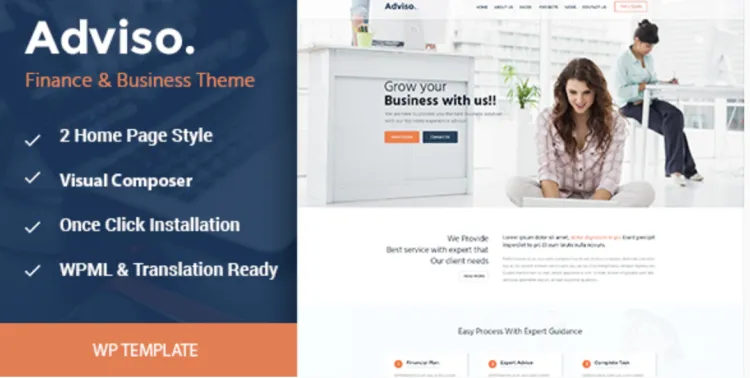
Whether you’re building a business consultancy website or a sleek corporate page, the Adviso theme is a compelling solution. With clean design, intuitive layouts, and Elementor compatibility, it’s ideal for presenting professional services with flair. In this guide, we’ll walk you through how to install the premium version of the theme with confidence.
How to Install Adviso Theme in 5 Powerful Steps
- Download the Theme Files
- Visit GPLPAL and download the
adviso.zipfile.
- Visit GPLPAL and download the
- Upload the Theme to WordPress
- Navigate to Dashboard > Appearance > Themes > Add New > Upload Theme > Choose
adviso.zip> Click Install Now.
- Navigate to Dashboard > Appearance > Themes > Add New > Upload Theme > Choose
- Activate the Theme
- Once installed, click Activate to enable the Adviso theme.
- Install Required Plugins
- Upon activation, install any recommended plugins, such as Elementor, Contact Form 7, or custom post types.
- Import Demo Content
- Go to Appearance > Import Demo Data. One-click import lets you replicate the professional demo layout.
At this point, your site should mirror the Adviso theme’s elegant demo—sharp, modern, and ready for customization.
Adviso Theme Setup: 5 Must-Do Settings Post Installation
- Permalink Structure
- Go to Settings > Permalinks > Choose “Post name” for better SEO and cleaner URLs.
- Site Identity Setup
- Customize > Site Identity > Upload your logo and site icon for instant branding.
- Typography & Color Palette
- Customize > Colors & Fonts > Choose a brand-aligned color scheme and readable font family.
- Homepage & Blog Settings
- Set a static homepage and create a dedicated blog page under Settings > Reading.
- SEO Plugin Setup
- Install Rank Math, enable schema, and configure meta titles for professional SEO performance.
How to Troubleshoot 3 Common Adviso Theme Installation Issues
- Upload Error: “The package could not be installed.”
- You likely uploaded the unzipped folder. Ensure you’re uploading only the
adviso.zipfile.
- You likely uploaded the unzipped folder. Ensure you’re uploading only the
- Demo Content Fails to Import?
- Double-check that all required plugins are installed and activated before importing.
- Broken Layout or Missing Styles?
- Go to Elementor > Tools > Regenerate CSS & Data, then clear your browser cache.
Why Adviso Theme Is a Smart Choice for Business Professionals
- Tailored for Corporate Sites: Perfect for law firms, agencies, consultants
- Pre-built Templates: Save hours with stunning pre-designed pages
- Fully Responsive Design: Looks amazing on any screen size
- Speed-Optimized: Clean code and lightweight assets ensure fast load times
With these assets, the Adviso theme delivers a high-end user experience for clients and visitors alike.
Adviso Theme Optimization Tips to Maximize Performance
- Use WebP format for images to cut load time
- Add lazy loading for media via WP Rocket or Smush
- Disable unused plugins and scripts with Asset CleanUp
- Enable caching and GZIP compression for better speed scores
- Add FAQ and Review schema via Rank Math to boost CTR
For further learning, refer to the official WordPress theme documentation.
A refined website starts with a professional foundation. Adviso theme is that foundation—refined, robust, and ready.

