Elementra (ThemeREX) — Installation & Activation Guide
First, download the latest version of Elementra:
Elementra – 100% Elementor WordPress Theme (Pro Version)|Activated
Prerequisites
-
WordPress 6.5+ (recommended)
-
PHP 7.4+ (PHP 8.x supported)
-
Memory limit ≥ 256 MB, Max Upload Size ≥ 64 MB
1) Install the Main Theme
-
Log in to WordPress → Appearance → Themes → Add New → Upload Theme.
-
Upload
elementra.zip(the main theme) and click Install, then Activate. -
(Optional) If you have
elementra-child.zip, install and activate it now so future tweaks stay safe during updates.
2) Install the Activation Plugin
-
Go to Plugins → Add New → Upload Plugin.
-
Upload and activate
gpl-activator-elementra.zip.-
Direct download (if needed): gpl-activator-elementra.zip
-
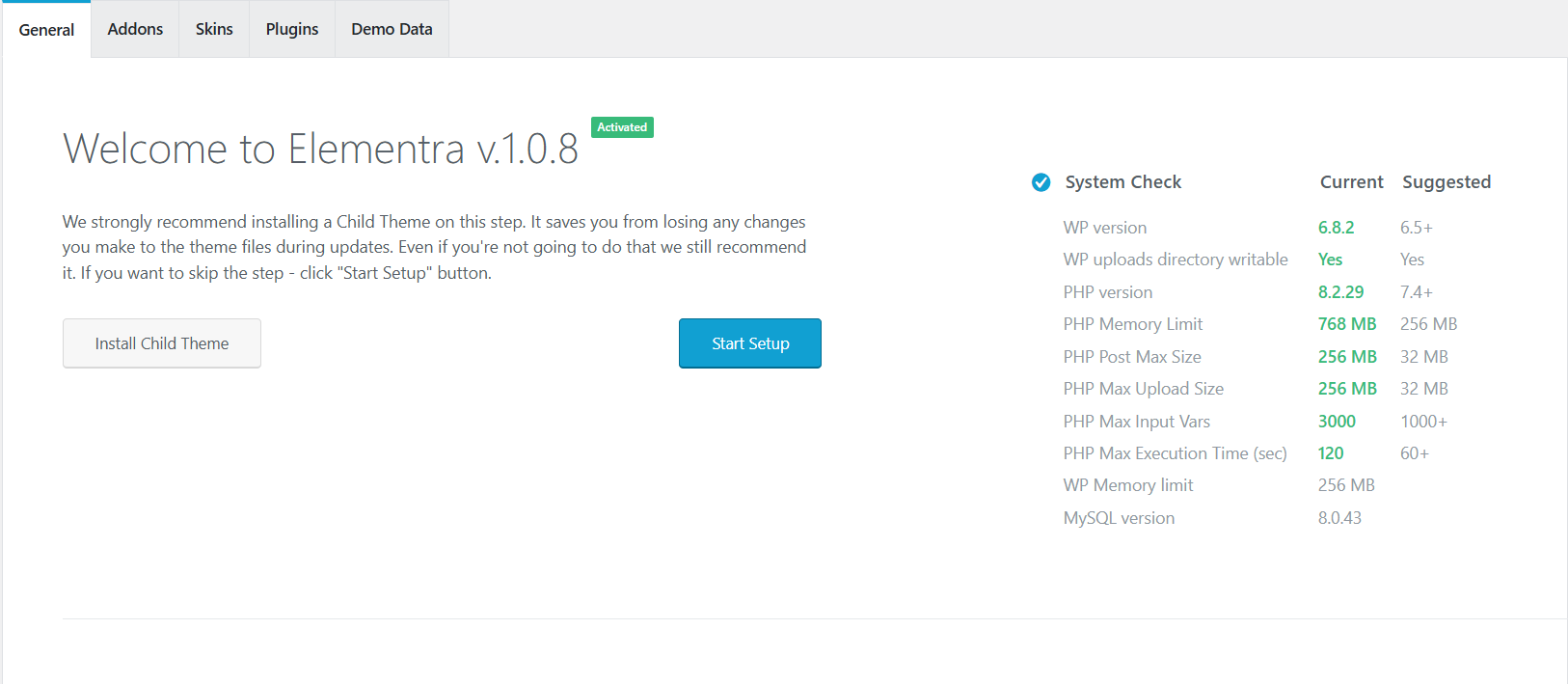
That’s it — Elementra will show Activated on its welcome screen.
3) (Optional but Recommended) Convert to Must-Use Plugin
This makes activation permanent and prevents accidental deactivation.
-
WordPress admin → Tools → GPL Activator.
-
Click Convert to MU-Plugin (recommended).
-
This creates a loader in and keeps the activator always on.
wp-content/mu-plugins/
-

4) Install Required Plugins & Demo
-
Go to Appearance → Elementra (or the theme’s welcome screen).
-
Install any Required/Recommended plugins (e.g., TRX Addons).
-
Import demo content via Demo Data if you want the starter layout.