
 My Account
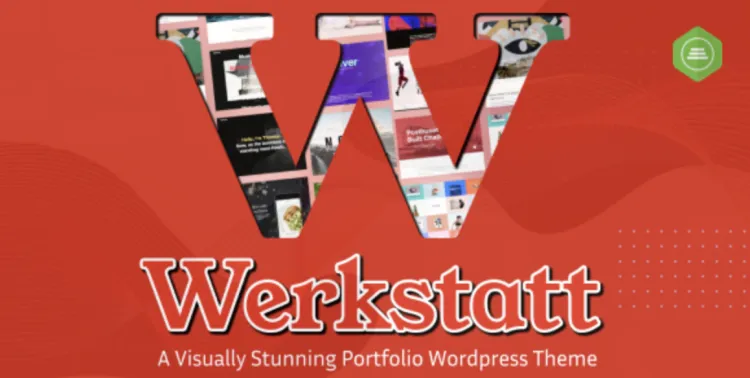
Introduction: Why the Werkstatt theme Is a Game-Changer for Creatives
The Werkstatt theme is more than just another premium WordPress theme—it’s a bold, elegant toolkit for artists, designers, agencies, and freelancers. If you’re looking for sleek animations, masonry layouts, drag-and-drop capabilities, and unmatched typography controls, this theme delivers without compromise.
👉 Download the full version from GPLPal now.
How to Install the Werkstatt theme in 3 Simple but Powerful Steps
Even for experienced users, precision matters. Let’s go step-by-step to avoid common pitfalls:
✅ Step 1: Upload and Activate the Theme
From your WordPress admin panel:
Upload the werkstatt.zip file and click Install Now, then Activate the theme.
✅ Step 2: Install Required Plugins
Immediately after activation, a prompt will appear to install required plugins. Go to:
Select all recommended plugins like Visual Composer and activate them.
✅ Step 3: Import Demo Content (Highly Recommended)
To quickly replicate a demo layout:
Choose your favorite layout, then click Import Demo. Wait for the process to complete without refreshing the page.
🛠️ Werkstatt theme: 5 Crucial Settings You Must Configure Post-Installation
Configuring the right elements ensures your site looks polished from the start:
1. Site Identity Branding
Set your logo, favicon, and tagline under:
2. Adjust Grid/Masonry Layout
Werkstatt allows ultra-flexible grid layouts via:
Enable hover effects, spacing, and overlay styles.
3. Typography & Fonts
Navigate to:
Use Google Fonts or upload custom ones to align your design with your brand tone.
4. Enable Lazy Load for Images
To improve performance, install and activate a3 Lazy Load or WP Rocket for automatic optimization.
5. Optimize Menu Navigation
Go to:
Create intuitive navigation with drop-down support and anchor links for smooth scrolling.
❗ How to Troubleshoot 3 Common Werkstatt theme Installation Issues
1. “Stylesheet Missing” Error
Reason: You uploaded the wrong folder.
Fix: Extract the .zip you downloaded and upload only werkstatt.zip.
2. Demo Import Freezes
Reason: Server timeout or PHP memory limit.
Fix: Edit wp-config.php with:
3. Broken Layout or Missing Elements
Reason: Missing plugins like WPBakery or LayerSlider.
Fix: Go to Appearance > Install Plugins and activate all recommended ones.
💼 Why Werkstatt theme Is the Smart Choice for Serious Professionals
-
🎨 Design Flexibility: Visual Composer integration with real-time preview.
-
🚀 Fast Performance: Minimized scripts and lazy loading.
-
📱 Mobile-Responsive: Stunning visuals on all devices.
-
⚙️ Customization Power: From micro-interactions to macro-layouts.
🚀 Werkstatt theme Optimization Tips to Supercharge Your Site Speed
-
Use WebP Images with plugins like ShortPixel.
-
Minify CSS & JS using Autoptimize.
-
Connect to a CDN (Cloudflare is free!).
-
Turn off Unused Features in
Werkstatt Optionsto reduce bloat.
📚 Additional Resources
Need official documentation on managing WordPress themes? Visit the WordPress Theme User Guide.
🎉 Conclusion
The Werkstatt theme isn’t just beautiful—it’s built for real-world creative performance. This guide walked you through everything from installing the theme to optimizing its speed and layout. Whether you’re building a client’s portfolio or refreshing your agency’s image, you now have a rock-solid foundation to work from.
🔥 Ready to try it? Get your advanced version at GPLPal.

