
 My Account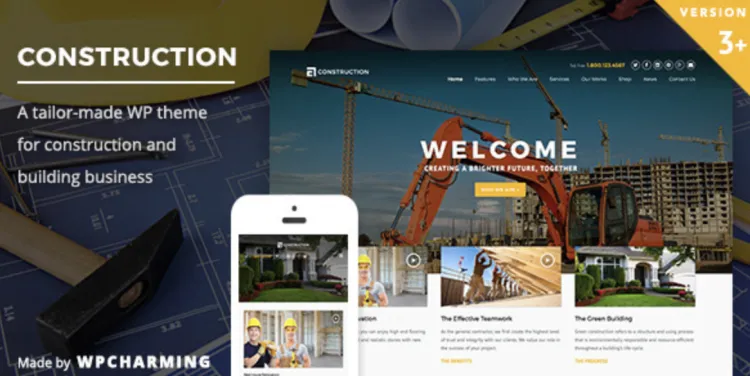
Introduction to the Construction theme: Powerful and Reliable for Professionals
The Construction theme is a premium WordPress theme designed specifically for construction companies, architects, and builders. Its robust features, clean design, and flexible customization options make it a top choice for professionals aiming to showcase their projects effectively.
You can download the latest version directly from GPLPal: https://gplpal.com/product/construction/.
How to Install the Construction theme: 3 Simple Steps
Installing the Construction theme is straightforward and fast, especially for users familiar with WordPress. Follow these steps:
Step 1: Upload and Activate the Theme
Go to your WordPress dashboard:
Select the construction.zip file, click Install Now, then Activate the theme.
Step 2: Install Required Plugins
After activation, a notice will prompt you to install essential plugins. Navigate to:
Install and activate all recommended plugins to unlock the full functionality of the Construction theme.
Step 3: Import Demo Content (Optional)
To quickly get started, import demo content:
Select your preferred demo style and import it to have a ready-made site structure, including layouts, widgets, and menus.
🔧 Construction theme: 5 Important Settings to Configure After Installation
Properly configuring these settings guarantees your site runs smoothly and looks professional:
-
Set Permalinks to SEO-Friendly URLs
Navigate toSettings > Permalinksand select Post name to improve SEO and user experience. -
Customize Site Identity
Add your company logo and favicon atAppearance > Customize > Site Identityto strengthen your brand. -
Configure Homepage and Menus
Set a static homepage underSettings > Readingand organize your menus inAppearance > Menusfor clear navigation. -
Enable Responsive Image Loading
Improve page speed by enabling lazy loading for images via the theme options or a plugin such as a3 Lazy Load. -
Optimize Caching and Performance
Install caching plugins like WP Super Cache or W3 Total Cache to boost site speed and reduce server load.
⚠️ Troubleshooting 3 Common Issues When Installing the Construction theme
1. Theme Upload Fails
Cause: Incorrect file uploaded.
Solution: Ensure you upload the construction.zip file, not the full package folder.
2. Demo Content Import Fails
Cause: Server limitations (memory, max execution time).
Fix: Add these lines to your wp-config.php to increase limits:
3. Missing Styles or Broken Layouts
Cause: Required plugins not activated.
Fix: Go to Appearance > Install Plugins and activate all required plugins.
🌟 Why the Construction theme Is the Smart Choice to Boost Your Business Image
The Construction theme offers a clean, professional look tailored for the construction industry. Its easy-to-use drag-and-drop builder, compatibility with popular plugins, and responsive design make it ideal for creating a credible online presence that impresses clients.
🚀 Construction theme Optimization Tips to Maximize Website Speed and Functionality
-
Compress images with plugins like Smush for faster loading.
-
Use a CDN like Cloudflare to reduce latency worldwide.
-
Minimize heavy plugins and scripts to keep your site lightweight.
-
Enable GZIP compression via your hosting control panel for faster data transfer.
Additional Resources
For more details on WordPress theme management, see the official WordPress Theme Handbook.
Conclusion
Installing the Construction theme is quick and efficient with this guide. By following the essential setup and optimization steps, you can launch a professional, fast, and attractive website in no time. Download the advanced version at GPLPal and take your construction business online in style!

