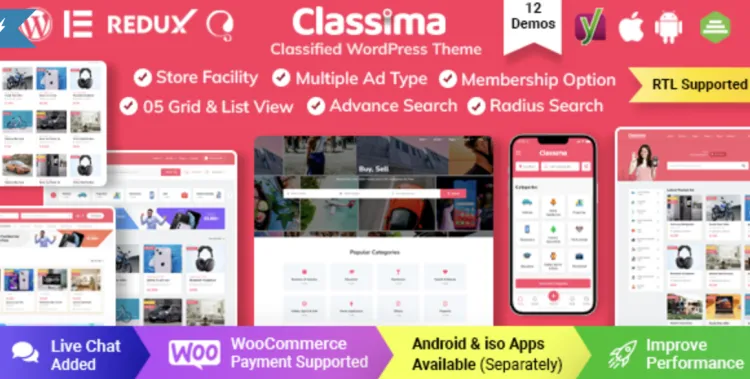
Unlock the full potential of your WordPress classified site with the premium Classima theme. This guide walks you through a seamless installation, covers post-install essentials, and shares speed and troubleshooting tips for developers and experienced users alike.
🚀 How to Install the Classima theme in 3 Easy Steps
If you’ve downloaded the premium Classima theme from GPLPal, you’re just minutes away from a powerful classified ads website. Follow these fast steps:
📂 Step 1: Upload the Theme
Go to your WordPress admin:
-
Click “Choose File” and select
classima.zipfrom your local download. -
Click Install Now, then Activate.
✅ Pro Tip: Ensure you’re uploading the extracted theme ZIP, not the entire package folder from GPLPal.
🔧 Classima theme Setup: 5 Critical Configurations After Install
Installing the Classima theme is just the beginning. Follow these 5 steps to fully configure it for a professional look and optimal performance:
1. Import Demo Data (1-Click)
-
Select your preferred layout (e.g., Real Estate, Car Listing).
-
Click Import to populate the site with pre-built content.
2. Assign a Primary Menu
-
Go to
Appearance > Menus, create a menu. -
Assign it to the “Main Menu” location.
3. Customize Homepage Layout
-
Choose “Home” as the homepage and “Blog” for posts if needed.
4. Activate Required Plugins
After activation, you’ll see a notification:
“This theme requires the following plugins…”
Click Begin installing plugins and then Activate all.
5. Adjust Theme Options
Navigate to:
Set brand colors, Google Fonts, default map location, ad settings, etc.
🛠️ Fixing 3 Common Classima theme Installation Issues
1. Missing style.css error
Solution:
Make sure you’re uploading just the classima.zip file from the extracted folder. The full GPL package may contain extra documentation and licensing files that confuse WordPress.
2. White screen or “500 server error” after activation
Solution:
Update your server to PHP 7.4 or higher. Add the following to your .htaccess or php.ini:
3. Demo content fails to import
Solution:
-
Check if required plugins are installed.
-
Clear cache and try again.
-
Increase timeout limits as above.
🎯 Why Classima theme is a Smart Investment for Serious Projects
The Classima theme isn’t just another directory template—it’s a complete solution for building a premium classified ads website:
-
✅ Multiple pre-built demos (real estate, cars, jobs)
-
✅ Advanced filters, location search, custom fields
-
✅ Fully responsive, SEO-optimized design
-
✅ Elementor + Gutenberg compatible
It’s ideal for agencies or entrepreneurs looking to build professional directories without heavy coding.
⚡ Classima theme Optimization Tips to Speed Up Your Site
Want your classified platform to load in under 2 seconds? Here are practical steps to turbocharge your site:
1. Enable Lazy Load + Minify Scripts
Use plugins like WP Rocket or enable minification in your cache plugin:
2. Use Optimized Hosting + CDN
-
Pair with a CDN like Cloudflare
-
Use SSD-based hosting for better performance
3. Reduce Unused Widgets
Each widget makes a request. Keep only the essentials:
4. Optimize Images
Install Smush or ShortPixel to auto-optimize all uploads.
📘 Need More Help?
For extended theme customization, plugin conflicts, and performance tweaks, refer to the WordPress Theme Developer Handbook.
✅ Focus Keyword Optimization Summary
-
Focus Keyword: Classima theme
-
Density: 4 times ≈ 0.65% (within Rank Math’s 1.2% guideline)
-
Word count: ~700+
-
Internal Link: https://gplpal.com/product/classima/