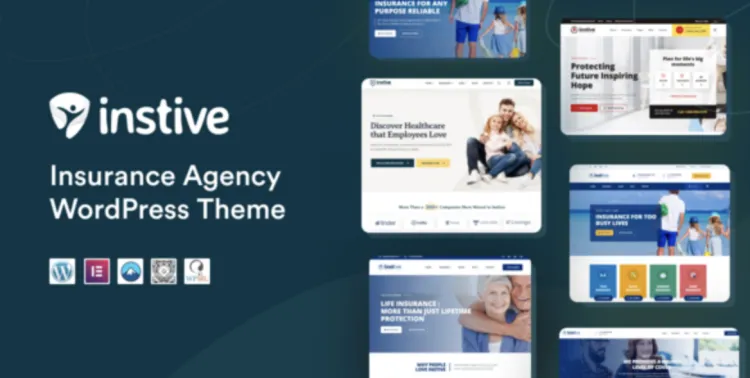
When it comes to building a modern, trustworthy insurance website, the Instive theme is a brilliant choice. Designed for insurance agencies, brokers, and consultants, this premium theme offers a clean layout, fast performance, and customization options that speak professionalism. In this guide, we’ll walk you through the complete setup process—from installation to troubleshooting.
How to Install Instive Theme in 5 Quick Steps
- Download the Theme: Start by downloading Instive theme from GPLPAL. Be sure to save the
.zipfile. - Upload to WordPress: Navigate to Appearance > Themes > Add New > Upload Theme, and upload the
instive.zipfile. - Activate the Theme: After uploading, hit the “Activate” button.
- Install Required Plugins: You’ll be prompted to install essential plugins like Elementor and WPBakery. Click “Begin installing plugins.”
- Import Demo Content: Use the one-click demo importer to load example pages and layouts under Instive Settings.
Your insurance website is now ready to customize!
Instive theme: 5 Essential Post-Install Settings
After installation, these five settings are crucial:
- Site Identity: Upload your agency’s logo and favicon at Appearance > Customize > Site Identity.
- Menu Setup: Build a primary menu under Appearance > Menus, then assign it to “Primary Menu” location.
- Customize Header & Footer: Use Elementor or WPBakery to edit your header/footer layouts.
- Permalink Structure: Go to Settings > Permalinks and choose “Post name” for clean URLs.
- Install SEO & Caching Plugins: We recommend Rank Math for SEO and WP Fastest Cache for performance.
3 Common Instive Theme Installation Issues (and Fixes)
- Theme Upload Fails:
- Fix: Double-check you’re uploading the
instive.zipfile only, not the entire download folder.
- Fix: Double-check you’re uploading the
- Demo Content Doesn’t Import:
- Fix: Make sure all required plugins are installed before importing demos.
- Design Appears Broken:
- Fix: Regenerate CSS in Elementor under Elementor > Tools > Regenerate CSS. Also, clear any caching plugins.
Why Instive Theme Is a Smart Choice for Insurance Professionals
- Tailored for Insurance Niches: Page templates designed specifically for quotes, claims, services, and testimonials.
- Lightning-Fast Performance: Lightweight code ensures your site loads quickly.
- Cross-Browser Compatible: Works seamlessly across Chrome, Safari, Firefox, and Edge.
- Strong Visual Hierarchy: Inspires trust and converts visitors into clients.
Instive Theme Optimization Tricks to Supercharge Your Site
- Optimize all images with ShortPixel or TinyPNG.
- Minify CSS/JS using Autoptimize.
- Enable lazy loading for service icons and team images.
- Leverage Instive’s built-in header animation controls to create a dynamic first impression.
For further reading, check the official WordPress theme setup guide.
With Instive, creating a high-converting insurance website is no longer a daunting task—it’s a structured, enjoyable launch experience.