Why the Wilmër theme Is a Smart Choice for Professionals
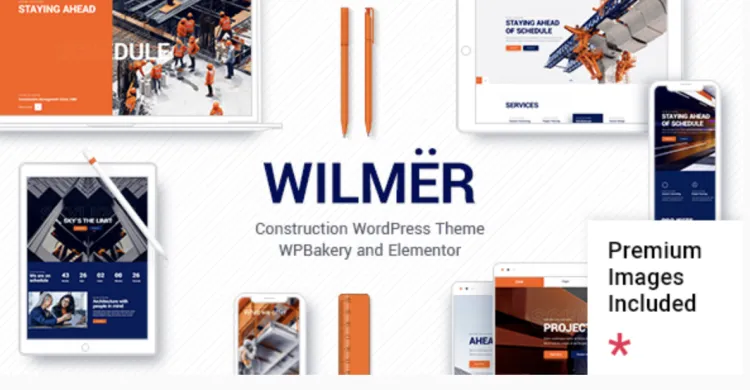
The Wilmër theme is one of the most visually stunning and functionally rich WordPress themes for architecture, construction, and creative businesses. Designed to impress clients at first glance, this theme combines aesthetic brilliance with powerful performance—making it an excellent choice for those who care about design and professionalism.
Whether you’re a design agency, freelance architect, or corporate contractor, using the Wilmër theme instantly adds credibility and flair to your brand online.
🟢 5 Must-Do Settings After Installing the Wilmër theme
Once you’ve installed the theme, don’t stop there. These five essential settings will help ensure that your website looks and functions exactly as intended:
-
Install Required Plugins
Navigate to Appearance → Install Plugins. Activate all suggested plugins like WPBakery Page Builder, Edge Core, and Slider Revolution to ensure full theme functionality. -
Set Your Homepage
Go to Settings → Reading → Select “A static page,” and choose the imported homepage layout to make sure users land on the right screen. -
Enable Smooth Page Transitions
This feature gives your site a polished feel. Activate it under Wilmër Options → General → Page Transitions. -
Adjust Typography and Colors
Customize global fonts and color schemes under Wilmër Options → Typography and Styling. Match them with your brand palette. -
Optimize for Mobile
Under WPBakery → Responsive Options, fine-tune your layouts for tablets and smartphones. The Wilmër theme is mobile-ready, but extra tweaks make a difference.
🟢 How to Troubleshoot 3 Common Issues with the Wilmër theme
No setup is 100% foolproof. Here are three frequent problems and how to fix them like a pro:
-
Demo Import Fails
-
Fix: Check that PHP settings (memory_limit, max_execution_time) meet requirements. You can adjust these via your hosting control panel or contact support.
-
-
White Screen After Activation
-
Fix: Temporarily disable plugins one-by-one to detect conflicts. In most cases, caching plugins are the culprits.
-
-
Missing Styles or Broken Layout
-
Fix: Clear your browser and WordPress cache, and make sure all required plugins are installed. Also, regenerate thumbnails using a plugin like “Regenerate Thumbnails.”
-
🟢 Why the Wilmër theme Is a Brilliant Move for Your Brand
Investing in the Wilmër theme isn’t just about visual appeal. It’s about functionality, speed, and credibility. The theme includes:
-
12+ homepages tailored for construction and design
-
SEO-friendly structure
-
Built-in portfolio and blog layouts
-
Elementor and WPBakery compatibility
-
WooCommerce integration
Choosing Wilmër helps position your brand as modern, reliable, and refined—all essential values in today’s design-focused business landscape.
🟢 Wilmër theme Optimization Tips to Supercharge Your Website
Ready to go beyond the basics? Try these expert tips:
-
Use Lazy Load for images to improve page speed (enabled via plugins like WP Rocket).
-
Compress images before upload using TinyPNG or ShortPixel.
-
Leverage SEO plugins like Rank Math for better indexing.
-
Use schema markup to improve visibility on search engines.
-
Regularly update your theme and plugins to maintain security and speed.
✅ Download Link & Further Reading
To download the latest version of the Wilmër theme, visit GPLPal’s official product page.
Need extra guidance? You can always refer to the WordPress official theme usage documentation for deeper technical info.