Why the VidoRev theme Is a Smart Choice for Video Websites in 2025
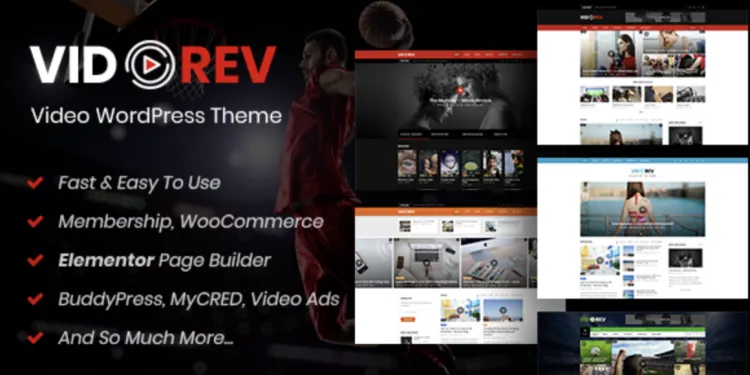
In today’s digital world, video content dominates the web. The VidoRev theme is a powerful, premium WordPress theme designed specifically for video bloggers, streamers, and content creators who demand speed, flexibility, and professional design.
With its clean interface, responsive layouts, and compatibility with popular plugins, the VidoRev theme makes building a stunning video website effortless. If you’ve purchased the advanced version, download it here from GPLPal: https://gplpal.com/product/vidorev/.
How to Install the VidoRev theme: 3 Quick Steps
Installing the VidoRev theme is straightforward, especially for users familiar with premium WordPress themes.
Step 1: Upload and Activate the Theme
Log into your WordPress dashboard and navigate to:
Select the vidorev.zip file you downloaded from GPLPal, then click Install Now and Activate.
Step 2: Install Required Plugins
Upon activation, you’ll see a notification to install essential plugins for full functionality.
Go to:
Install and activate all recommended plugins, such as video players and layout builders, to unlock the theme’s advanced features.
Step 3: Import Demo Content (Optional)
For a quick website setup, import one of the professional demo layouts:
Choose a demo that matches your content style and click Import. This automatically configures pages, menus, and widgets.
⚙️ VidoRev theme Setup: 5 Must-Do Settings After Installation
Installing is just the start. To get your video website performing optimally, focus on these 5 key settings:
-
Set Pretty Permalinks for SEO
Head toSettings > Permalinksand select Post name for cleaner URLs and better search engine ranking. -
Upload Logo and Customize Branding
Go toAppearance > Customize > Site Identityto upload your logo and favicon for a polished, branded look. -
Configure Homepage and Video Categories
Assign a static homepage viaSettings > Readingand organize your video posts into well-structured categories for easy navigation. -
Enable Lazy Loading for Videos and Images
To improve page speed, activate lazy loading in the theme options or via plugins like WP Rocket or Autoptimize. -
Activate Caching and CDN
Use caching plugins and Content Delivery Networks to ensure fast loading times worldwide, enhancing user experience and SEO.
🔍 Troubleshooting: Fix 3 Common VidoRev theme Installation Issues
Even experienced users can run into issues. Here are fixes for the most common:
1. Upload Error: “The package could not be installed”
Cause: Uploading the wrong ZIP file (e.g., full archive instead of theme ZIP).
Fix: Extract the archive and upload only the vidorev.zip file.
2. Demo Import Fails or Times Out
Cause: Server memory limits or execution time restrictions.
Fix: Increase limits by adding these to your wp-config.php:
3. Missing Styles or Broken Layouts
Cause: Required plugins not activated.
Fix: Check Appearance > Install Plugins and ensure all recommended plugins are installed and active.
🎯 Why VidoRev theme Is a Brilliant Choice for Professional Video Creators
The VidoRev theme is designed to elevate your video content with stunning layouts, fast load times, and seamless integration with popular video platforms like YouTube and Vimeo. This theme’s flexibility allows creators to customize their site extensively while maintaining professional aesthetics.
Its responsive design ensures your videos look great on desktops, tablets, and smartphones — critical for engaging today’s mobile-first audience. Moreover, the optimized codebase improves SEO, driving more organic traffic to your site.
🚀 VidoRev theme Optimization Tips: Make Your Site Fly
To maximize performance, follow these tips:
-
Convert videos and images to WebP format for faster load times.
-
Use a lightweight video player plugin recommended by VidoRev.
-
Enable caching plugins like WP Rocket or LiteSpeed Cache.
-
Leverage a CDN such as Cloudflare for global delivery speed.
📖 Additional Resources: WordPress Official Theme Installation Guide
For detailed instructions on WordPress theme installation and management, visit the WordPress Theme Handbook.
Conclusion
The VidoRev theme combines premium features with easy setup and powerful customization options. Follow this 6-step installation and optimization guide to launch a professional video website that stands out in 2025. For more advanced tutorials, feel free to ask!