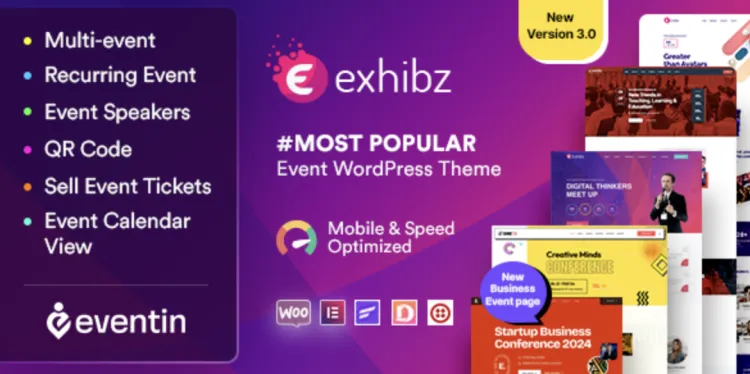
Installing the Exhibz theme (premium edition) is your first step toward a stunning event or conference website. This guide is crafted for users with some WordPress experience and includes every important detail, from installation to optimization. Whether you’re running a seminar, meetup, or business expo—Exhibz theme delivers style and substance.
Exhibz theme Installation Guide: 5 Smart Steps to Get Started
- Download the Package: First, get the Exhibz theme ZIP file from GPLPal. Unzip the folder locally.
- Upload to WordPress: In your WP dashboard, go to Appearance > Themes > Add New > Upload Theme. Select the
exhibz.zipfile. - Activate the Theme: Once uploaded, click Activate to enable the theme.
- Install Required Plugins: Exhibz will recommend plugins like Elementor, Contact Form 7, and WP Event Manager. Install and activate them.
- Import Demo Content (optional but helpful): Go to Appearance > Import Demo Data > Choose a layout > Import.
5 Essential Settings After Installing Exhibz theme
- Homepage Assignment:
- Go to Settings > Reading.
- Choose “A static page” and set your homepage and blog page.
- Permalink Structure:
- Settings > Permalinks > Select “Post name” for SEO-friendly URLs.
- Menu Setup:
- Appearance > Menus > Create a menu.
- Assign menu to Header and Footer.
- Logo and Branding:
- Customize > Site Identity > Upload your logo and favicon.
- Color Scheme & Typography:
- Use Customize > Colors / Typography to match your brand.
These settings ensure your website feels professional from the first click.
How to Fix 3 Common Exhibz theme Installation Issues
Issue 1: Demo Import Fails
- Solution: Increase
max_execution_timeandmemory_limitin yourphp.inior contact hosting support.
Issue 2: Styles Not Loading Properly
- Solution: Clear browser and site cache. Re-save Permalinks.
Issue 3: Elementor Widgets Missing
- Solution: Make sure both Elementor and any Exhibz-specific addons are active and updated.
Why Exhibz theme Is a Brilliant Choice for Events and Conferences
- 10+ demo templates for events, summits, webinars, and expos.
- Fully responsive on mobile, tablet, and desktop.
- Seamless Elementor integration.
- Built-in event countdowns and schedule tables.
- Supports WooCommerce for ticket sales.
These built-in features reduce your dependency on third-party tools.
Exhibz theme Optimization Tips: Make It Lightning Fast
- Image Compression: Use ShortPixel or TinyPNG to compress event images.
- Minify CSS & JS: With plugins like Autoptimize or WP Rocket.
- Lazy Loading: Enable lazy load for images and videos.
- Disable Unused Widgets: Reduce backend bloat for faster admin experience.
- CDN Integration: Use Cloudflare for global delivery boost.
These strategies can cut page load time by over 40%.
For further customization and technical best practices, check the official WordPress Theme Handbook.
Conclusion The Exhibz theme delivers everything you need to launch a modern, conversion-driven event website. With these five smart steps and optimization strategies, you’ll be miles ahead of the competition.