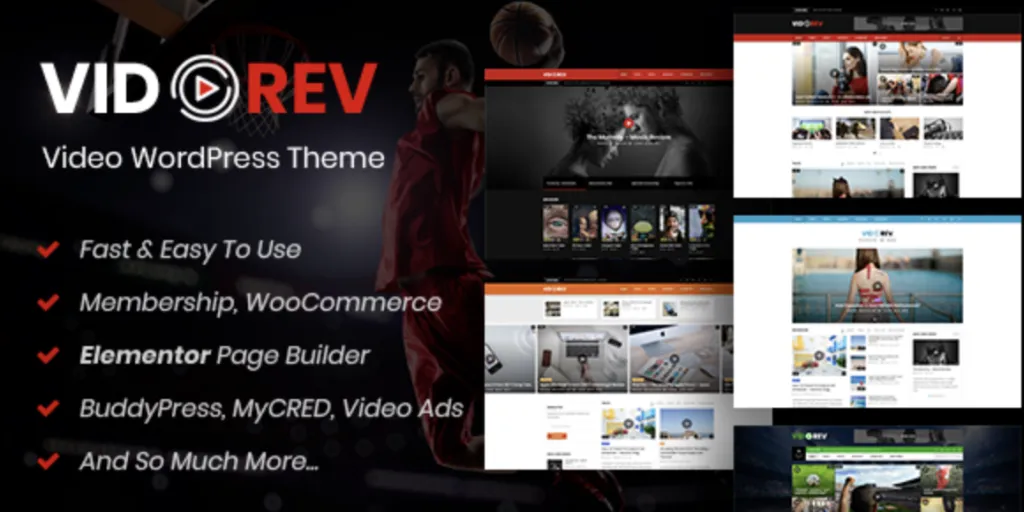
VidoRev – Video WordPress Theme
VidoRev: Video Portal Architecture and Management Overview
The VidoRev – Video WordPress Theme is a structured media management platform designed for video blogs, streaming aggregators, and digital video publishers that need direct integration with external streaming services and self-hosted storage. It operates on an automated post processing pipeline that parses video embed URLs, extracts metadata, and maps video durations and thumbnail assets directly into custom WordPress taxonomies.
The administrative interface provides dedicated metaboxes inside the post editor for configuring video sources, autoplay triggers, theater mode toggles, and floating player viewports. Integrated directly with Elementor and the WordPress Customizer, the layout engine allows web developers to assemble video carousels, grid directories, and channel subscription modules without overriding core template files.
Key Features of VidoRev for Video Media Websites
- Floating Sticky Video Player: Retains active playback when users scroll past the primary media container by transforming the video viewport into a mini floating player anchored to the lower screen corner.
- Automated Video Metadata Import: Extracts video titles, view counts, tags, and high-definition poster images upon submitting YouTube, Vimeo, or Dailymotion URLs into the backend media fields.
- Dynamic Video Playlists and Series: Organizes multi-part media into ordered episode series and persistent autoplay queues with next-video countdown overlays and manual reordering handles in the administrative dashboard.
- Front-End Media Submission Workflows: Provides front-end upload and link submission forms for registered community members, complete with thumbnail preview inputs, category selectors, and moderation status queues.
- Channel and Subscription Infrastructure: Enables user profile pages to display personal playlists, subscribed channels, watch history logs, and interactive media interaction counters via AJAX-driven state updates.
Real-World Deployment Scenarios
- Online Course and Tutorial Hubs: When configuring a dedicated video WordPress theme for educational content, developers can structure modular lessons into grouped series with sequential playback loops, downloadable asset attachments, and sticky player navigation across long transcript pages.
- Independent Entertainment and Web Series Portals: Media networks can organize seasonal video shows with interactive episode selectors, theater mode screen expansions, and automated next-episode transitions that maintain continuous viewer retention.
- Community Video Sharing and Vlogging Platforms: Digital communities can deploy front-end user submission dashboards, member channel pages, and categorized video archives supporting both self-hosted MP4/HLS streams and embedded third-party media.
Technical Architecture & Compatibility
The theme operates on strict WordPress coding standards, verified for compatibility with PHP 8.1 and PHP 8.2 execution environments and native REST API endpoints. To prevent layout shifts and maintain strict Core Web Vitals compliance, the VidoRev core engine utilizes asynchronous script loading for video player dependencies (including Video.js and custom player skins) and lazy-loads embed iframes until viewport intersection.
Unlike a generic video WordPress theme that bundles excessive global scripts on every route, asset distribution is conditional and scoped exclusively to active player components and grid widgets. The template markup conforms to responsive container queries, integrating cleanly with caching engines such as WP Rocket and LiteSpeed, as well as metadata schema tools including Rank Math SEO and Yoast SEO for Video Object structured data output.
Frequently Asked Questions
How does VidoRev handle self-hosted video files and multi-source streaming?
The theme includes an integrated HTML5 video player that processes direct MP4, WebM, and HLS/m3u8 stream URLs configured inside the post options metabox, supporting custom poster image fallbacks and adaptive bitrate playback.
Does the sticky mini player function automatically on mobile devices?
The mobile viewport dynamically shifts the mini player to the bottom-right corner while maintaining touch-friendly playback and dismiss buttons, with admin toggles available to disable sticky behavior on specific screen widths to preserve readable text space.
Can video layouts and archive grids be customized using Elementor?
Yes. The platform supplies dedicated Elementor widgets for video grids, channel blocks, playlist sliders, and category carousels, allowing full parameter adjustments for column numbers, metadata badges, and hover previews directly inside the visual canvas.
-
v2.9.9.9.9.9.7 LatestOct 7, 2026