
 My Account
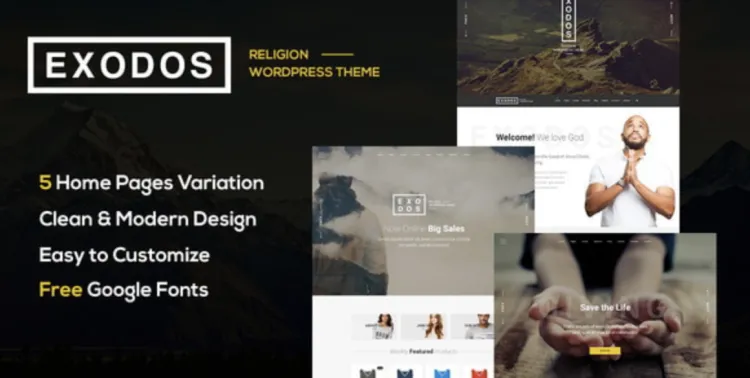
If you’re setting up a professional church or nonprofit website, the Exodos theme offers a beautiful and purpose-driven design. Built for elegance and flexibility, this premium theme simplifies content management and sermon sharing. In this article, you’ll discover how to install it smoothly, configure it effectively, and fix common issues like a pro.
Exodos Theme Installation in 5 Powerful Steps
- Download the Correct File
Head to GPLPAL and download theexodos.zipfile (not the entire package folder). - Upload to WordPress Dashboard
Navigate to Dashboard > Appearance > Themes > Add New > Upload Theme > Chooseexodos.zip> Click Install Now. - Activate the Theme
Once the upload finishes, hit Activate to make Exodos your active theme. - Install Required Plugins
A notification bar will prompt you to install plugins like Kirki, Contact Form 7, and Sermon Manager. Click Begin Installing Plugins. - Import Demo Content
Go to Appearance > Import Demo Data. Use the one-click demo importer to load pages, sliders, and sample sermons.
Now your site mirrors the demo—organized, inviting, and ready for customization.
5 Crucial Post-Installation Settings for Exodos Theme
- Configure Permalinks
- Navigate to Settings > Permalinks > Select “Post name” to improve your SEO and make URLs more readable.
- Upload Logo & Favicon
- Go to Appearance > Customize > Site Identity. Upload your branding assets.
- Tweak Colors and Typography
- Use the Live Customizer or Theme Options panel to fine-tune your font and color scheme.
- Adjust Header/Footer Layout
- Use Elementor or the built-in layout manager to update headers, menus, and footers.
- Add Caching and SEO Tools
- Install Rank Math and WP Super Cache to boost speed and search rankings.
How to Fix 3 Common Exodos Theme Installation Issues
- Upload Error
- Error: “The package could not be installed.”
- Solution: You may have uploaded the wrong file. Only upload
exodos.zip.
- Plugin Conflicts
- Solution: Deactivate all other plugins and re-activate one by one to find the conflict.
- Demo Import Fails
- Solution: Ensure all required plugins are active and increase PHP limits in your hosting panel if needed.
Why Exodos Theme Is a Brilliant Pick for Nonprofits
- Spiritual Design with clean lines and warm color palettes
- Sermon Manager Integration for audio/video uploads
- Responsive Layout works seamlessly on mobile devices
- Event Listing Ready to help users schedule meetings or services
Whether you’re a pastor, event coordinator, or site manager, the Exodos theme gives your organization a trustworthy and welcoming presence.
Exodos Theme Optimization Tips: Make It Blazing Fast
- Compress all images using TinyPNG or ShortPixel
- Enable lazy load and WebP via a plugin like Smush
- Install Asset CleanUp to reduce unused scripts and styles
- Use Rank Math to add structured data for events and sermons
For a deeper dive, consult the official WordPress theme usage guide.
Installing the Exodos theme is just the beginning—customizing and optimizing it can elevate your church site into something truly impactful.

