WhatsPro – WhatsApp & WA Business Status Saver | ADMOB, FAN, APPLOVIN, FIREBASE, ONESIGNAL
Product Overview
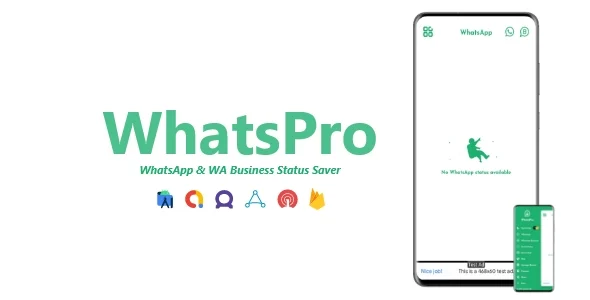
WhatsPro is an Android application template designed for users to save WhatsApp and WA Business statuses directly. It targets individuals and businesses archiving media from these platforms. The template integrates extensive advertising capabilities, including WhatsApp & WA Business Status Saver | ADMOB, FAN, APPLOVIN, FIREBASE, ONESIGNAL, making it suitable for developers launching a monetizable utility app. Upon opening, a clear tabbed interface for “WhatsApp Status” and “WA Business Status” allows immediate navigation to view recent updates.
The primary function is status saving. Tapping a status image or video opens it in a full-screen viewer. Below the media, a “Save” button appears alongside “Share” and “Repost.” Tapping “Save” instantly downloads the media to a designated “WhatsPro” folder in device storage. This direct saving works consistently for images and videos from both WhatsApp and WA Business accounts configured on the device.
Highlights & Value
Beyond core status saving, WhatsPro incorporates developer monetization features. Integrated ad networks like AdMob, FAN, and AppLovin display banner ads at the bottom of the screen, with interstitial ads appearing after several views or on exiting a section. Firebase provides analytics and backend support, enabling remote configuration and push notifications via OneSignal, configurable from a central dashboard for user engagement. This comprehensive package offers several distinct advantages:
- Direct and instant status saving for both WhatsApp and WA Business.
- Multiple ad network integrations for flexible monetization strategies.
- Real-time analytics and remote configuration via Firebase.
- Effective user re-engagement through OneSignal push notifications.
- Clean, tabbed UI for intuitive navigation between status types.
Real-World Use Cases
From a developer’s perspective, setting up WhatsPro involves configuring API keys for ad platforms and Firebase in Android Studio. The WhatsApp & WA Business Status Saver | ADMOB, FAN, APPLOVIN, FIREBASE, ONESIGNAL framework offers a structured way to implement these services without extensive custom coding. Ad placements are customizable for frequency and type. Firebase’s analytics dashboard offers real-time usage data, invaluable for understanding user interaction. Here are practical applications:
- Launching a utility app with built-in, diverse monetization streams.
- Creating a simple media archiving tool for personal or small business use.
- Gaining insights into user behavior and ad performance through Firebase Analytics.
- Delivering targeted marketing messages or app updates directly to users’ devices.
- Providing a reliable solution for content creators to save and reuse ephemeral social media content.
Technical & Compatibility
The application handles various WhatsApp media formats, including standard image types (JPEG, PNG) and video (MP4). It automatically detects new statuses upon opening, refreshing the list without manual intervention. Compatibility extends to Android 5.0 (Lollipop) and above. Firebase Remote Config allows dynamic changes to app behavior or ad settings without requiring an app update, providing flexible management.
Compiling the project in Android Studio is straightforward, following provided SDK integration documentation. The WhatsPro - WhatsApp & WA Business Status Saver | ADMOB, FAN, APPLOVIN, FIREBASE, ONESIGNAL template includes all necessary dependencies, and the build process was consistent. It requires storage permissions, requested clearly on first launch.

Restart Taxi & Delivery- Perfect Taxi Solution with Parcel Delivery

MyTaxi – Complete Flutter Taxi App | Full Taxi Booking Solution with Intercity & Parcel
Sticker Maker for WhatsApp – Stickers in WhatsApp – Sticker Maker-WhatsApp – Sticker Maker for WA