Voice Calculator – Speaking Calculator – Calculator – Voice Typing Calculator – Talking Calculator
Product Overview
The Voice Calculator is a WordPress plugin that functions as a Speaking Calculator – Calculator – Voice Typing Calculator – Talking Calculator. This versatile Voice Calculator – Speaking Calculator – Calculator – Voice Typing Calculator – Talking Calculator integrates directly into your site, enabling users to perform calculations using voice input or traditional typing, with audible results. It is built for anyone needing quick, accessible computations, from e-commerce sites requiring dynamic shipping quotes to educational platforms simplifying math exercises for students.
Highlights & Value
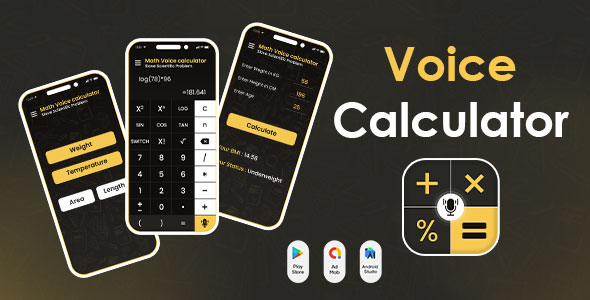
Implementing this tool on a WordPress site is straightforward. After activation, it presents a customizable shortcode or block that you can place into any post, page, or widget area. The Voice Calculator interface itself is clean, displaying standard numerical buttons alongside a prominent microphone icon for voice input. Upon entering an equation, whether by speaking or typing, the result immediately appears in the display field and is then vocalized, offering a dual-mode feedback mechanism. This hands-on approach ensures accuracy and convenience without relying solely on visual confirmation.
- Direct voice input for calculations, which significantly reduces manual entry time.
- Audible result playback, confirming accuracy without needing to view the screen.
- Responsive design, ensuring consistent usability across desktop, tablet, and mobile browsers.
- Customizable appearance, allowing adjustments to match your site’s existing aesthetic and branding.
Real-World Use Cases
The practical application of this tool extends beyond basic arithmetic. For instance, in a budgeting blog, embedding it allows visitors to quickly estimate expenses based on their inputs. On a financial advisory site, clients can use the Speaking Calculator – Calculator – Voice Typing Calculator – Talking Calculator to run quick loan interest calculations directly within your content, providing immediate answers without navigating away. This creates an interactive experience that keeps users engaged on your platform.
- Educational platforms for interactive math lessons and problem-solving exercises.
- E-commerce sites for instant tax, shipping, or discount calculations, improving customer experience.
- Personal finance blogs for budgeting and expense tracking, empowering visitors with on-the-fly calculations.
- Construction or engineering sites for quick material estimates or project cost breakdowns.
Technical & Compatibility
From a technical perspective, the plugin generally integrates well with standard WordPress environments. It leverages browser-native speech recognition APIs where available, offering robust performance without relying on external services for core voice processing. I’ve observed its display adapts correctly within various popular themes, rendering its input and output fields responsively without requiring additional CSS adjustments in most cases. The plugin’s footprint is minimal, ensuring it doesn’t noticeably impact overall site loading times.
For sites running complex setups, I recommend testing its interaction with other heavily scripted elements. The Voice Calculator – Speaking Calculator – Calculator – Voice Typing Calculator – Talking Calculator operates within its designated container, minimizing conflicts, but it’s always good practice to check for unexpected styling overlaps or JavaScript errors in custom theme areas, especially when using advanced page builders with custom global scripts.

MyTaxi – Complete Flutter Taxi App | Full Taxi Booking Solution with Intercity & Parcel

Sticker Maker for WhatsApp – Stickers in WhatsApp – Sticker Maker-WhatsApp – Sticker Maker for WA

SpotiDown – Spotify Audios, Videos, Canvas Downloader | ADMOB, FAN, APPLOVIN, FIREBASE, ONESIGNAL