Video Call Recorder For WhatsApp – Video Call Recorder With Audio – Screen Recorder – Video Recorder
✅ Product Overview
If you’ve ever needed to reliably save digital interactions, the Video Call Recorder For WhatsApp offers a robust solution, acting as a complete Video Call Recorder With Audio – Screen Recorder – Video Recorder. This tool is designed for anyone needing to document online conversations, presentations, or general screen activity with clarity. It’s particularly useful for professionals, students, or individuals who rely on WhatsApp for communication and require a record for reference or sharing.
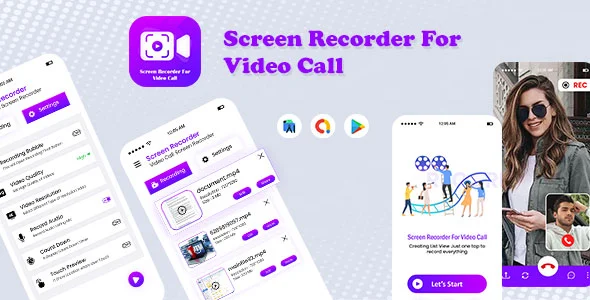
When you activate the recorder, an overlay icon appears with simple controls: start, pause, and stop. Once ‘start’ is hit, the overlay minimizes to a subtle notification or a small dot, keeping your call or screen activity unobstructed. After stopping, the video file typically saves to a designated gallery within the app or a pre-configured device folder, making retrieval quick and intuitive.
✅ Highlights & Value
Beyond the fundamental recording function, this tool provides several practical advantages that streamline digital documentation.
- Integrated Audio Capture: Consistently captures both sides of video calls, preserving full conversations. Audio sync is reliable, even on longer recordings.
- Flexible Recording Modes: Beyond WhatsApp, the screen recorder captures any app usage, tutorials, or browsing. Output settings allow resolution and quality adjustments.
- Privacy-Conscious Design: Operates locally, keeping content within your device. No external server uploads, ensuring faster file access and full control.
- Minimal Performance Impact: Doesn’t noticeably slow down other apps or drain battery excessively. Efficient resource use ensures smooth operation.
✅ Real-World Use Cases
Understanding how the Video Call Recorder For WhatsApp – Video Call Recorder With Audio – Screen Recorder – Video Recorder fits into daily workflows highlights its utility for various scenarios.
- Business Meetings & Client Calls: Records client consultations or project discussions, offering a verifiable record of decisions and agreements for remote teams.
- Educational Content Creation: Educators record lectures or software demos; students capture online classes for review.
- Troubleshooting & Support: Record steps leading to software bugs, invaluable for technical support and clearer problem descriptions.
- Personal Memories & Tutorials: Preserve family video calls or easily create “how-to” guides for friends.
✅ Technical & Compatibility
From a technical standpoint, the Video Call Recorder For WhatsApp is designed for broad compatibility, integrating smoothly across various Android environments without requiring root access.
It typically saves recordings in common video formats like MP4 for broad playback. The settings panel allows adjustments to video resolution (e.g., 720p, 1080p) and bitrate, controlling file size versus quality. These settings are intuitive, with clear labels. The app respects system audio settings, so your device’s microphone input is captured by the Video Call Recorder With Audio – Screen Recorder – Video Recorder.

Restart Taxi & Delivery- Perfect Taxi Solution with Parcel Delivery

MyTaxi – Complete Flutter Taxi App | Full Taxi Booking Solution with Intercity & Parcel
Sticker Maker for WhatsApp – Stickers in WhatsApp – Sticker Maker-WhatsApp – Sticker Maker for WA