Spacial Blocks – HTML5 Casual game
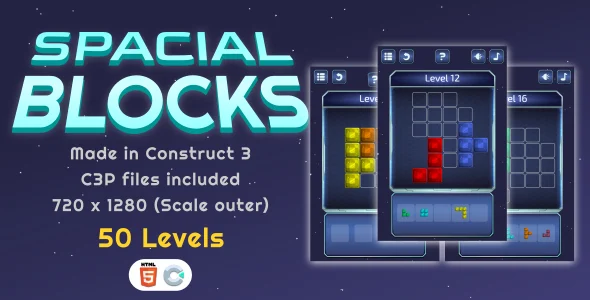
Spacial Blocks Overview & Canvas-Based Puzzle Architecture
Spacial Blocks is an HTML5 casual puzzle game built entirely in Construct 3, engineered for web developers and studios that need a deployable drag-and-drop grid game with editable source files. The package resolves a persistent delivery bottleneck in casual game production by shipping the complete Construct 3 project (release r327.3) alongside pre-exported HTML5 runtime files, so the codebase can be re-exported, reskinned, or embedded without reverse-engineering compiled output. Within agency delivery pipelines, it operates as a self-contained canvas-based entertainment module that runs from static hosting and requires no server-side runtime.
Technical Specifications & Deployment Matrix
| Engineering Metric | Deployment Specification |
|---|---|
| Base Technology / Framework | Construct 3 (release r327.3), exported to HTML5 |
| Runtime / Language Requirements | JavaScript, HTML, and CSS executed in-browser; compatible with IE9, IE10, IE11, Firefox, Safari, Opera, Chrome, and Edge |
| Display & Input Layer | Portrait canvas at 720×1280; mouse and touch control events |
| Engine Dependencies | None — no third-party plugins or behaviors are used |
| Persistence Footprint | Static-file deployment only; no database or backend services required |
Grid-Fill Mechanics & Execution Pipeline
The core mechanic routes pointer input through a drag-and-drop loop that snaps geometric pieces into an empty grid. On each frame, the Construct 3 runtime polls active pointer state; when a block is selected, the engine binds its position to the cursor or touch coordinate until release. At the release event, the event sheet validates whether the dragged piece intersects an acceptable slot region, commits the placement to the grid state when the fit check passes, and advances the level completion logic once every slot is filled. This validation chain runs entirely on the client, which is why the exported build needs nothing beyond static file serving.
Level data spans 50 discrete stage definitions, each specifying its own grid configuration and piece distribution. Because progression is encoded inside the project’s event sheets rather than an external data feed, modifying stage difficulty means editing the project in the Construct 3 editor and re-exporting. For teams assembling a multi-title arcade section on the same hosting pipeline, Duck Hunter follows the same stock-engine export pattern, letting one build-and-upload workflow serve several canvas titles.
Core Technical Capabilities of Spacial Blocks
- Unified drag-and-drop input layer: Mouse and touch events feed a single pointer abstraction, so one exported build serves desktop browsers and touchscreen devices without maintaining separate control branches.
- 50-level progression structure: Stage definitions live inside the Construct 3 event sheets, giving developers a direct editing surface for tuning grid layouts, piece sets, and difficulty curves per level.
- Asset replacement workflow: Block artwork and interface images can be swapped or added directly inside the project editor, enabling full visual reskins without touching the underlying event logic.
- Zero third-party dependencies: The project uses only native Construct 3 engine features, eliminating version conflicts with external plugins or behaviors and keeping the runtime footprint tied strictly to the stock engine.
- Fixed portrait canvas space: The 720×1280 coordinate system defines all layout math, which keeps positioning deterministic across browsers that render the game.
Production Implementation & Operational Resilience
Deployment follows a static-asset model: the exported HTML5 files — HTML entry point, JavaScript bundles, and CSS — are uploaded to any web server or CDN directory and executed client-side. Since all game logic, artwork, and audio payloads ship inside the export, no cross-origin API calls are made at runtime, removing CORS configuration from the pre-deployment checklist in most hosting setups. Browser coverage extends from legacy IE9 through current Chrome, Safari, Opera, Firefox, and Edge builds, which widens the addressable audience on traffic-heavy portal deployments.
For secondary development, editing requires the Construct 3 editor at release r327.3 or later; the included source project is the sole modification surface. Reskinning stays within safe boundaries when new images match the replacement workflow documented in the package — swapping sprites and re-exporting — while structural changes to grid logic demand working directly in the event sheets. Studios distributing beyond the browser can wrap the exported build inside a native Webview container, a path commonly used with other stock-engine titles such as Kill Bugs, since the runtime carries no server-side coupling. Pre-launch validation should include pointer testing on both mouse-driven desktops and capacitive touchscreens to confirm drag responsiveness across the target device mix.
Frequently Asked Questions
Does the download include the editable Construct 3 project source?
Yes — the package ships the Construct 3 project built on release r327.3, together with exported HTML5 game files and documentation, so event logic, layouts, and object definitions remain fully editable rather than locked inside compiled runtime output.
Are third-party plugins or behaviors required to run or modify the game?
No — the project relies exclusively on native Construct 3 engine features. Any developer with a matching Construct 3 editor release can open, edit, and re-export the game without installing or licensing external dependencies, which keeps the toolchain minimal.
Can players control the game with both mouse and touch input?
Yes — the input layer accepts mouse events on desktop hardware and touch events on mobile screens, allowing a single exported build to serve conventional browsers and touchscreen devices through the engine’s unified pointer handling.
Does the game support landscape orientation out of the box?
No — the native canvas is fixed at a portrait 720×1280 coordinate space. Adapting the experience to landscape would require reworking layouts and event positioning inside the included Construct 3 project rather than toggling a configuration flag.