Color Ball Bounce – HTML5 Casual Game
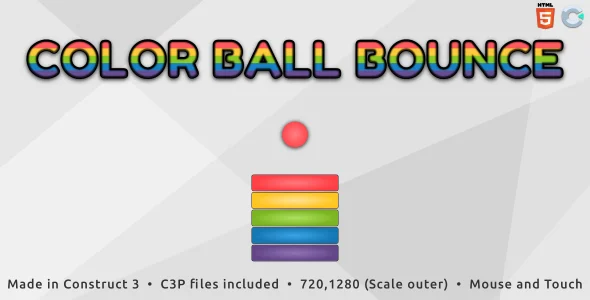
Color Ball Bounce Overview & Casual Game Engine
Color Ball Bounce is a Construct 3 HTML5 casual game, engineered for web publishers, arcade portals, and indie studios to deploy a color-matching reflex arcade that runs entirely client-side in the browser. The core gameplay loop centers on a ball that randomly assumes one of five distinct colors, and the player must guarantee the platform carries the matching color at the moment of impact, while the engine gradually reduces the ball’s bouncing force so that reaction windows tighten as the session progresses. Within production workflows, the package operates as a self-contained portrait-format canvas runtime (720×1280 outer scale) that drops onto any static host or embeds inside a native WebView container without backend dependencies.
Technical Specifications & Deployment Matrix
| Engineering Metric | Deployment Specification |
|---|---|
| Base Technology / Framework | Construct 3 (project source built on release r293.2), exported to HTML5 |
| Runtime / Language Requirements | Client-side JavaScript, HTML, and CSS executed directly in the browser |
| Front-End / Engine Dependencies | None — built exclusively with native Construct 3 events, no third-party plugins or behaviors |
| Browser Compatibility | IE9, IE10, IE11, Firefox, Safari, Opera, Chrome, and Edge |
| Display Configuration | Portrait orientation, 720×1280 outer scaling |
| Input Methods | Unified mouse and touch controls covering desktop and mobile sessions |
| Deliverable Package | Documentation, Construct 3 source files, and exported HTML5 game files |
Color-Matching Mechanics & Execution Pipeline
The engine runs a continuous bounce loop in which the ball’s color state is randomized at each cycle and validated against the player’s active platform color on impact. Every collision triggers a state comparison: a match keeps the session alive and increments the score, while a mismatch terminates the run. Because the architecture is expressed purely through Construct 3’s native event sheet, the entire rule set — color assignment, impact detection, and the progressive decay of bounce force — remains inspectable and editable inside the visual editor without touching external libraries.
Architectural & Functional Highlights
- Five-Color Randomization Logic: The ball’s color state is reassigned randomly across five possible values during play, and the platform color must be synchronized before each bounce lands, otherwise the session ends and the score finalizes.
- Progressive Difficulty Curve: The bouncing force applied to the ball is gradually decreased over the course of a run, which compresses the time available for color matching and steepens the challenge as the score climbs.
- Tutorial Pre-Game Stage: Introduced in update v1.2, a tutorial sequence runs before the main loop so first-time players learn the matching rule set before entering scored gameplay.
- Dual Input Handling: Mouse and touch events are both wired into the control layer, allowing the same exported HTML5 build to serve desktop browsers and mobile touchscreens without separate codepaths.
- Asset Replacement Pipeline: Game images follow a straightforward swap process inside the Construct 3 project, so reskinning the ball, platform, and visual theme requires no modification to the underlying event logic. Update v1.1 additionally delivered visual improvements to the default art set.
Studios evaluating additional Construct 3 starting points for their arcade pipelines can treat Super Catgirl as an independent platformer template on the same engine, occupying a different genre slot within a multi-title catalog rather than extending this codebase.
Production Deployment & Implementation Considerations
Deployment requires nothing beyond a standard static hosting target: the exported HTML5 files (JavaScript, HTML, CSS) can be uploaded as-is and served to any compatible browser. To modify gameplay logic, editors need the Construct 3 environment at release r293.2 or later to open the included project source. Because the build carries zero third-party plugins or behaviors, there are no external runtime dependencies to version-lock, patch, or audit, which simplifies long-term maintenance of the event sheet.
Implementation boundaries worth planning around include the fixed portrait canvas at 720×1280 with outer scaling, a design decision that suits mobile-first layouts and WebView wrappers, and the asset set is not classified as high resolution, which keeps the download lightweight but should inform expectations for large-screen showcases. Customization scope covers image replacement for reskins and event-sheet edits for tuning the five-color pool, the bounce-force decay rate, and the tutorial flow. For teams assembling a broader browser arcade, Arkanoid Blocks operates as a separate Construct 3 title delivering a hundred-level brick-breaker format, and bulk catalog builders can also source multi-title stock such as the HTML5 Children Games Bundle as a consolidated acquisition path for kid-facing portals.
Frequently Asked Questions
Does the package include the original Construct 3 project source?
Yes. The download ships with the complete Construct 3 project file built on release r293.2, the exported HTML5 game files ready for hosting, and documentation covering setup, giving full access to every event sheet for modification.
Are any third-party Construct 3 plugins or behaviors required to run or rebuild the game?
No. The entire codebase relies exclusively on native Construct 3 events and behaviors, so no additional plugin purchases, imports, or dependency management are needed to open, edit, or re-export the project from the editor.
Can the game be controlled on touchscreen devices without a keyboard?
Yes. Both mouse and touch inputs are supported in the control layer, meaning the same exported HTML5 build handles desktop cursor play and mobile touchscreen sessions without requiring a separate input build.