Kill Bugs – HTML5 game – Construct 3
Product Overview
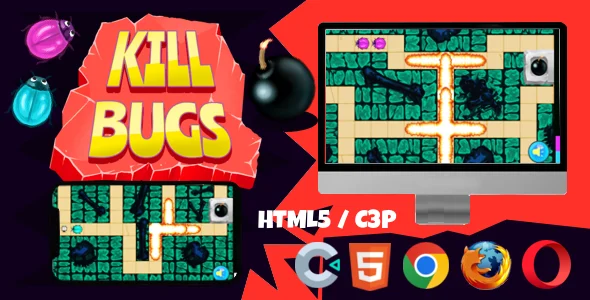
The Kill Bugs game is a casual, arcade-style web game developed with HTML5 game – Construct 3. It’s designed for WordPress site owners seeking to add interactive elements, boost user engagement, or explore new monetization within their pages. This ready-to-deploy game experience can embed into any post, page, or custom template. Its core purpose is to offer an enjoyable distraction, encouraging visitors to spend more time on your site. It suits bloggers, content creators, and businesses adding a unique, playful touch.
The game presents a simple objective: players eliminate insect-like creatures appearing on screen using mouse clicks or touch input. Points accumulate as creatures are “killed,” providing immediate feedback. The visual design is straightforward, with a clean backdrop and distinct enemy sprites that animate subtly. This minimal design helps it blend into various website aesthetics without clashing.
Highlights & Value
- Effortless Embedding: Integrates via a simple iframe or direct HTML files. Works within blog posts, dedicated game pages, or custom homepage sections.
- Responsive Canvas: Game display automatically adjusts to available screen space. It scales gracefully on mobile, ensuring the play area remains fully visible and interactive.
- Intuitive Interaction: Players engage via mouse on desktop or touch on mobile. No complex controls, making it accessible to a wide audience.
- Customizable Assets: Included source files permit modification of game elements. Replace sprites, change backgrounds, or swap sound effects to match your brand.
- Lightweight Performance: Built on HTML5, it loads quickly and runs smoothly across modern browsers. Integrates without noticeable performance dips, preserving site speed.
Real-World Use Cases
- Interactive Blog Content: Embed directly into a blog post. Readers can enjoy a quick game break, potentially increasing time spent on your page.
- Event Engagement: Integrate into online event waiting rooms or break-time activities, offering dynamic entertainment for attendees.
- Marketing & Promotions: Create a themed version to promote a product. Replace sprites with product icons for a fun “collection” game.
- Educational Tools: Adapt the game to reinforce lessons. “Bugs” could represent incorrect answers, helping students identify correct ones.
- Community Building: Host high-score challenges on a WordPress page, fostering competition and interaction among your audience.
Technical & Compatibility
The underlying technology for Kill Bugs – HTML5 game – Construct 3 leverages HTML5 and the Construct 3 engine. This means the game is a collection of standard web files (HTML, CSS, JavaScript, assets). Integration into WordPress typically involves uploading these files to your server and embedding the index.html file. Using an iframe within a custom HTML block in Gutenberg is the most straightforward method, keeping the game self-contained and preventing theme conflicts.
This HTML5 game – Construct 3 runs seamlessly across modern web browsers like Chrome, Firefox, Safari, and Edge, on both desktop and mobile devices. As it relies on standard web technologies, no special plugins or browser extensions are required from the user, ensuring broad accessibility. You gain access to the complete Construct 3 project file, allowing developers or technically inclined users to open the project, inspect its logic, and modify nearly any aspect of the game. This ensures long-term adaptability and control over the game’s evolution on your platform.