Project Kanban View Module For Perfex CRM
Product Overview
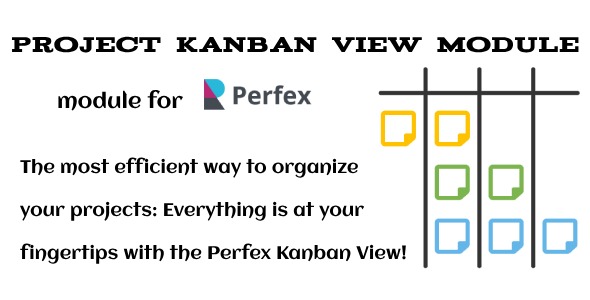
The Project Kanban View Module for Perfex CRM transforms how you manage projects within your existing system. This module adds a dynamic, visual Kanban board interface directly into your Perfex CRM, designed for project managers, team leads, and individual contributors needing to visualize task progress and quickly update statuses. When enabled, navigating to any project within Perfex CRM and clicking the new "Kanban View" tab immediately presents your tasks as actionable cards arranged into customizable columns.
Once you’re viewing the Kanban board, each task appears as a distinct card, displaying key information like the task name, assigned member, and due date. The real power here lies in its interactive nature. You can simply drag and drop these task cards between columns, and the system instantly updates the task’s status in the background. This real-time visual feedback makes tracking progress intuitive, eliminating the need to open and edit each task individually.
Highlights & Value
- Dynamic Drag-and-Drop: Moving a task card from "To Do" to "In Progress" automatically updates its status in Perfex CRM, no manual saving required. This seamless interaction defines the Project Kanban View Module For Perfex CRM.
- Customizable Columns: The module doesn’t force a rigid workflow. You can easily map your existing Perfex CRM task statuses to specific Kanban columns, or even create new custom columns to match your team’s unique process. This flexibility appeared right in the settings menu, making configuration straightforward.
- Project-Specific Boards: Each project gets its own dedicated Kanban board. This separation keeps things organized, ensuring that only tasks relevant to the current project are displayed, which is essential for focused work.
- Visual Clarity: The clean, card-based interface provides an immediate overview of task distribution and bottlenecks. At a glance, I could see where work was piling up or which team members were overloaded.
Real-World Use Cases
- Client Project Management: For agencies using Perfex CRM to manage client work, this module helps visualize project phases for each client. For example, a web development project might have columns like "Design," "Development," "Testing," and "Client Review." Tracking progress for clients becomes much more transparent within Perfex CRM.
- Internal Task Tracking: Beyond client work, it’s effective for internal team projects, such as marketing campaigns or content creation. Teams can visually track content from "Drafting" to "Editing" to "Published."
- Development Sprints: Agile teams can use it to manage sprints, moving user stories or bugs through "Backlog," "Sprint," "In Progress," and "Done" columns, offering a clear visual representation of sprint progress.
Technical & Compatibility
Integrating this Project Kanban View Module For Perfex CRM is a standard procedure for Perfex modules. You upload the module package, activate it from the Perfex admin panel, and then configure its settings. It generally works well with recent versions of Perfex CRM, ensuring stability without noticeable conflicts. The module respects Perfex’s existing user roles and permissions, so only authorized project members can interact with the Kanban boards, maintaining data integrity.