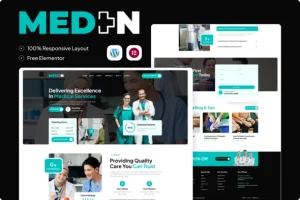
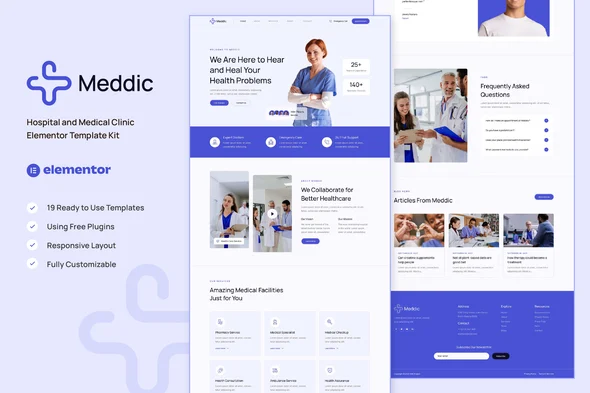
Meddic – Hospital and Medical Clinic Elementor Template Kit
Meddic Overview & Healthcare Layout Delivery Architecture
Meddic Hospital and Medical Clinic Elementor Template Kit is an Envato Template Kit built for Elementor 3.10.x, engineered for healthcare agencies and clinic operators who need a production-ready medical website without touching code. The package targets the central bottleneck of clinic web delivery: assembling doctor profiles, appointment flows, service detail pages, and pharmacy sections inside a page builder from a blank canvas. Within agency workflows, it operates as a portable design payload — 14 ready pages and 19 templates — imported through the Template Kit Import plugin and re-used from Elementor’s Saved Templates library.
Technical Specifications & Deployment Matrix
| Engineering Metric | Deployment Specification |
|---|---|
| Base Technology / Framework | Envato Template Kit for Elementor 3.10.x (design data only, not a WordPress theme) |
| Runtime / Plugin Requirements | Elementor, ElementsKit Lite, MetForm, Gum Elementor Addon; Hello Elementor theme activated |
| Data Exchange / Import Protocol | Compressed kit archive uploaded unzipped via the Template Kit Import plugin (Tools > Template Kits) |
| Front-End / Engine Dependencies | Elementor Flexbox Container layout engine; Global Theme Style token layer |
| Database / Persistence Footprint | Templates stored under Elementor > Templates > Saved Templates; no custom schema writes |
Template Import Pipeline & Execution Flow
The kit’s execution model is entirely front-end: it ships as a structured set of Elementor JSON layout definitions rather than executable backend code. Deployment begins with environment preparation — permalinks set to Post Name, Hello Elementor activated (which prompts Elementor installation if absent), and both Elementor and Template Kit Import updated to their latest versions. Uploading the kit archive through Tools > Template Kits surfaces an orange banner whose Install Requirements action pulls in ElementsKit Lite, MetForm, and the Gum addon automatically.
The Global Kit Styles template must be imported first, because it registers the design token layer — global typography scales, color variables, and spacing tokens that every subsequent page inherits. Remaining templates are imported one at a time and stored as reusable definitions under Templates > Saved Templates. Page assembly follows a repeatable pattern: create a new page, open it in the Elementor editor, set Elementor Full Width and hide the page title through the gear icon, then insert a saved template via the gray folder icon under My Templates. The static front page is then designated under Settings > Reading. Teams running parallel client builds in other verticals can apply this identical import workflow to Profin – Finance Law Firm Elementor Template Kit, an independent kit serving legal and financial consultants with its own responsive template set.
Core Technical Capabilities of Meddic
- Flexbox Container architecture: Layouts are constructed on Elementor’s Flexbox Container engine rather than legacy section/column widgets, and the feature must be activated under Elementor > Settings > Features before import to preserve layout geometry.
- Global design token system: The Global Theme Style template centralizes typography and color definitions, so a single token change propagates across all 14 pages instead of per-widget edits.
- MetForm data capture blocks: Appointment, contact, and newsletter forms are imported as dedicated metform block templates and wired into pages through Elementor’s Navigator, where the Metform widget loads them via the Add Template > My Templates > Insert sequence.
- Header and footer injection via ElementsKit: Site chrome is published through the ElementsKit Header Footer module — new header/footer records scoped to Entire Site, toggled active, and populated from imported templates; Elementor Pro installs handle the same layer under Theme Builder.
- Cross-browser and responsive coverage: Rendering is validated on Chrome, Firefox, Safari, and Opera, with a 100% responsive layout across viewport breakpoints.
Production Implementation & Operational Resilience
Because the import process parses large JSON layout payloads into the Elementor template store, adequate PHP memory headroom (wp_memory_limit) on the staging or production server prevents truncated imports when multiple templates are processed in a single session. Elementor Pro is not required at any stage — every dependency resolves to free plugins — but if a Pro install is present, form handling skips Metform installation and header/footer customization shifts to the Theme Builder, a routing difference teams should document before client handover. Customization boundaries are style-level rather than structural: overrides flow through the Global Theme Style tokens and per-widget settings, and the kit’s demo images originate from Envato Elements, so they must be acquired separately or replaced with clinic-owned photography before go-live.
Agencies whose healthcare roadmap extends into online product sales should evaluate the commerce layer separately from this kit. For a theme-based path with native WooCommerce support and prebuilt medical demos, DentiCare Pro – Medical & Dentist WordPress Theme functions as an independent WordPress theme alternative for dentists and clinics, operating outside the template kit’s design-data architecture.
Where the delivery target is a native mobile storefront decoupled from the WordPress runtime entirely, Healwire Android – Online Medical Store stands as a standalone mobile application connected to WooCommerce — a separate codebase that cannot be merged into the kit’s Elementor layer.
Frequently Asked Questions
Does the Meddic kit require Elementor Pro to function?
No. The kit is built entirely on free plugins — Elementor, ElementsKit Lite, MetForm, and the Gum Elementor Addon. If Elementor Pro happens to be installed, headers and footers are instead managed under Templates > Theme Builder rather than the ElementsKit module.
Should the downloaded kit archive be unzipped before uploading?
No. The ZIP must be uploaded intact through Tools > Template Kits. Safari users should additionally verify that the browser preference ‘Open safe files after downloading’ is disabled so the archive is not automatically extracted.
Can the bundled demo images be published directly on a live clinic site?
No. The preview imagery is sourced from Envato Elements and is not cleared for deployment as-is; each image must be separately acquired from that marketplace or substituted with the clinic’s own licensed photography before launch.