Markeet – Ecommerce Android App 6.0
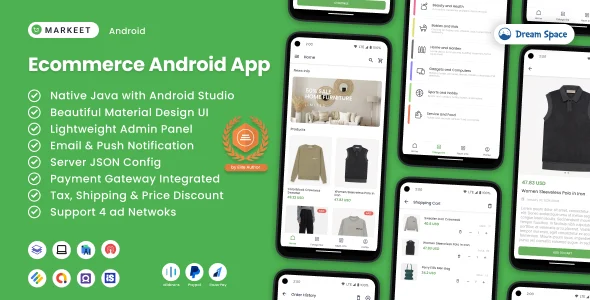
✅ Product Overview
Markeet, combined with the Ecommerce Android App 6.0, offers a direct bridge for WooCommerce store owners extending their online presence onto native mobile devices. This solution packages your existing shop into a dedicated Android application, providing customers a focused, app-based shopping experience. It’s for merchants wanting a fast mobile channel, bypassing browser navigation to land directly in a product catalog.
✅ Highlights & Value
- Native Performance: Product grids load swiftly, and navigation feels fluid, offering a responsive user experience.
- Real-time WooCommerce Sync: Product details, stock, and pricing update automatically from your WooCommerce store.
- Push Notification Integration: Engage customers directly with banner notifications for promotions or order updates.
- Integrated Payment Gateways: Supports popular payment methods, allowing purchases within the application without browser redirection.
- User Account Management: Customers log in, view past orders, and manage addresses directly within the app.
✅ Real-World Use Cases
- Local Retailers: A dedicated app for customers to browse, order for pickup, or track local delivery.
- Subscription Services: Streamlined interface for subscribers to manage plans, skip deliveries, or update payment information.
- Digital Product Stores: Quick access to purchased downloads or new content releases.
✅ Technical & Compatibility
Markeet leverages your existing WooCommerce setup, pulling product data, orders, and customer information directly through the REST API. This requires permalinks enabled for API endpoints, ensuring the app communicates with your store’s backend effectively. It’s built for recent Android OS versions, ensuring broad compatibility with modern smartphones.
Developing with Markeet – Ecommerce Android App 6.0 involves configuring its source code with your store’s API keys and branding assets. This uses Android Studio to compile the application, defining WooCommerce endpoints and customizing appearance—logos and primary color schemes—by editing XML layout files and resource strings.
Restart Taxi & Delivery- Perfect Taxi Solution with Parcel Delivery
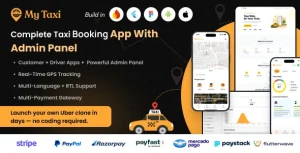
MyTaxi – Complete Flutter Taxi App | Full Taxi Booking Solution with Intercity & Parcel
Sticker Maker for WhatsApp – Stickers in WhatsApp – Sticker Maker-WhatsApp – Sticker Maker for WA