Insta Downloader – Videos, Images & Audios Downloader | ADMOB, FAN, APPLOVIN, FIREBASE, ONESIGNAL
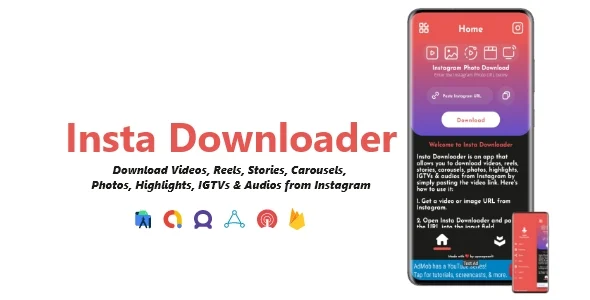
Product Overview
Insta Downloader provides a robust foundation for building your media application, specifically a Videos, Images & Audios Downloader | ADMOB, FAN, APPLOVIN, FIREBASE, ONESIGNAL. This Insta Downloader – Videos, Images & Audios Downloader | ADMOB, FAN, APPLOVIN, FIREBASE, ONESIGNAL functions as a comprehensive template kit, designed for developers and entrepreneurs aiming to launch a mobile app that facilitates saving online media, all while integrating various monetization and user engagement features. It’s an ideal choice for anyone needing a flexible, customizable solution for media downloading and app monetization.
Setting up the project in Android Studio was a familiar process. The provided documentation clearly outlines the steps for importing the project, linking Firebase, and configuring ad networks. After compiling, the app’s initial launch presents a clean, intuitive interface where users can paste URLs to begin the download process, with clear progress indicators appearing on screen.
Highlights & Value
- Complete source code access for deep customization and modification, ensuring full control over your project’s future.
- Integrated ad network support (AdMob, FAN, AppLovin) for diverse monetization streams, configurable through straightforward settings.
- Push notification capabilities via Firebase and OneSignal for effective user re-engagement and targeted messaging.
- Streamlined media downloading across various content types (videos, images, audios) directly from source URLs with a consistent user interface.
- Adaptability for long-term project evolution without external dependencies, allowing you to tailor the app to specific market needs.
Real-World Use Cases
- Creating a personal media archiving tool for specific online content, easily saving videos or images for offline access.
- Developing a community-focused app for sharing educational video clips or public domain audios among users.
- Launching a niche content saving utility tailored for specific social platforms or websites.
- Building a monetized utility app for passive income generation through integrated advertising, focusing on user convenience.
Technical & Compatibility
The core of this Insta Downloader project lies in its structured codebase, built with Android Studio. When integrating Firebase, I found the google-services.json file setup to be standard, connecting the app directly to my project for analytics and push notifications. OneSignal integration followed a similar pattern, requiring API keys and app IDs to enable targeted messaging, and the console allows for sending test notifications before deployment.
Configuring the various ad networks like AdMob or FAN involves placing respective API keys and interstitial ad unit IDs within the designated configuration files. The app’s logic then handles the display timing, typically showing an ad after a successful download or on exiting certain screens, which feels less intrusive. The layout adapts well to different screen sizes, ensuring a consistent user experience across devices from small phones to larger tablets.
One significant advantage is the freedom to modify the code. This means if you need to add support for a new media source or adjust the UI flow, you have the ability to implement those changes directly. There’s no waiting for updates from a third party; you control the development roadmap and can ensure compatibility with new Android versions as they release.
For those working with Videos, Images & Audios Downloader | ADMOB, FAN, APPLOVIN, FIREBASE, ONESIGNAL apps, the ability to audit and customize the underlying code provides reassurance for security and performance. This deep control extends to troubleshooting, allowing direct access to resolve any specific issues that might arise with unique server configurations or new OS versions, maintaining app stability.
Restart Taxi & Delivery- Perfect Taxi Solution with Parcel Delivery
MyTaxi – Complete Flutter Taxi App | Full Taxi Booking Solution with Intercity & Parcel
Sticker Maker for WhatsApp – Stickers in WhatsApp – Sticker Maker-WhatsApp – Sticker Maker for WA