Duplicate Files and Contacts Remover
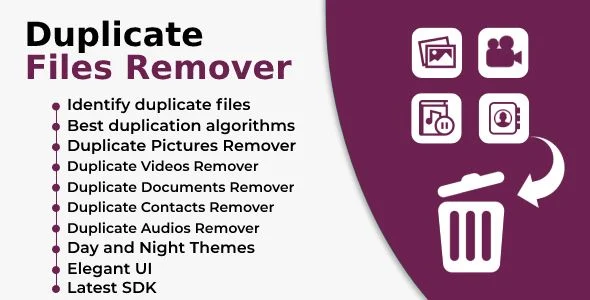
Duplicate Files and Contacts Remover Overview & Android Storage Reclamation Engine
Duplicate Files and Contacts Remover is a Kotlin Android application source package, engineered for mobile developers and agencies to ship a storage reclamation utility on the Google Play Store. The package targets the operational bottleneck of duplicated media accumulating across internal memory, external storage, and SD cards, which silently exhausts device capacity and triggers low-storage warnings. Within a production delivery workflow, it functions as a white-label foundation that scans a device’s file system and contacts database, groups identical items, and removes them in batched operations.
Technical Specifications & Deployment Matrix
| Engineering Metric | Deployment Specification |
|---|---|
| Base Technology / Framework | Native Android application built on Kotlin 1.x with Java and XML source layers |
| Runtime / Language Requirements | Android 9.0, 10.0, 11.0, and 12.0 (API-level coverage across four OS generations) |
| Data Exchange / Communication Protocols | Local device I/O across internal memory, external storage volumes, and SD card mount points |
| Front-End / Engine Dependencies | Native Android UI layer defined in XML layouts; scan engine written in Kotlin/Java |
| Database / Persistence Footprint | Reads the Android Contacts Provider content store; no external backend database required |
| Deliverable Formats | .apk binary, .java and .xml source files for full recompilation and reskinning |
Duplicate Detection Scan Pipeline & Execution Flow
The engine executes content-based scans against mounted storage partitions and the contacts provider. A scan session begins when the user selects a media category — photos, videos, audio, or documents — after which the file traversal layer walks directory trees on internal memory and removable SD card volumes, hashing and comparing file payloads to surface identical and similar items. Detected duplicates are grouped, previewed, and queued for single-tap batch deletion, with the same pattern applied to the contacts module: entries are cross-referenced against the Contacts Provider to flag repeated or near-identical records before cleanup. For teams whose delivery scope extends beyond deletion into media restoration workflows, All Deleted Files Recovery exists as a separate standalone utility path for recovery-oriented builds, since that codebase operates outside this package’s Kotlin scan engine.
Core Technical Capabilities
- Smart Scan Modes: Category-scoped traversal lets the engine target photo, video, audio, and document sets independently, reducing scan scope and shortening I/O passes across large storage volumes.
- Duplicate and Similar Photo Detection: The gallery scanner groups both exact and visually similar images, so repeated downloads and edited variants surface together in a single reviewable result set.
- Contacts De-Duplication: Queries against the Android Contacts Provider identify duplicate entries, allowing operators to clean cluttered address books rather than only media directories.
- Daily Duplicate Notifications: A background notification routine alerts users when newly accumulated duplicate files are detected, encouraging recurring engagement with the scan engine.
- Day and Night Theme Switching: Dual theme states are defined in the XML presentation layer, letting the UI adapt to system-level display preferences without additional asset work.
Production Implementation & Operational Resilience
Deployment begins with importing the .java and .xml sources into Android Studio against a Kotlin 1.x toolchain, then building a release .apk targeting any of the supported OS versions from Android 9 through 12. Because the engine reads and deletes from external storage and the contacts database, runtime storage and contacts permissions are mandatory pre-deployment prerequisites; the packaged .apk demonstrates the expected permission flow that the source layers reproduce. Scan correctness depends on MediaStore and file-system visibility, so on Android 10 and 11 the scoped-storage boundaries determine which external paths are traversable — a known environmental threshold that developers must validate during device testing rather than assume uniform SD card access across OEM builds.
Error handling centers on storage-level guards: volumes that are unmounted, read-only, or mid-write produce skipped entries rather than scan failures, protecting against partial batch deletions. The single-tap removal flow operates on the confirmed selection set only, which bounds destructive operations to user-reviewed groups. On the customization side, the XML layout files and theme definitions form the natural reskin surface — iconography, color tokens for day and night states, and label strings can be replaced without touching the Kotlin scan logic. For agencies assembling a broader Android utility portfolio, Big Text Contact runs as a parallel, decoupled contact-management solution on a separate platform and cannot be merged into this codebase, but it illustrates the contact-hygiene product category this module’s address book cleaner serves. Similarly, studios planning additional utility releases in the same account may run this cleaner alongside tool-style apps such as Best Qr and Barcode-Scanner and Generator with Admob Ads as sibling store listings without any shared runtime coupling.
Frequently Asked Questions
Can the app scan and clean SD card storage as well as internal memory?
Yes, the engine traverses internal memory, external storage, and SD card mount points, detecting duplicate media across all accessible volumes and removing them through the same batched selection flow.
Does the package remove duplicate contacts or only duplicate media files?
Yes, the contacts module scans the device address book to find duplicate entries, so de-duplication covers photos, videos, audio, documents, and contacts within one application build.
Are the source files included, or is only a compiled APK delivered?
Yes, the deliverables include the .apk binary plus .java and .xml source files, giving developers the full project needed for recompilation, reskinning, and store release configuration.
Will users be alerted when new duplicate files appear after a cleanup?
Yes, a daily notification mechanism reports newly detected duplicate files, prompting users to rerun scans and keeping storage reclamation an active, recurring operation.
Calculator Vault – hide photos – videos -notes and files
Zip Unzip files extractor – Zip Files Archiver – Zip File Reader – Unzip Archiver – Zip Maker
Zip Extractor – Zip Unzip Files – Files Manager – Rar Maker – Compressed Zip – Manipulate Files