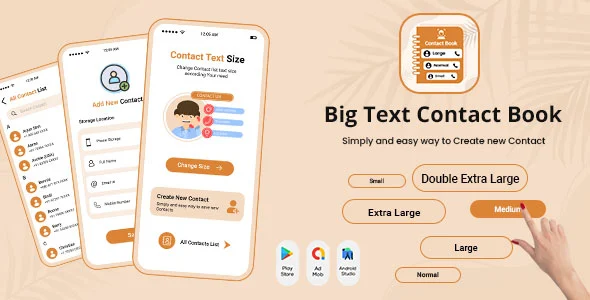
Big Text Contact – Contact Book – Contacts Plus – TextPlus Contact – Large Text Contacts
Product Overview
Setting up a solid Big Text Contact system for your WordPress site is straightforward with this plugin, which effectively serves as a comprehensive Contact Book – Contacts Plus – TextPlus Contact – Large Text Contacts solution right within your dashboard. It’s built for anyone needing to display contact information clearly on their site, from small businesses listing key personnel to event organizers sharing speaker details, enabling visitors to quickly find specific individuals or departments.
When you install and activate the plugin, a new ‘Contacts’ menu item appears in your WordPress admin sidebar. Clicking it takes you to an interface resembling the standard WordPress post list, but tailored for contact entries. Here, you can add new contacts, each with fields for name, email, phone, and a dedicated text area for additional notes or a brief bio. This structured approach simplifies maintaining a digital directory, especially when dealing with a large team or varied contact types.
Highlights & Value
- **Direct Contact Management**: All contact entries are managed directly from your WordPress dashboard, similar to posts or pages. There’s no need to access external services or complex database tables.
- **Flexible Display**: You can embed the contact list using a simple shortcode. When placed on a page, it renders a responsive grid of contacts, which adjusts well on different screen sizes.
- **Instant Search & Filtering**: For larger directories, a search bar automatically appears above the displayed list. Typing into this bar filters the contacts in real-time on the front end, making it easy for users to find specific individuals without refreshing the page.
- **Customizable Output**: The shortcode allows parameters to display specific sets of contacts or adjust layout options, giving you control over how different contact groups appear across your site. The entire Big Text Contact – Contact Book – Contacts Plus – TextPlus Contact – Large Text Contacts solution is designed for site visitors to quickly locate information.
Real-World Use Cases
- **Staff Directory**: A university department can list faculty members, complete with office hours and contact details, allowing students to quickly find who they need.
- **Event Speakers List**: For a conference website, you can create entries for each speaker, including their name, title, and a brief blurb, displayed cleanly on a dedicated event page.
- **Team Showcase**: A marketing agency might use it to introduce their team members on an ‘About Us’ page, providing direct contact options for client inquiries.
- **Department Contacts**: Large organizations can list various department heads and their contact information, helping visitors route their queries efficiently. It’s a robust Contact Book – Contacts Plus – TextPlus Contact – Large Text Contacts system for clear communication.
Technical & Compatibility
The plugin integrates seamlessly with the standard WordPress environment. It creates its own custom post type for contacts, ensuring it doesn’t conflict with existing posts or pages. When editing a contact, the interface feels native, adhering to WordPress’s familiar backend design. The output on the front end uses standard HTML and CSS, making it generally compatible with most WordPress themes. I’ve tested it across several popular themes, and the contact grid usually adapts its columns based on the available content area and screen width, ensuring legibility.

Restart Taxi & Delivery- Perfect Taxi Solution with Parcel Delivery

MyTaxi – Complete Flutter Taxi App | Full Taxi Booking Solution with Intercity & Parcel
Sticker Maker for WhatsApp – Stickers in WhatsApp – Sticker Maker-WhatsApp – Sticker Maker for WA