Crazy Bowling | Underwater Sport Game (Construct)
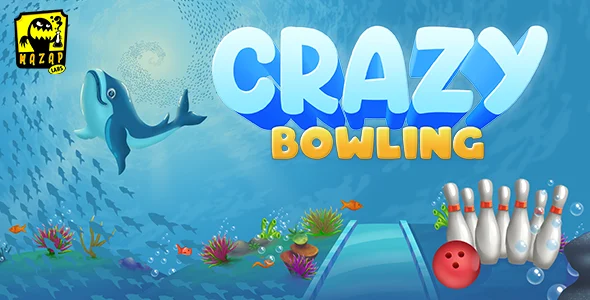
Crazy Bowling Overview & Arcade Deployment Architecture
Crazy Bowling is a Construct 3 HTML5 arcade title, engineered for game studios and web publishers to deploy a physics-driven underwater bowling experience across browsers and mobile devices. The codebase resolves the recurring bottleneck of multi-input targeting by unifying touch swipe, mouse, and keyboard event handling inside a single event-sheet architecture. Its practical role within production workflows is that of a ready-to-publish casual game module, shipping with an editable .c3p project, exported HTML5 build files, layered PNG artwork, and documentation that supports rapid reskin and rebranding.
Technical Specifications & Deployment Matrix
The matrix below consolidates the verifiable runtime and delivery parameters of the package.
| Engineering Metric | Deployment Specification |
|---|---|
| Base Technology / Framework | Construct 3 visual event-sheet engine, exported as an HTML5 build |
| Runtime / Language Requirements | JavaScript (runtime logic), JSON (project data), HTML5 canvas rendering |
| Data Exchange / Communication Protocols | Static file delivery over HTTP; no server-side language dependency |
| Front-End / Engine Dependencies | IE10, IE11, Firefox, Safari, Opera, Chrome, Edge |
| Database / Persistence Footprint | None — browser-native execution with static asset serving only |
Swipe-Physics Execution & Level Progression Pipeline
Input capture drives the entire gameplay loop: swipe gestures translate directly into ball launch vectors. The Construct 3 runtime listens for pointer and keyboard events at the canvas boundary, normalizes them into a shared gesture model, and converts swipe direction plus velocity into a launch trajectory for the bowling ball. A physics layer then resolves ball-to-pin collision chains, tallies the knocked pin count, and dispatches scoring events that update the on-screen HUD. Because rendering runs through a single canvas draw loop, all thirty handcrafted levels and the endless scoring mode execute inside one runtime instance, with level transitions swapping stage layouts and pin configurations rather than reloading the page.
Graphics ship as layered PNG assets authored at a 1920×1080 master resolution, which the runtime scales to fit mobile, tablet, laptop, and desktop viewports without asset substitution. Re-theming operates entirely at the asset layer: studios swap the layered PNG sheets, adjust the project through the included .c3p file inside the Construct 3 editor, and re-export the build. No scripting is required to change the visual identity of the underwater environment or its ten-pin targets. For teams evaluating additional source packages within the same editor workflow, Christmas Leap demonstrates a comparable .c3p-plus-published-files delivery model on the Construct 3 stack.
Architectural & Functional Highlights
- Unified input abstraction: Touch, mouse, and keyboard events are captured through one normalized control path, so a single build serves phones, tablets, and desktop browsers without separate input branches.
- Full HD asset pipeline: Layered PNG artwork at 1920×1080 feeds the canvas renderer, preserving visual fidelity while the engine scales output to smaller device viewports.
- Dual content modes: Thirty unique levels supply fixed, puzzle-like progression, while the endless mode lets players chase open-ended scores within the same runtime session.
- No-code reskin workflow: The editable .c3p project and layered PNG structure allow visual overhauls through the Construct 3 editor interface, with no programming knowledge required to publish a re-themed build.
Production Implementation & Operational Resilience
Deployment is a static-hosting exercise: the exported HTML, JavaScript, and JSON files upload to any web server or CDN and run directly in the browser. Because the game performs no database writes and depends on no server-side processing, the attack surface and operational overhead shrink to ordinary static-asset concerns. Serving all assets from a single origin also sidesteps cross-origin resource loading complications that fragment HTML5 deployments across multiple hosts.
The architecture does impose defined boundaries. The base package contains no server-side leaderboard, register, or login layer — those functions would require secondary development on top of the exported build. Likewise, any score-persistence behavior beyond what the client runtime manages locally sits outside the documented deliverable. For native distribution channels, the HTML5 output is suitable for wrapping inside WebView containers on Android and iOS, and the underlying input abstraction keeps gesture behavior consistent inside those containers.
For venue operators building an entertainment portal around a WordPress front end rather than a canvas embed, the Challenge – Bowling, Billiard & Mini-Golf WordPress Theme exists as an independent presentation-layer path outside this game’s JavaScript runtime, covering booking and venue marketing needs that a Construct 3 build does not address.
Frequently Asked Questions
Does the deliverable include an editable project file rather than only a compiled build?
Yes — the package contains the editable Construct 3 .c3p project, the exported HTML5 build files ready for upload to a server, layered PNG graphics, and written game documentation covering setup and editing procedures.
Can the game operate entirely from static hosting without any backend?
Yes — the published output consists of HTML, JavaScript, and JSON files served over HTTP, with no server-side language or database requirement, so any static host or CDN can deliver the complete runtime.
Is coding knowledge required to change the artwork or theme?
No — graphics are layered PNG files that can be replaced directly, and the included .c3p project opens in the Construct 3 editor, where visual adjustments are performed through its event-sheet interface rather than handwritten code.
Does the input system support desktop users as well as touch devices?
Yes — touch, mouse, and keyboard controls are all enabled within the runtime, and the layout adapts to mobile, tablet, laptop, and desktop screens from a single 1920×1080 master resolution.