Buildora | AI Website Builder SaaS
What Is Buildora? Self-Hosted AI Website Builder SaaS Overview
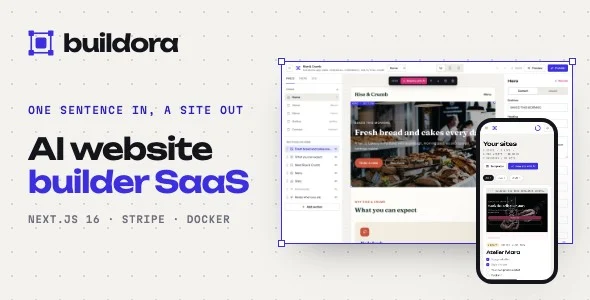
Buildora is a self-hosted, Next.js-based SaaS application engineered to let operators run a complete AI website builder business on infrastructure they control. The package solves the operational bottleneck of producing client websites at scale: a customer describes a business in one sentence, the platform drafts a multi-page site with matched stock photography, and every block can then be adjusted in a visual editor before publication to a subdomain, path address, or custom domain. In production it functions as a standalone multi-tenant product for agencies, hosting providers, and small-business service platforms, entirely independent of any CMS.
Buildora System Requirements & Technical Compatibility
| Parameter | Verified Specification |
|---|---|
| Core Stack | Next.js 16, React 19, TypeScript, Prisma 7, Node.js 20+ (22 recommended) |
| Database | PostgreSQL 15 or newer |
| Recommended Deployment | Docker Compose (app, PostgreSQL, MinIO storage; HTTPS profile adds Caddy) |
| Non-Docker Path | Node.js 20+, pnpm, PostgreSQL 15+; VPS and Vercel with managed database notes included |
| AI Providers (Optional) | OpenAI, Anthropic (Claude), or Google Gemini via operator-supplied API keys |
| Compatible Browsers | Firefox, Safari, Chrome, Edge |
| DNS | Wildcard record for subdomain addresses; optional (path addresses need no DNS) |
| Included Files | JavaScript JS, JavaScript JSON, CSS, SQL |
AI Site Generation, Block Editing & Multi-Tenant Publishing Capabilities
A wizard converts a business description into a multi-page website, which a visual block editor then refines and publishes.
Verified Capabilities & Core Highlights
- AI Site Wizard: Collects business name, type, description, location, language, and page list, then generates a full site through the configured provider (OpenAI, Anthropic, or Gemini). Progress reflects real server steps: writing, pages, photos, saving. Without an API key, a built-in writer fills sections at no cost, and the customer is informed of its use.
- Block Editor: Fourteen section types (hero, features, services, gallery, testimonials, pricing-style blocks, FAQ, team, stats, CTA, contact form, and more) support inline editing, drag reordering, hiding, duplication, undo/redo, autosave, stock-photo search, and desktop/tablet/phone previews. Rewrite-with-AI and describe-a-section actions extend content per block.
- Publishing & Domains: Each site receives a free subdomain or path address; custom domains are verified through a TXT record and secured with automatic HTTPS via the bundled Caddy configuration. Every publish creates a rollback version, and each site ships its own sitemap and robots file.
- Plans & Recurring Billing: Plan definitions govern site counts, monthly AI credits, and custom-domain access. Verified Stripe webhooks apply plan changes once even on retries, and test checkout mode allows upgrades to be exercised before Stripe is connected.
- Admin Console: Revenue and usage overviews, user and site management, plan controls, template publishing, AI settings with per-action credit costs, a setup check with live service tests, and full rebranding of name, logo, and colors without code changes.
Eight finished multi-page templates ship with the package, covering café, clinic, law firm, photographer, gym, garden services, restaurant, and salon verticals, and any site can be converted into a new template from the admin. Agencies extending hospitality clients beyond generated sites often pair the restaurant template workflow with Restoria Luxury Restaurant Booking Laravel Website for dedicated reservation delivery.
Implementation Scope, Customization & Deployment Boundaries
Deployment follows a documented path: Docker Compose starts the application, PostgreSQL, and MinIO, an in-browser install wizard creates the admin account, and only desired service keys are added. A non-Docker route using Node.js 20+, pnpm, and PostgreSQL 15+ is documented alongside VPS and Vercel deployment notes. Security behavior is explicit: server-side atomic checks on AI credits and site limits, PostgreSQL-backed rate limits on sign-in, AI, uploads, and contact forms, content-verified uploads with per-account storage quotas, and signed Stripe webhooks as the sole source of paid plan state. Every rule carries an automated Vitest test, and browser tests run across Chromium, Firefox, and WebKit via Playwright. The package adheres to standard application directory structures and requires no custom background daemons beyond the documented Compose services; no undocumented third-party integrations exist. Operators whose broader infrastructure includes WordPress media libraries that must offload to object storage typically run Aikeedo Cloud Storage Plugin alongside their existing stack, while Buildora itself stores files on the bundled MinIO or server disk.
Frequently Asked Questions
Can Buildora generate sites without a paid AI provider key?
Yes. A built-in writer drafts every section from the supplied business description at no cost, uses no AI credits, and the customer is shown that the built-in writer produced the content.
Are the photos in the live demo included in the download?
No. Demo images are real Pixabay photos and ship only in the hosted demo. With a free Pixabay or Pexels key, newly generated sites copy matching stock photos into your own storage automatically.
Does the package depend on WordPress or another CMS to run?
No. Buildora is a standalone application built on Next.js 16, React 19, Prisma 7, and PostgreSQL, deployed through Docker Compose or a Node.js 20+ environment with no CMS dependency.
-
v1.0.0 Latest