Assistive Touch for Android – Assistive Touch Button – Assistive Touch Swipe – Touch-EazyTouch IOS
Product Description
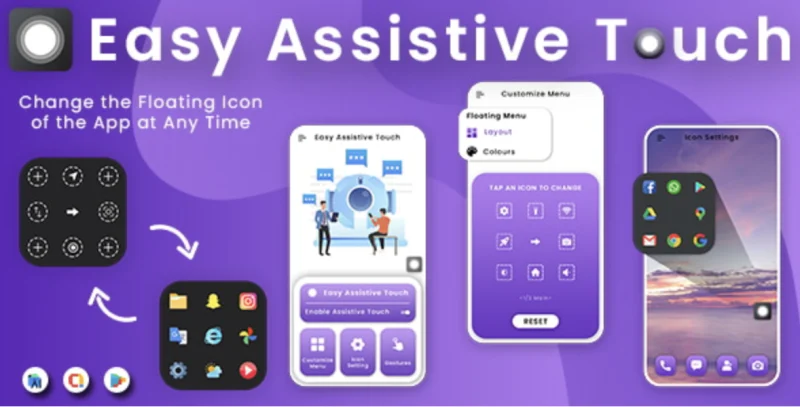
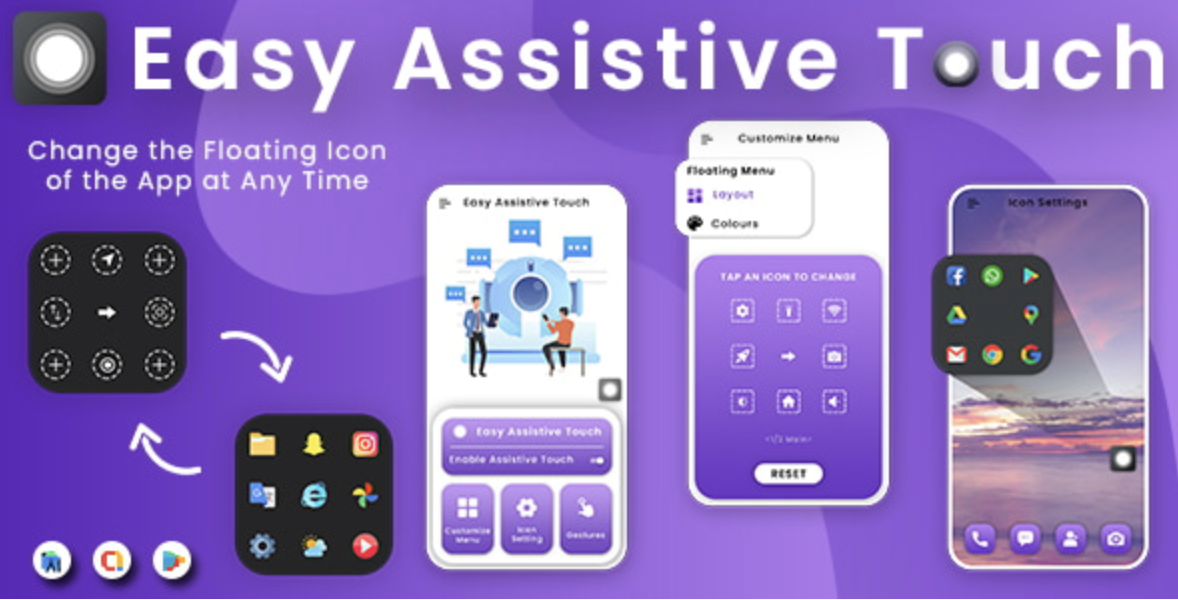
The Assistive Touch for Android plugin brings the intuitive convenience of a mobile Assistive Touch Button – Assistive Touch Swipe – Toucheazytouch iOS to your WordPress website. This powerful tool adds a sleek, floating button that provides users with instant access to essential actions and links, dramatically improving site navigation and user experience. It’s an ideal solution for complex e-commerce sites, feature-rich blogs, and corporate portals where simplifying user journeys is a top priority. By centralizing key functions, you can declutter your interface and offer a modern, app-like feel that keeps visitors engaged.
Modern websites often struggle with overwhelming menus and hard-to-find calls to action, especially on mobile devices. This plugin elegantly solves that problem by creating a persistent, context-aware navigation point. Instead of forcing users to scroll and search, you can present them with a highly visible shortcut panel that anticipates their needs. This not only streamlines interaction but also significantly reduces user friction, ensuring that important pages and functions are always just a single tap away.
Key Features
- Fully Customizable Floating Button: Control the size, color, icon, and transparency of the floating button to perfectly match your site’s branding.
- Dynamic Action Panel: Add custom links, actions, and shortcuts to the pop-up panel. Configure everything from social sharing links to a “Request a Quote” button.
- Advanced Gesture Control: Implement swipe gestures (up, down, left, right) in addition to taps, allowing you to assign different actions for more sophisticated control.
- Responsive Visibility Rules: Choose to display the button on all devices or specify its visibility for desktop, tablet, or mobile users only.
- Positioning and Animation: Easily set the button’s default position and choose from various animations for the panel’s opening and closing effects.
- Easy Implementation: Seamlessly integrate the button into your website without needing to write a single line of code, offering a straightforward setup process.
Use Cases
For online stores, the Assistive Touch for Android – Assistive Touch Button – Assistive Touch Swipe – Toucheazytouch iOS can be a significant revenue booster. You can configure the panel to include shortcuts for “View Cart,” “My Account,” “Track Order,” and “Wishlist.” Placing these critical e-commerce actions in a persistent button reduces cart abandonment and streamlines the checkout process. It transforms the shopping experience by making it faster and more convenient, encouraging repeat business and higher customer satisfaction.
Content-heavy websites like blogs, news portals, and magazines can greatly enhance readability and engagement. An Assistive Touch Button – Assistive Touch Swipe – Toucheazytouch iOS implementation makes perfect sense here. Configure it with actions like “Back to Top,” “Toggle Dark Mode,” “Increase Font Size,” or “Share Article.” These quality-of-life improvements keep readers on your site longer and empower them to consume your content in a way that suits their preferences, fostering a loyal audience.
Corporate and service-based business websites can leverage this tool to drive conversions. By populating the action panel with primary calls-to-action like “Request a Consultation,” “Call Us Now,” or “View Services,” you make it incredibly easy for potential clients to take the next step. This constant visibility ensures that your most important conversion points are never missed, turning passive visitors into active leads.
Benefits
Assistive Touch for Android fundamentally elevates your website’s user experience by making navigation feel fluid and intuitive. By reducing the number of clicks required to perform key tasks, you remove barriers and create a more satisfying journey for your visitors. This app-like functionality not only meets the expectations of modern web users but also sets your site apart from competitors, leading to increased time on site and more positive brand perception.
Ultimately, implementing the Assistive Touch for Android – Assistive Touch Button – Assistive Touch Swipe – Toucheazytouch iOS directly contributes to higher engagement and conversion rates. A constantly accessible and well-placed call-to-action is far more effective than one buried in a menu or footer. Whether your goal is to generate leads, sell products, or increase article shares, this tool ensures your primary objectives are always at the user’s fingertips, maximizing your site’s potential.
Beyond performance metrics, this plugin enhances accessibility. For users who may have difficulty with complex navigation or precise scrolling, a centralized control panel offers a much simpler way to interact with your site. It provides an alternative pathway to essential content and features, demonstrating a commitment to an inclusive design that caters to all audiences, regardless of their technical ability or physical limitations.

Restart Taxi & Delivery- Perfect Taxi Solution with Parcel Delivery

MyTaxi – Complete Flutter Taxi App | Full Taxi Booking Solution with Intercity & Parcel
Sticker Maker for WhatsApp – Stickers in WhatsApp – Sticker Maker-WhatsApp – Sticker Maker for WA