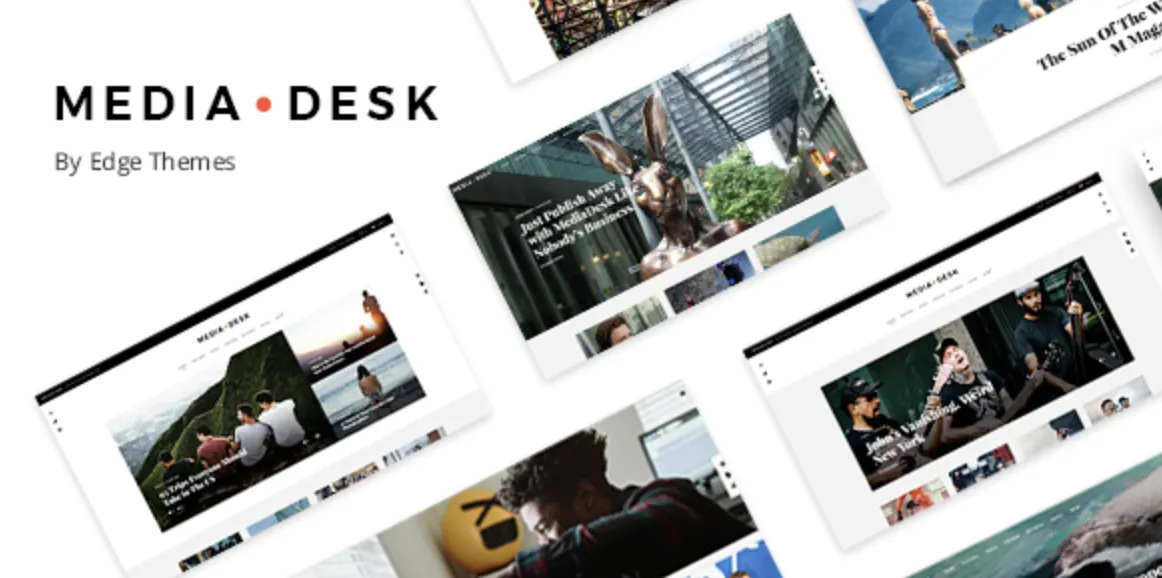
Why the MediaDesk Theme Is a Brilliant Choice for Professionals
If you’re serious about building a polished, responsive, and fast website—especially for media, news, or creative portfolios—the MediaDesk theme is an excellent premium option. It balances design elegance with powerful features, enabling your content to shine without distraction.
Purchased the advanced version? Great! Let’s quickly get your site set up, avoiding typical pitfalls so you can focus on growth.
How to Install the MediaDesk Theme in 4 Easy Steps
Before starting, download the latest premium version here:
👉 MediaDesk theme on GPLPal
Step 1: Upload and Install the Theme
Go to your WordPress dashboard:Appearance → Themes → Add New → Upload Theme.
Select the mediadesk.zip file and click Install Now.
Step 2: Activate the Theme
Once installed, click Activate to make the theme live immediately.
Step 3: Import Demo Content
Navigate to Appearance → Demo Import. Select a demo that suits your niche (Media, Blog, Portfolio), then click Import. This process sets up layouts, images, and sample content quickly—usually under 5 minutes.
Step 4: Install Required Plugins
The MediaDesk theme recommends plugins such as Elementor, Contact Form 7, and WPML for multilingual support. Be sure to activate all to unlock full functionality.
✅ 5 Crucial Post-Installation Settings for the MediaDesk Theme
After activation, don’t forget these vital tweaks to ensure smooth operation and professional polish:
-
Brand Identity Setup
Customize your logo, site title, and favicon underAppearance → Customize → Site Identity. -
Configure Menus
Assign your primary and footer menus throughAppearance → Menus. Proper navigation boosts user experience. -
Set Homepage and Blog Page
Define your static homepage and blog page viaSettings → Reading. Make sure these point to your imported demo pages. -
Optimize Header and Footer
MediaDesk supports Elementor templates for headers and footers. Edit them viaTemplates → Theme Builderto match your brand style. -
Enable Social Sharing
Activate social media integrations in the theme options for wider content reach.
🛠️ Troubleshooting 3 Common MediaDesk Theme Installation Issues
1. Demo Import Fails or Hangs
-
Cause: Server timeout or plugin conflict.
-
Solution: Increase PHP memory limit (at least 256MB), ensure all required plugins are installed, and retry import.
2. Site Layout Looks Broken
-
Cause: CSS or JavaScript conflicts, or caching issues.
-
Solution: Clear all caches, regenerate CSS via Elementor Tools, and disable conflicting plugins.
3. Menus or Widgets Missing
-
Cause: Menus/widgets not assigned post-import.
-
Solution: Reassign menus in
Appearance → Menusand check widgets inAppearance → Widgets.
💡 Why the MediaDesk Theme Elevates Your Online Presence
Choosing the MediaDesk theme means choosing:
-
Sophisticated Design: Clean, modern layouts that adapt perfectly to various devices.
-
Fast Performance: Optimized code ensures swift loading, improving SEO and user engagement.
-
Highly Customizable: Built for Elementor, giving you endless flexibility without coding.
-
SEO-Friendly Structure: Ready for Google with proper markup and fast rendering.
🚀 MediaDesk Theme Optimization Tips: Boost Your Site’s Speed & UX
Make your MediaDesk-powered site fly even faster with these pro tips:
-
Use caching plugins like WP Rocket or W3 Total Cache.
-
Compress images via ShortPixel or Smush to reduce load time.
-
Enable lazy loading for images and videos.
-
Minify CSS and JS files within your optimization plugin.
-
Employ a CDN like Cloudflare for global delivery speed.
📚 Additional Resources
For a comprehensive understanding of WordPress themes and best practices, explore the official WordPress Theme Handbook.
Final Words
Installing the MediaDesk theme is straightforward with this guide. By following these 4 smart steps and fine-tuning post-install settings, you’ll have a professional-grade website that impresses visitors and performs efficiently.
Remember, a well-installed and optimized theme is the foundation of your online success. Ready to take off? Check out GPLPal for the premium MediaDesk theme download and more high-quality themes.