Minecraft McAddon Template Project|Create McAddon Android App
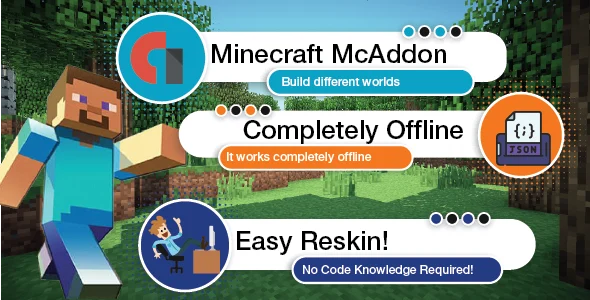
✅ Product Overview
The Minecraft McAddon Template Project offers a direct and efficient pathway to Create McAddon Android App from your custom Minecraft Bedrock content. This isn’t a typical WordPress plugin; rather, it’s a meticulously structured Android Studio project designed for content creators, modders, and server administrators who want to package their unique resource packs, behavior packs, and other custom add-ons into a standalone, distributable Android application. It streamlines the otherwise complex development process, allowing you to turn your creative Minecraft additions into a shareable mobile experience without needing extensive Android programming knowledge.
This comprehensive Minecraft McAddon Template Project|Create McAddon Android App solution streamlines the often complex process of getting your custom game content into a user-friendly app. From my experience with the project, the primary setup involves dropping your addon files into designated folders within the Android Studio structure. The template handles the underlying app logic, presenting your content in a clean interface on Android devices, ready for users to install directly into their Minecraft client.
✅ Highlights & Value
- Simplified Content Integration: The core value lies in its structured folder system. You place your resource packs and behavior packs directly into specific directories like
assets/addons, and the app automatically recognizes and presents them. This avoids manual manifest editing or complex asset bundling. - Direct App Generation: Once your content is in place, you can build a signed APK directly from Android Studio. This means you’re creating a fully functional, installable Android application that users can download and run on their devices, bypassing external marketplaces if desired.
- User-Friendly Interface: The template provides a basic, functional UI for browsing and installing addons. It’s not overly flashy, but it gets the job done, showing addon names and descriptions directly from your
manifest.jsonfiles, which is crucial for content identification. - Branding Opportunities: While a template, it offers clear points for customization. Replacing the app icon, splash screen, and even modifying the color scheme in XML files is straightforward within Android Studio, allowing for personal or brand identity integration.
✅ Real-World Use Cases
- Community Mod Pack Distribution: A Minecraft server owner can use this to package their exclusive behavior and resource packs into a single app for their community, ensuring everyone uses the correct versions.
- Educational Content Sharing: Educators creating custom Minecraft worlds or challenges can bundle their addons into an app, simplifying distribution to students.
- Personal Portfolio Showcase: Developers and designers creating custom Minecraft textures or mechanics can use an app to showcase their work to a wider audience, providing an easy installation method.
- Monetization of Unique Creations: For creators looking to sell their premium addons, this project provides a professional wrapper for their content, enhancing perceived value and ease of use for paying customers.
✅ Technical & Compatibility
Working with the Minecraft McAddon Template Project involves importing the provided structure into Android Studio. It requires a modern version of Android Studio and a compatible Android SDK (typically API 21 or higher for broad compatibility). The application itself relies on standard Android components, ensuring good performance across a wide range of devices. Integration is primarily file-based: your addon folders (containing manifest.json, pack_icon.png, etc.) are simply placed into the appropriate asset subdirectories. This direct approach simplifies updates; changing an addon only requires replacing its folder.
To Create McAddon Android App effectively, understanding basic Android Studio project structure is beneficial but not strictly necessary for basic usage. The template is designed to automatically detect and list valid Minecraft Bedrock Edition addon folders. If your manifest files are correctly formatted and your pack icons are present, the app will display your content correctly. It’s a robust foundation, offering clear pathways for developers to extend its functionality with custom features if desired.
Restart Taxi & Delivery- Perfect Taxi Solution with Parcel Delivery
MyTaxi – Complete Flutter Taxi App | Full Taxi Booking Solution with Intercity & Parcel
Sticker Maker for WhatsApp – Stickers in WhatsApp – Sticker Maker-WhatsApp – Sticker Maker for WA