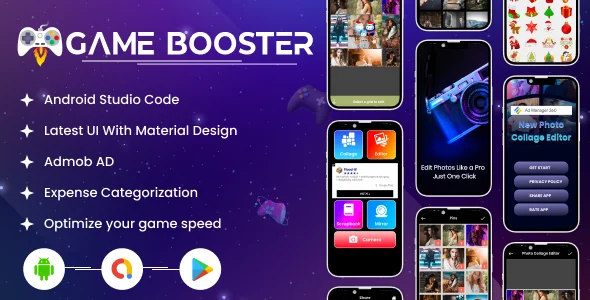
Android Game Booster | Admob Ads | Android
Product Overview
The Android Game Booster offers a utility for users to enhance mobile gaming. This Android application optimizes device resources, ensuring smoother gameplay by clearing background processes and managing memory. It’s for Android developers and publishers providing a performance tool, leveraging Admob Ads | Android for in-app revenue. Essentially, it’s a ready-to-deploy, white-label solution for entering the utility app market, significantly reducing development time.
The app features a clean, intuitive interface. Upon opening, users see a prominent ‘Boost’ button and a ‘Game List’ section. Tapping ‘Boost’ initiates a quick, visible scan; a circular progress indicator animates while clearing cached data and freeing RAM. A numerical summary detailing memory freed appears, providing immediate user feedback and making the process transparent. The layout adapts well to different screen sizes, ensuring consistent user experience.
Highlights & Value
- One-Tap Optimization: Users tap to free RAM and close background apps. UI clearly indicates memory freed after each boost.
- Game List Management: Add preferred games to a dedicated list. Launching a game from here automatically applies optimizations for peak performance.
- Admob Integration: Pre-integrated Admob banners and interstitial ads provide clear monetization. Plug in your own Admob Unit IDs; ads display naturally, e.g., after a boost.
- Source Code Availability: Complete source code of Android Game Booster | Admob Ads | Android allows extensive customization. Rebrand, tweak features, or integrate functionalities for full control.
Real-World Use Cases
- Utility App Portfolio: Re-skin and launch this app under your brand, quickly expanding Android utility app offerings.
- Monetizing Niche Audiences: Target mobile gamers. The embedded Android Game Booster | Admob Ads | Android setup allows immediate revenue generation from ad views.
- Customizing for Devices: With source code, tailor optimization logic for specific Android models, offering a specialized tool.
Technical & Compatibility
The Android Game Booster project, built on Java/Kotlin for Android Studio, ensures smooth operation on modern Android devices (Android 5.0+). Setting up Admob IDs involves locating and replacing specific string resources, a process well-documented within project files. The app’s core functionality relies on standard Android API calls for process management, ensuring broad compatibility without requiring root access. Customization, from app icons to UI colors, is straightforward in Android Studio.

Restart Taxi & Delivery- Perfect Taxi Solution with Parcel Delivery

MyTaxi – Complete Flutter Taxi App | Full Taxi Booking Solution with Intercity & Parcel
Sticker Maker for WhatsApp – Stickers in WhatsApp – Sticker Maker-WhatsApp – Sticker Maker for WA