⚙️ How to Install and Set Up All in One SEO Pro (AIOSEO) – Full Guide for WordPress
If you’re looking for a powerful yet user-friendly SEO plugin for WordPress, All in One SEO Pro (AIOSEO) is one of the best choices available. It helps you optimize your content, improve search rankings, generate XML sitemaps, and manage metadata — all without needing advanced technical knowledge.
In this guide, you’ll learn how to download, install, and configure All in One SEO Pro step-by-step. No coding required — just follow along and get your site SEO-ready in minutes.
🛠 Step 1: Download the Plugin
To get the Pro version, head to the following link:
✅ Download All in One SEO Pro:
👉 https://gplpal.com/product/all-in-one-seo/
Once downloaded, you’ll receive a ZIP file (e.g., ). This is the file you’ll upload to your WordPress site.all-in-one-seo-pro.zip
📦 Step 2: Install the Plugin in WordPress
-
Log into your WordPress dashboard
-
Go to Plugins > Add New
-
Click on the “Upload Plugin” button at the top
-
Click “Choose File”, select the ZIP file you downloaded
-
Click “Install Now”
-
After installation, click “Activate Plugin”
✅ That’s it — you now have the Pro version installed, with all premium features automatically unlocked.
There’s no need to enter a license key — the GPL version comes fully functional right out of the box.
⚙️ Step 3: Initial Setup & Configuration Wizard
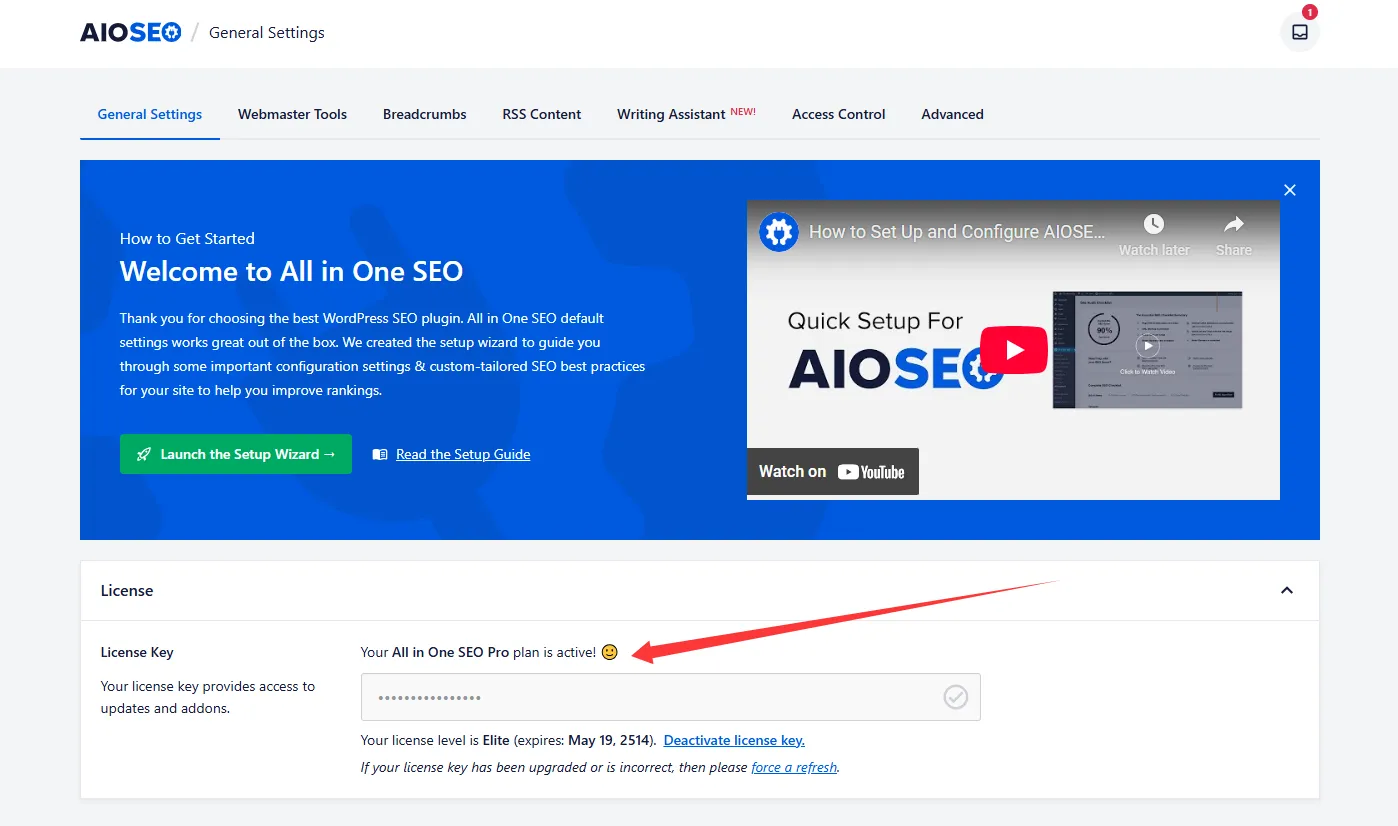
Once activated, you’ll be prompted to run the AIOSEO Setup Wizard. Here’s how to go through it:
-
Click “Launch the Setup Wizard”
-
Choose your website type (Blog, eCommerce, News, Small Business, etc.)
-
Enter your business name, logo, and social media profiles
-
Configure SEO settings like:
-
Meta titles & descriptions
-
Schema markup
-
Sitemap generation
-
-
Click “Finish Setup” — your base SEO config is now done!
You can revisit and tweak any setting later under All in One SEO > General Settings.
⚙️ Step 4: Enable Advanced Pro Features
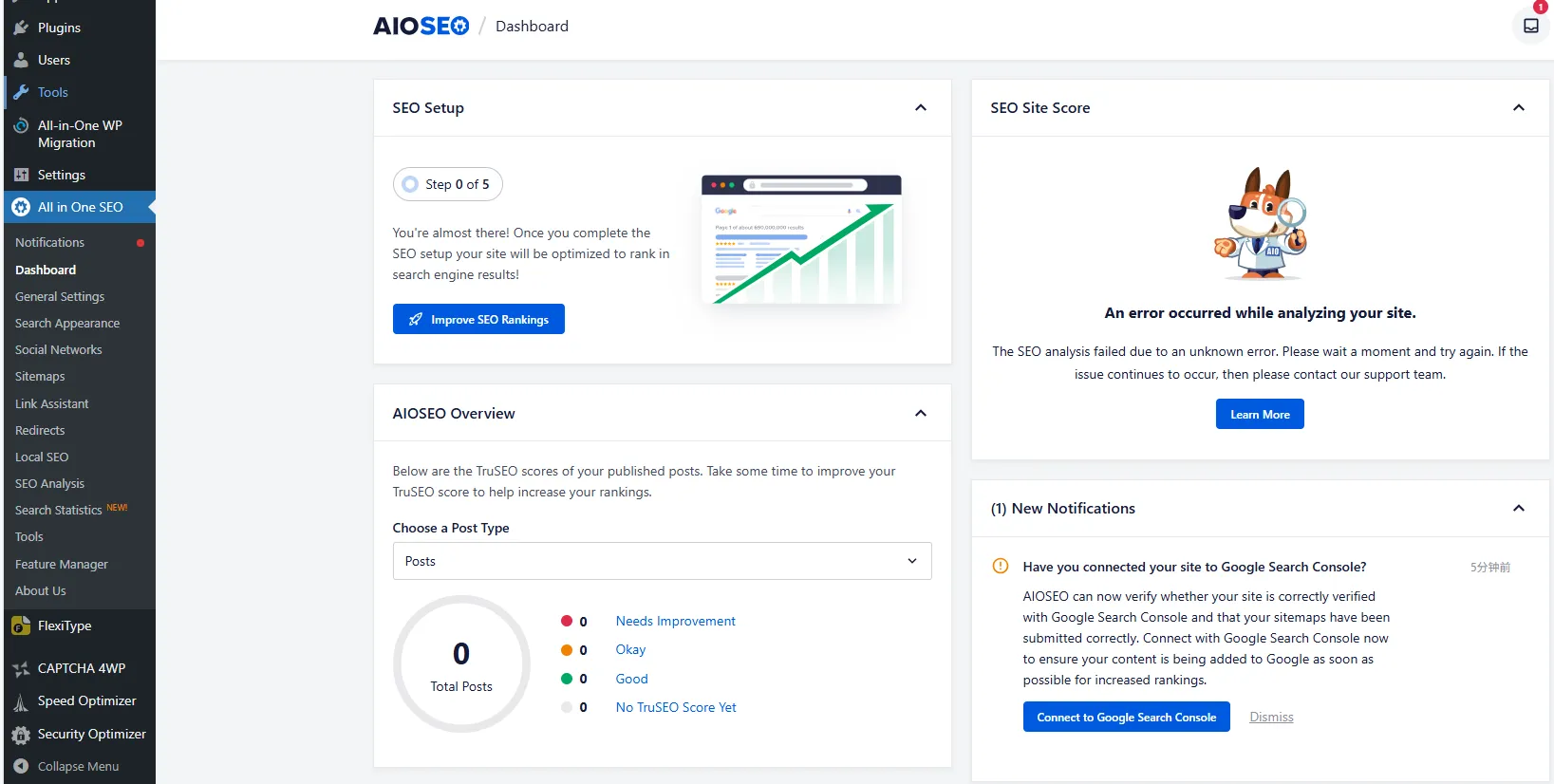
With the Pro version, you get access to advanced modules such as:
-
✅ Redirection Manager – Set up 301/302 redirects
-
✅ Link Assistant – Internal link suggestions and tracking
-
✅ Local SEO – Great for businesses targeting specific locations
-
✅ WooCommerce SEO – Optimized product titles, schema, and more
-
✅ Video SEO, News SEO, Image SEO – For niche content strategies
-
✅ Custom Breadcrumbs, Robots.txt, and .htaccess editor
-
✅ SEO Audit Checklist – Fix issues before they hurt rankings
To activate these modules:
-
Go to All in One SEO > Feature Manager
-
Toggle ON any module you want to use
-
Each module comes with its own settings panel for customization
📈 Step 5: Start Optimizing Your Content
Now that All in One SEO Pro is active:
-
Edit any post or page
-
Scroll down to the AIOSEO meta box
-
Customize:
-
SEO title & meta description
-
Focus keyword
-
Schema type (Article, Product, FAQ, etc.)
-
Social share preview
-
As you fill in fields, AIOSEO gives you a score and live suggestions to help optimize every page for better visibility.
🧠 Tips for Best Results
-
Enable XML Sitemaps and submit to Google Search Console
-
Use the SEO Audit tool regularly to catch issues
-
Set up your robots.txt to block unnecessary pages
-
Don’t forget to link your social media profiles for Open Graph tags
-
If you run an online store, activate the WooCommerce SEO module to boost product SEO
✅ You’re All Set!
With All in One SEO Pro, your WordPress site is now equipped with one of the most comprehensive SEO toolkits available — and you’ve unlocked all the powerful features with no license restrictions.
🔗 Download AIOSEO Pro Plugin Now (GPL Version):
👉 https://gplpal.com/product/all-in-one-seo/
Start improving your site’s rankings, drive more organic traffic, and take control of your SEO — the smart way.