Yard – Gardening, Landscaping & Lawn WordPress Theme
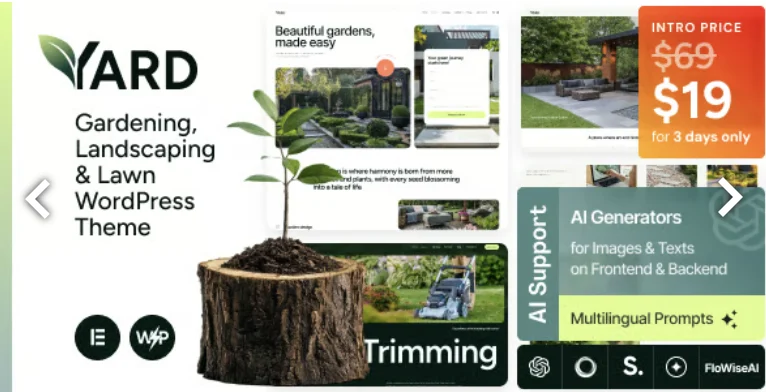
Yard Gardening & Landscaping WordPress Theme Overview & Service-Business Rendering Engine
Yard Gardening & Landscaping WordPress Theme is a WordPress 4.9-through-7.0-compatible theme package built for agencies and service operators publishing gardening, landscaping, and lawn-care websites. The package tackles the structural bottleneck of niche service publishing—booking interfaces, portfolio presentation, and tool commerce—by shipping three homepage demo styles, Elementor-based page assembly, one-click demo installation, and Gutenberg-optimized content blocks. In agency delivery pipelines, it functions as the presentation layer for landscaping companies, nurseries, organic farms, florist shops, irrigation contractors, and maintenance-service providers running WooCommerce storefronts or WPML multilingual deployments.
Technical Specifications & Deployment Matrix
| Engineering Metric | Deployment Specification |
|---|---|
| Base Technology / Framework | WordPress theme; PHP, HTML5, CSS3, and JS source files; ThemeREX Addons framework; Elementor and Elementor Pro |
| Runtime / Version Requirements | WordPress 4.9.x through 7.0.x; codebase verified against PHP 8.5 per changelog |
| Plugin Compatibility Layer | Elementor, Elementor Pro, WooCommerce, WPML, MC4WP, MetForm, AI Engine, ThemeREX Updater |
| Front-End Delivery | Responsive layout, boxed and fullwidth modes, retina image support, 4+ column grids; Firefox, Safari, Opera, Chrome, Edge |
| Data / Persistence Footprint | Native WordPress database via custom post types, custom widget sets, shortcodes, and 750+ Customizer options |
Elementor-Driven Page Assembly & Service Publishing Pipeline
Yard routes each inbound request through the standard WordPress template hierarchy, with Elementor overriding native page templates to render drag-and-drop widget trees. The ThemeREX Addons framework registers the supporting machinery at initialization: custom post types for services and portfolio items, shortcode handlers, widget sets, and a theme options panel administering more than 750 Customizer controls. A setting inheritance and override system governs configuration flow—global Customizer values cascade downward to post types and individual pages, while any node can declare a local override that takes precedence at render time. One-click demo installation hydrates the database with a selected skin’s content, templates, and widgets, moving a landscaping agency from bare install to a populated service site without manual XML imports. Headers and footers are edited as Elementor layouts rather than hard-coded PHP templates, keeping chrome customization inside the same visual builder used for page bodies. Interactive Ajax search queries content asynchronously and returns results without full page reloads, and the blog layer ships multiple feed styles, 20+ post entrance animations, view/like counters, sharing buttons, and a related-posts section. For lawn-care and garden-design briefs that fall outside the three bundled homepage demos, Landsi operates as an alternate same-stack theme covering adjacent outdoor-maintenance verticals.
Core Technical Capabilities of Yard
- Booking and service layout engine: premade service pages pair with an integrated booking system, exposing scheduling interfaces for lawn-care and maintenance operations as customizable layouts rather than fixed templates.
- Portfolio gallery pipeline: dedicated custom post types feed filterable portfolio galleries, giving landscape architects and garden designers structured project showcases with category-based retrieval.
- WooCommerce storefront integration: product feeds, Quick View popups, and attribute filtering—including swatches via the trx-wcext plugin—let nurseries and garden-tool shops transact natively on the same install.
- WPML-ready multilingual layer: a wpml-config.xml file registers translatable shortcode attributes, keeping service copy and WooCommerce strings synchronized across locales.
Production Implementation & Operational Resilience
Before executing the installer’s “Start Setup” routine, the codebase checks for a newer server-side version and auto-updates through ThemeREX Updater, preventing the version-skew failures that break skin and demo imports on agency staging servers. Security hardening is documented directly in the change log: the trx_addons_sanitize_slug function strips unsafe paths from skin, addon, and template slugs in AJAX requests to block local file inclusion vectors, and a v1.4.0 patch closed an object-injection flaw during unserialization of scheme_storage data. When service catalogs demand field structures beyond the bundled custom post types, integrating ACF Extended Pro extends field control, options pages, and front-end forms through the standard plugin layer instead of requiring theme-level edits.
Performance engineering includes optimized database queries in the Posts and Woo Products widgets, a grab_output_allowed option that disables output buffering on managed hosting such as WordPress.com, and a parallax script fix that eliminates object jitter during resize events. Touch-device navigation receives submenu shifting via the submenu_left parameter, keeping dropdowns inside small viewports, while the Nav Menu widget caps dropdown height with scrollable overflow for deep menus.
PHP 8.5 compatibility was resolved by replacing deprecated (boolean) casts with (bool), so modern hosting stacks run the package without fatal deprecations. For decoupled implementations outside the WordPress runtime entirely, Florax provides an independent static HTML design path with a fixed, server-light asset footprint.
Frequently Asked Questions
Are the images shown in the live preview shipped inside the download package?
No — preview imagery is copyrighted to its respective owners on depositphotos.com, peopleimages.com, and flaticon.com, and it is excluded from the template. Production deployments must source properly licensed photography, clipart, and icons before go-live.
Can the Demo Importer pull pages from other skins without running a full installation?
Yes — since version 1.1.0 the importer’s Partial Import tab accepts pages originating from other skins, allowing teams to mix layouts across demo sets instead of re-running a complete import that overwrites existing content.
Does the theme force-activate the AI Engine plugin on every installation?
No — version 1.1.0 removed the forced inclusion of AI Engine from bundled themes. The AI Helper functionality inside ThemeREX Addons remains available, while plugin activation itself stays an optional, per-deployment decision.
-
22 October 2025 LatestOctober 5, 2026