Woyosis – Saas Multi Company CMS – Events – Products & Jobs Script
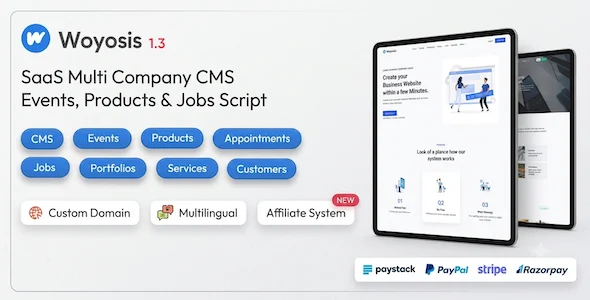
Product Overview
When evaluating a solution for managing diverse online operations, Woyosis stands out as a robust Saas Multi Company CMS – Events – Products & Jobs Script. This self-hosted PHP application allows you to spin up and manage multiple client or brand websites from a single administrative dashboard, each with its own front-end presence, handling distinct event schedules, product catalogs, and job postings. It’s designed for agencies or businesses needing to consolidate the management of various digital entities under one roof.
Highlights & Value
- Centralized Multi-Company Management: From one admin panel, I could onboard new companies, assign them a subdomain, and grant them access to their specific dashboards. Each company maintains its independent front-end site.
- Modular Content Control: The script offers dedicated sections for events, products, and jobs. For example, setting up a new event involves filling out fields for date, time, location, and description, which then automatically populates on the assigned company’s event page.
- Subscription Billing System: Integrated tools allowed me to define different subscription packages for the companies I managed, complete with feature limits and billing cycles.
- Customizable Branding: Each company’s site can be themed independently, ensuring brand consistency without needing to deploy separate instances of the script.
Real-World Use Cases
- Managing a network of local business directories where each business can list its own events, products, and job openings under a central brand.
- Providing a SaaS platform for small businesses to quickly establish an online presence, offering tiered access to product listings, event promotions, and recruitment tools.
- Operating a multi-vendor marketplace where each vendor (company) has a dedicated section to showcase their unique products and services, complete with their own event calendar and job postings.
Technical & Compatibility
Setting up Woyosis requires a standard LAMP or LEMP stack environment. The installation process typically involves uploading the script files to your server, creating a MySQL database, and then running the provided setup wizard. I found the php artisan migrate commands essential for database schema updates after initial setup or when deploying new versions. It’s built on the Laravel framework, which provides a solid foundation for its modular architecture and security features.
When managing multiple companies, the script effectively isolates each tenant’s data while allowing central oversight. The admin panel presents a clear list of active companies, and clicking into one reveals its specific dashboard for content, user, and subscription management. This level of granular control is crucial for maintaining distinct online presences for each entity.
-
v1.1 LatestOct 19, 2026