White Board Drawing, White Sketch Board, Whiteboard Sketch
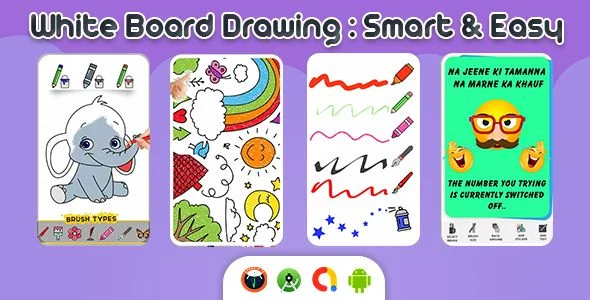
White Board Drawing Overview & Hand-Drawn Animation Engine
White Board Drawing is a WordPress plugin engineered for educators, marketers, and content teams to author hand-drawn sketch animations directly inside a site’s publishing workflow. The module removes the bottleneck of producing whiteboard videos in external desktop software by recording every canvas stroke in the browser and replaying it as a step-by-step animated sequence. Within agency delivery and production pipelines, it operates as a self-contained authoring and playback layer that converts static tutorials, product demos, and explainer narratives into stroke-by-stroke visual sequences.
Technical Specifications & Deployment Matrix
| Engineering Metric | Deployment Specification |
|---|---|
| Base Technology / Framework | WordPress plugin wrapping an HTML5 Canvas rendering surface |
| Runtime / Language Requirements | Standard WordPress hosting stack; canvas interaction executes client-side in the browser |
| Data Exchange / Communication Protocols | Stroke geometry captured from pointer input; output serialized to SVG (vector) and PNG (raster) files |
| Front-End / Engine Dependencies | Responsive canvas component, playback controller, brush configuration panel |
| Database / Persistence Footprint | Per-session stroke history with undo/redo state buffers; no custom database schema is documented in the source material |
Stroke Recording Pipeline & Animation Playback Architecture
The engine captures each pointer stroke as an ordered event stream and replays it on demand. When an author draws on the canvas, input events are translated into stroke objects that carry the selected pen type, color, and size attributes. Each stroke is appended to a session recording buffer in the exact order it was drawn, so the playback controller can reconstruct the authoring timeline without manual keyframing. During playback, the controller redraws strokes sequentially while exposing play, pause, and speed parameters, letting viewers absorb every step at a pace the publisher defines. Because brush configuration travels with each stroke, mixed pen types, colors, and widths can coexist inside a single recording, which is what produces the live-session feel of a whiteboard walkthrough.
This stroke-buffer design also underpins the correction workflow: undo and redo operate against the stroke history rather than raster snapshots, so an author can remove or restore individual strokes at any point without re-recording the full sequence.
Architectural & Functional Highlights
- Responsive canvas surface: The drawing area adapts to any device viewport, so authoring and viewing both function on desktop and touch hardware without a separate mobile build.
- Automatic step-by-step recording: Every stroke is captured as it happens, producing ordered playback data that mimics a live drawing session with no frame-by-frame authoring overhead.
- Playback controller with speed control: Play, pause, and speed parameters govern how the recorded animation is consumed, giving publishers direct command over pacing and viewer comprehension.
- Configurable brush system: Pen types, colors, and stroke sizes are selectable per stroke, allowing the visual output to match a brand palette or a specific instructional tone.
- Dual-format export: Finished work saves as SVG for resolution-independent vector reuse, or PNG for raster placement across external platforms and media.
Production Implementation & Operational Resilience
Because stroke capture and playback run in the browser layer, the package adds minimal server-side processing weight; the host stack only needs to serve plugin assets alongside a standard WordPress installation. When deploying into agency staging environments, validate canvas behavior across the target device matrix early, since pointer handling differs between desktop mice and touch screens even though the surface itself is responsive across viewports.
For client sites where theme and plugin stylesheets accumulate into heavy payloads, running PuffLess alongside the canvas module keeps CSS compressed so pages hosting animations render without layout-blocking delays. Asset hygiene at the stylesheet layer directly affects how quickly the canvas component becomes interactive after page load.
Export workflows provide the resilience net for long-form projects: saving intermediate states as SVG preserves full vector fidelity, while PNG output covers channels that require flat raster images such as slide decks and social placements. The undo/redo state machine reduces rework risk during live client sessions, since corrections are applied to individual strokes instead of forcing a full re-record. No dependency on an external drawing service is documented, which keeps the authoring loop local to the site.
Learning portals that sell multilingual course content face a separate constraint at the commerce layer, and WooCommerce Multilingual addresses catalog and checkout translation on the same WordPress stack, while the whiteboard animations themselves function as language-neutral visual assets inside any translated lesson.
Frequently Asked Questions
Does the plugin export finished whiteboard animations as MP4 or other video file formats?
No. Export options cover SVG and PNG formats; the animated sequence itself is delivered through the plugin’s playback controls rather than a rendered video file.
Can exported SVG files be used outside the WordPress site where they were created?
Yes. SVG is a portable vector format, so exported drawings can be placed into external documents, design tools, and platforms without any dependency on the plugin or the originating website.
Is manual frame-by-frame authoring required to build a step-by-step animation?
No. The recording buffer captures every stroke automatically in draw order, so the step-by-step sequence is generated by the engine during playback rather than being assembled manually.
Does undoing a mistake force the author to restart the entire recording session?
No. Undo and redo act on individual strokes within the session history, so corrections are applied surgically and the previously recorded sequence stays intact.
Keeper : (Android Studio+Admob+Reward Video ads+Inapp purchase+Leaderboards)
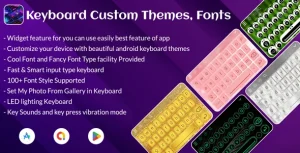
Keyboard Themes Emoji Fonts – My Photo Keyboard Themes – Stylish Keyboard Fonts Themes
Type AI – AutoText Keyboard | IOS | Swift | UIKIT | ADMOB | IN-APP PURCHASE | GOOGLE GEMINI AI