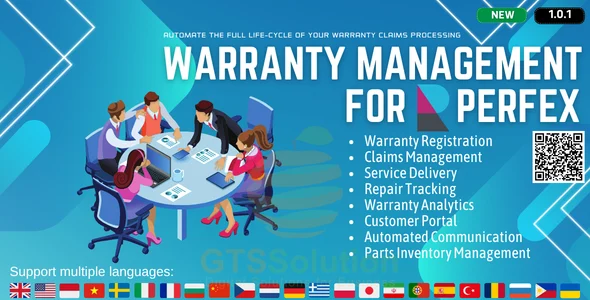
Warranty Management module for Perfex CRM
✅ Product Overview
Warranty Management module for Perfex CRM is a functional extension designed specifically to help businesses handle product guarantees, track expiration dates, and process item replacements directly within their existing dashboard. Aimed at distributors, retailers, and technical repair teams, this addon integrates with the main client database to link specific physical assets to customer profiles. It replaces manual spreadsheets with a dedicated database table where administrators and clients can verify the active status of any sold item.
Upon logging in, administrators see a new sidebar menu that leads to a detailed overview grid. This interface presents key tracking points, including serial numbers, purchase dates, warranty duration in months, and current claim statuses. For clients, a dedicated tab appears within the standard customer portal, enabling them to register their purchased goods by inputting purchase receipt numbers and uploading proof of purchase files.
✅ Highlights & Value
Warranty Management module for Perfex CRM provides a structured framework to register products and review incoming technical claims. By centralizing these records, team members can handle disputes without switching back and forth between external files.
- Comprehensive Product Logging: Capture specific details like make, model, purchase date, serial numbers, and custom database fields on a single, unified screen.
- Client Portal Integration: Enable customers to log in, view active warranty periods, self-register new physical items, and submit claim requests via web forms.
- Claims Lifecycle Tracking: Monitor claims from the initial diagnostic stage down to the final repair or item replacement status using visual kanban boards or table lists.
- Automated Expiry Alerts: Set up the cron utility to dispatch email notifications to clients when their coverage is reaching its specified end date.
✅ Real-World Use Cases
Different support departments employ physical product registries to clarify replacement terms during customer support interactions. Utilizing the Warranty Management module for Perfex CRM ensures that service staff can instantly cross-reference serial numbers to verify validity before authorizing costly repairs.
- Electronics Repair Center: When a customer reports a hardware fault on a laptop, the technician checks the serial number in the system to determine if parts are covered under the standard service window.
- Machinery Distribution: Industrial suppliers log large components with multi-year terms, tracking previous repairs, parts used, and mechanical diagnoses to prevent repeat failures.
- Retail Goods Administration: Retailers manage varied return and replacement policies across different brands, adjusting coverage parameters on a per-product basis to protect profit margins.
✅ Technical & Compatibility
Warranty Management module for Perfex CRM is built on PHP and the CodeIgniter framework, adhering to the core coding conventions of the parent platform. This ensures that the addon works correctly alongside standard Perfex CRM files without overwriting critical database tables.
The script requires PHP 7.4 through PHP 8.2 and is compatible with modern Apache or Nginx server configurations. Users can manage custom settings for the Warranty Management module for Perfex CRM through the setup panel, allowing for fast field matching and customized email templates. Note that this utility is designed as an addon and depends on the base CRM installation to authenticate users and manage customer contacts.
-
1.0.2 LatestSeptember 23, 2026