Sudoku Master – HTML5 Game
Product Overview
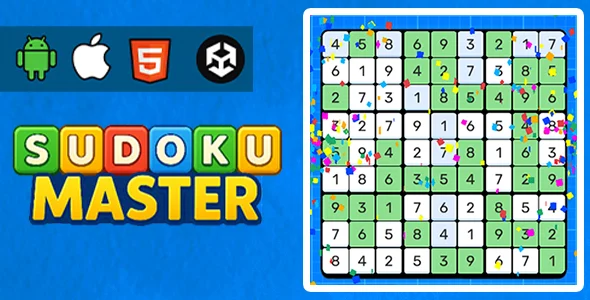
Sudoku Master is a versatile HTML5 Game designed for web developers and site owners looking to embed a classic logic puzzle directly into their WordPress environments. It’s ideal for content sites, educational platforms, or even personal blogs aiming to enhance user engagement with interactive content. The game is fully self-contained, requiring no external APIs or complex server setups, making it a straightforward addition for anyone wanting to offer a high-quality, browser-based Sudoku experience.
Highlights & Value
- Responsive Design: The game smoothly adapts to various screen sizes, from desktop monitors to mobile phones. When I integrated it, the board layout and controls automatically adjusted, maintaining playability without any manual tweaking, regardless of the embedding context.
- Multiple Difficulty Levels: Players can choose from easy, medium, hard, and expert difficulties directly within the game interface. This caters to a broad audience, from beginners to seasoned Sudoku enthusiasts, offering a suitable challenge for everyone.
- Customizable Visuals: It includes options for different themes, letting you match the game’s appearance to your site’s branding. I found the CSS easy to override for minor color adjustments, ensuring a cohesive look with my existing WordPress theme without deep code changes.
- Sound Effects Toggle: Users can enable or disable in-game sounds with a clear toggle button, a thoughtful touch for diverse user preferences or quiet browsing environments.
- Self-Contained & Browser-Based: No server-side processing is needed. The game runs entirely client-side, which simplifies hosting and deployment significantly and reduces server load.
Real-World Use Cases
The versatility of the Sudoku Master – HTML5 Game makes it suitable for several practical applications:
- Content Engagement: Embed Sudoku puzzles on blog posts or article pages to increase time on site and reduce bounce rates. Visitors stay longer, interacting directly with your content instead of just reading.
- Educational Platforms: Use it as a fun, interactive break or a brain-training tool within an e-learning environment. It provides a quick, engaging mental exercise without requiring users to navigate away from the course material.
- Portfolio Showcases: Developers or designers can feature the game as an example of interactive HTML5 integration, demonstrating front-end skills and usability considerations in a live context.
- Personalized Entertainment: Offer a casual gaming option on community forums or personal websites, adding a unique, interactive element that encourages repeat visits and builds community.
Technical & Compatibility
Integrating the Sudoku Master – HTML5 Game onto a WordPress site is quite flexible. You can embed it directly into any post or page using an iframe, or if you prefer more granular control, you can integrate the core HTML5 assets into a custom page template. I’ve found it plays well across modern browsers like Chrome, Firefox, Safari, and Edge, maintaining consistent performance and visual fidelity.
The codebase for Sudoku Master is clean and structured, making it approachable for developers looking to understand or even extend its functionalities. This open nature means you aren’t restricted by typical licensing limitations, allowing you to deploy it across multiple client sites or personal projects without additional per-site fees. You retain full control over the code, enabling deep customization or long-term maintenance independently.