StoreFlow POS – Point of Sale Inventory Management System with NestJS and Next.js
What Is StoreFlow POS? Retail System Architecture & Overview
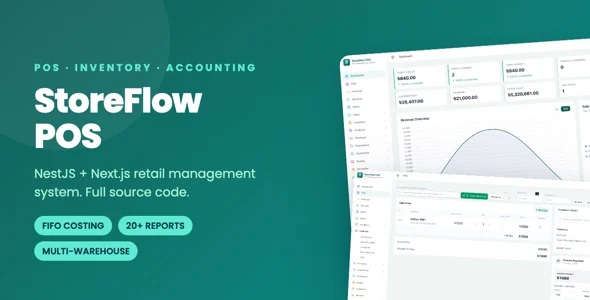
StoreFlow POS is a NestJS and Next.js point of sale and inventory management system engineered to run an entire retail operation, from counter checkout to profit reporting. It resolves the bottleneck most billing scripts leave open: sales get recorded while stock batches, receivables, and cost of goods sold remain disconnected. The package ships as two complete source projects, a NestJS 11 REST API on PostgreSQL and a Next.js 16 admin panel with an integrated POS terminal, ready for production deployment or white-label client delivery.
StoreFlow POS System Requirements & Technical Compatibility
| Parameter | Verified Specification |
|---|---|
| Backend Runtime | Node.js, NestJS 11, TypeORM, JWT with access and refresh tokens, bcrypt hashing |
| Frontend Runtime | Next.js 16 App Router, React 19, TypeScript, Tailwind CSS 4 |
| Database | PostgreSQL, schema created through a single migration command (no manual SQL import) |
| API Documentation | Auto-generated Swagger reference at /api/docs |
| Compatible Browsers | Chrome, Firefox, Safari, Opera, Edge |
| Included Files | JavaScript, HTML, CSS, full typed source for both projects |
| Hardware Targets | USB barcode scanners, 58 mm and 80 mm thermal receipt printers, barcode label printers, A4/laser printers |
POS Terminal, Inventory & Accounting Capabilities
Sales, returns, and stock movements run inside database transactions, with FIFO batch costing driving every margin calculation.
Verified Capabilities & Core Highlights
- FIFO Batch Costing: Every goods receipt creates a stock batch at its own cost, and sales consume the oldest batch first, so cost of goods sold and per-line margin are computed rather than averaged.
- Transactional Sales Processing: Counter sales support barcode scanning, held and resumed carts, split tenders across cash, card, and custom methods, returns against original invoices, and due collection with receipt printing.
- Multi-Warehouse Inventory: Separate stock per warehouse, location blocks for shelf placement, stock reservations, damage claims against suppliers, adjustments with recorded reasons, low-stock alerts, and consumption forecasting based on sales history.
- Enforced Permission Matrix: Custom roles are assembled from granular permissions enforced at both the API and the interface, so a restricted user cannot bypass the UI to reach a blocked action, while a full audit log records every create, update, and delete.
- Accounting & Reporting Layer: Receivables, payables, expenses, aging analysis on both sides, a supporting ledger, and 20+ date-filterable reports that each export to Excel, including a dedicated below-cost sales report.
Purchasing is wired end to end: purchase orders, goods receiving with partial receipts and corrections, supplier ledgers, and payment vouchers. Retailers who also sell groceries online can pair the terminal stack with Grocery Shop, a web add-on for grocery store SaaS deployments, to extend the same vertical onto the storefront side of the business.
Implementation Scope, Customization & Deployment Boundaries
Deployment follows a documented Ubuntu path using PM2, Nginx, and free SSL via Let’s Encrypt, and the database is built by one migration command rather than an imported SQL file. Rebranding is handled through environment variables, a single branding file, and CSS variables in one file for the colour theme; shop details and receipt logos are set from the Settings screen and stored in the database without a rebuild. The package requires a Node.js host and PostgreSQL from your own provider; managed database hosting, SMS gateways, SMTP, Redis, and printer hardware are optional and billed by their own providers, never bundled. Teams standardizing on a PHP-based WordPress stack instead of Node.js can adopt Ultimate POS, an ERP, stock management, point of sale and invoicing application that covers a comparable operational span. StoreFlow POS itself follows standard NestJS and Next.js directory structures with no proprietary daemons, and nothing is obfuscated, encoded, or locked in the download.
Frequently Asked Questions
Does the download include both the backend and frontend source code?
Yes, the package contains the complete NestJS REST API source with migrations and Swagger docs, plus the full Next.js admin panel and POS terminal source, with nothing encoded or requiring activation.
Is a manual database import required during setup?
No, the entire normalized PostgreSQL schema is versioned in code and created by a single migration command, so there is no SQL file to import or manually execute.
Does the system work with standard barcode scanners and thermal printers?
Yes, any standard USB barcode scanner works without drivers, and receipt printing targets 58 mm or 80 mm thermal printers connected via USB, network, or Bluetooth, with configurable footer lines.
-
v1.0.0 Latest