Staff Approvals Management For Perfex CRM
✅ Product Overview
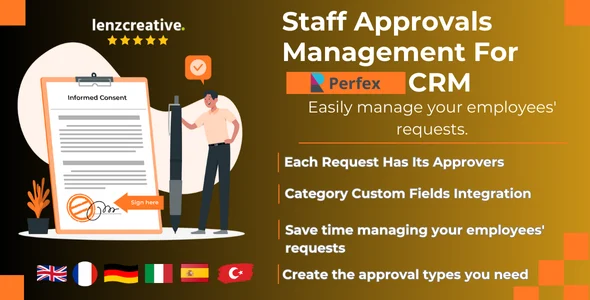
Setting up efficient internal workflows is crucial. The Staff Approvals Management module For Perfex CRM provides a robust framework for structured, traceable internal requests. This dedicated Perfex CRM add-on helps businesses requiring a clear process for various internal requests. Once installed, it adds an ‘Approvals’ item to your Perfex CRM sidebar, letting administrators define custom approval types and multi-stage workflows, while staff submit requests directly from their dashboards.
From the admin panel, you establish unlimited approval types, each with its own stage sequence. For instance, a ‘Leave Request’ might have ‘Manager Review’ and ‘HR Approval’; a ‘Purchase Order’ could involve ‘Department Head’ and ‘Finance Manager.’ Each stage specifies which staff or roles are responsible, ensuring correct routing. The system visually tracks submissions through these stages.
✅ Highlights & Value
The module’s core value centralizes and automates typically manual processes; requests no longer get lost in email. Effective Staff Approvals Management For Perfex CRM provides these key advantages:
- Customizable Flows: Define unique multi-step approval processes, assigning specific approvers at each step.
- Centralized Management: All requests handled within Perfex CRM, eliminating external tools.
- Real-Time Tracking: Staff view request status (e.g., Pending, Approved) from their ‘My Approvals’ tab.
- Automated Notifications: Approvers receive Perfex CRM alerts for new requests, ensuring timely responses.
✅ Real-World Use Cases
Practical application of Staff Approvals Management extends across many business operations. Common scenarios include:
- Leave Requests: Staff use ‘Approvals’ > ‘New Request’, select type, fill dates, and submit. System routes to manager for approval/rejection.
- Expense Claims: Employees attach receipts, itemize expenses. Claim proceeds through finance review, approvers see documentation in request details.
- Purchase Orders: Departments initiate requests, specifying vendor, cost, justification. This flows through departmental and budgetary approvals.
- Project Sign-offs: For agencies, create an approval type for client or internal sign-offs at milestones, ensuring formal acknowledgment.
✅ Technical & Compatibility
Implementing For Perfex CRM, this module integrates seamlessly as a standard add-on. It leverages the Perfex CRM database for approval types, stages, and request data. Activation involves uploading the module via ‘Setup’ > ‘Modules’ in the Perfex CRM admin panel. No external dependencies are required beyond a functional Perfex CRM setup. It typically requires Perfex CRM 2.9.2 or higher for optimal performance.