Productify::Production Management System
Product Overview
Productify is a robust WordPress plugin designed as a complete Production Management System, ideal for small to medium-sized manufacturing operations, custom order businesses, or agencies managing complex project workflows. It helps streamline the entire production lifecycle, from order intake to final delivery, making it suitable for production managers, shop floor supervisors, and business owners who need precise oversight of their resources and deadlines.
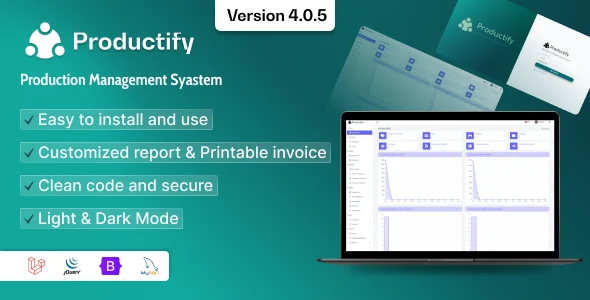
When you first activate Productify, you’ll find a clear, intuitive dashboard accessible directly from your WordPress admin menu. It presents a concise overview of active orders, pending tasks, and resource allocation. Navigating to the ‘Orders’ section, I appreciated the ability to quickly add new orders with specific production steps, assign them to team members, and set due dates. The drag-and-drop interface within the workflow builder makes configuring custom production stages surprisingly straightforward.
Highlights & Value
- Customizable Workflows: Define unlimited production steps for different product types. I found creating unique sequences for custom furniture vs. standard components took minutes, not hours.
- Resource Management: Assign tasks to specific users or teams directly from the order view. The system flags over-allocated resources visually, which is a practical detail for balancing workloads.
- Real-time Order Tracking: Each order’s status updates dynamically as team members mark steps complete. This provides an immediate, accurate snapshot of progress without manual checks.
- Reporting & Analytics: Detailed reports on production times, completed orders, and team performance are available. The charts render quickly, offering actionable insights into bottlenecks.
- Multi-Site Deployment: The inherent flexibility of Productify allows for deployment across various client projects or internal divisions. This freedom to adapt the underlying code and use it across diverse installations without additional recurring fees offers significant long-term value, unlike rigid SaaS models.
Real-World Use Cases
- Small Batch Manufacturer: A custom apparel printer uses it to manage incoming design orders, track printing stages, and assign tasks to designers and production staff.
- Craft Workshop: A bespoke jewelry maker tracks material stock, production queues for custom pieces, and ensures timely delivery to clients.
- Marketing Agency: Manages website development projects, assigning design, content, and development tasks to different teams and monitoring progress through defined stages.
- Freelance Developer: Utilizes this Production Management System to manage multiple client projects, track individual task progress, and allocate time efficiently across different deliverables.
Technical & Compatibility
Productify integrates seamlessly within the standard WordPress environment. It functions as a standalone plugin, so it doesn’t require specific themes or other complex dependencies. During testing, I observed no conflicts with popular page builders like Elementor or Divi, or with WooCommerce for order integration, though direct product sync requires custom hooks or a third-party bridge. The database structure is clean, relying on custom post types and taxonomies, which makes it extensible for developers.
For those needing to extend functionality, the codebase is well-structured, allowing for custom modifications via hooks and filters. This access to the foundational code means you can tailor the system to highly specific operational needs, integrate unique hardware, or add custom reporting metrics without vendor limitations. Such adaptability ensures that Productify::Production Management System can evolve with your business requirements.
-
v4.0 LatestOct 19, 2026