Pro Reader – All Documents Reader – Android App – with Applovin + Admob Ads
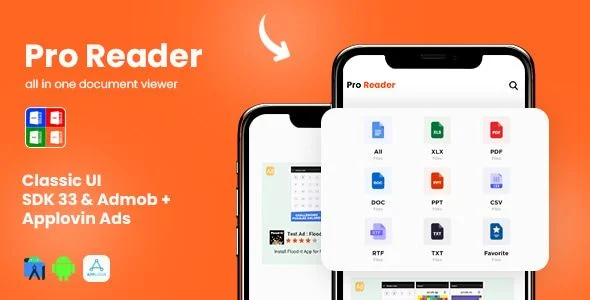
Pro Reader All Documents Reader Overview & Native Android Document Engine Role
Pro Reader All Documents Reader is a native Android application source package, engineered for mobile developers and app-publishing agencies to compile, rebrand, and ship a multi-format document viewer on the Google Play store. The package targets a concrete mobile engineering bottleneck: users typically install separate applications just to open PDFs, Word documents, Excel spreadsheets, PowerPoint presentations, and scanned image files on a single device. Within an agency delivery pipeline, it operates as a production-ready Android Studio project with dual ad-network monetization already wired into the codebase, allowing teams to progress from project import to a signed release build without reconstructing the viewer stack from scratch.
Technical Specifications & Deployment Matrix
| Engineering Metric | Deployment Specification |
|---|---|
| Base Technology / Framework | Native Android application built as an Android Studio project |
| Runtime / Language Requirements | Java and Kotlin source files; targets Android 9.0 through Android 13 |
| Deliverable Formats | .apk build artifact plus .java and .kotlin source files |
| Monetization Layer | AdMob and AppLovin networks with banner, native, and interstitial placements |
| Persistence Footprint | Device-side favourites feature for flagging frequently accessed documents |
Document Discovery, Format Routing & Rendering Pipeline
The core execution flow routes every selected file through format detection before dispatching it to the matching rendering component. When a user opens the application, the interface presents the documents available on the device, and a tap event on any item triggers the routing layer to identify whether the payload is a PDF, a Word file, an Excel spreadsheet, a PowerPoint deck, or a scanned image. Once classified, the file is handed to the corresponding parser, which decodes the document structure and pushes the rendered output into the viewing layer. The favourites mechanism sits alongside this pipeline as a state layer: documents the user flags are recorded locally so they can be reopened without repeating manual navigation. Ad events are dispatched at defined interaction points in the same flow, with banner units occupying persistent screen regions, native units embedded into content surfaces, and interstitial units triggered at transition moments between viewing sessions. Because the entire codebase ships as readable Java and Kotlin within a standard Android Studio project, each stage of this pipeline — file discovery, format classification, rendering, and ad dispatch — can be traced, debugged, and modified directly in the source.
Architectural & Functional Highlights
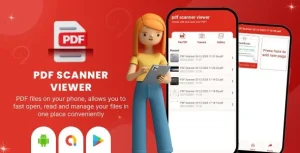
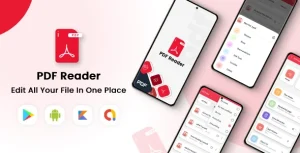
- Multi-Format Rendering Engine: A single installation opens PDF, Word, Excel, and PowerPoint documents as well as scanned images, eliminating the per-format app sprawl that dominates conventional Android setups.
- Favourites State Layer: Frequently used documents can be flagged and persisted on the device, shortening the access path for returning users without re-browsing storage.
- Dual-Network Ad Architecture: AdMob and AppLovin are both integrated, with banner, native, and interstitial formats already positioned throughout the interface so monetization begins with the first compiled build.
- Android 13 Compatibility: The project is verified through the Android 13 target while remaining deployable down to Android 9.0 devices, covering the bulk of the active install base.
- Full Source Deliverables: The package includes the .apk artifact alongside the complete Java and Kotlin files, giving engineering teams a working binary for immediate testing and the full project for modification.
For studios evaluating parallel native source packages outside the document-viewer category, the Java/XML foundation of Android AI Voice Call Dialer follows a comparable Android Studio delivery model for voice-command dialing applications.
Production Implementation & Operational Resilience
Deployment begins by importing the project into Android Studio and compiling against the documented Android 9.0–13.0 compatibility band. Before any store submission, two replacement tasks are mandatory: the application package identifier must be renamed to the publisher’s own namespace, and every hard-coded AdMob and AppLovin unit identifier must be swapped for credentials generated under the publisher’s network accounts. Skipping the second step leaves ad requests bound to placeholder inventory, which yields no revenue and can cause fill failures at runtime. The included .apk allows QA teams to validate rendering behavior on physical devices before the source is even opened, shortening the verification loop. Resilience testing should cover each supported format class — a corrupted or oversized PDF, a Word file with embedded objects, a multi-sheet Excel workbook — to confirm the parsers degrade without crashing the hosting activity. Because the codebase is explicitly marketed as customizable, secondary development stays within practical boundaries: layout resources, color values, and string tables can be restyled for brand alignment, while deeper changes to the rendering or ad layers require working directly in the Java and Kotlin modules. The bundled documentation walks through these configuration steps, which reduces onboarding time for developers inheriting the project mid-sprint.
Agencies that ship multiple native client applications per quarter — for example, the Sngine Android Application for social platform clients — can apply the same rename, re-key, and re-sign release pipeline across their Android portfolio to keep delivery consistent.
Frequently Asked Questions
Does the package ship with a pre-built APK that can be tested before compiling the source code?
Yes. The deliverables include an .apk file alongside the full Java and Kotlin sources, so quality-assurance teams can install the compiled build on Android 9.0–13.0 devices and verify document rendering and ad behavior prior to opening Android Studio.
Is the source code written exclusively in Kotlin?
No. The Android Studio project contains both Java and Kotlin files, which means teams comfortable with either language can navigate the codebase and modify the rendering pipeline, favourites logic, or ad integration layers without a full language migration.
Can the application open scanned image files in addition to standard office formats?
Yes. The documented format coverage extends beyond PDF, Word, Excel, and PowerPoint to include scanned images, so a single viewer handles mixed document inventories where photographic or scanned pages appear alongside generated office files on the device.
Do the documented compatibility targets include Android versions older than 9.0?
No. The verified compatibility band runs from Android 9.0 through Android 13. Publishers targeting legacy Android 8.x or earlier installations would need to conduct their own device testing, since the supplied documentation does not confirm behavior below Android 9.0.