
 My Account
Product Description
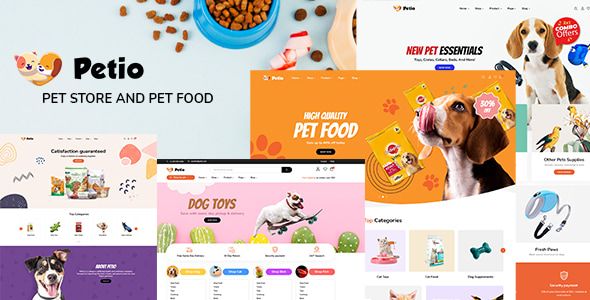
Petio is a vibrant Pet Store WooCommerce WordPress Theme crafted specifically for anyone looking to create a stunning online presence for their pet-related business. This theme provides a comprehensive toolkit for pet shops, veterinary clinics, animal shelters, grooming services, and pet food brands. Its design is clean, modern, and user-friendly, ensuring that your customers have a delightful shopping experience from the moment they land on your site. With a strong focus on visuals and intuitive navigation, it helps you build a trustworthy and professional brand that pet lovers will adore.
Built with a mobile-first philosophy, the theme guarantees a flawless appearance and functionality across all devices, from desktops to smartphones. This responsiveness is critical in today’s market, where a significant portion of online shopping happens on the go. The design is not just about aesthetics; it’s strategically structured to guide visitors towards making a purchase. Every element is thoughtfully placed to highlight your products, showcase promotions, and create a seamless path to checkout, ultimately boosting your conversion rates and growing your business.
Key Features
- Live Drag & Drop Page Builder (Elementor)
- Multiple Pre-built Homepage & Inner Page Layouts
- Advanced Header and Footer Builder
- Powerful Theme Options Panel for Easy Customization
- Ajax Live Search and Product Filtering
- Product Variation Swatches for Color, Size, and Style
- Built-in Mega Menu for Enhanced Navigation
- Product Quick View and Wishlist Functionality
- Fully Compatible with WooCommerce
- Optimized for Speed and Performance
- Translation Ready and RTL Support
- Professionally Designed Blog Layouts
Use Cases
For large-scale online pet superstores managing extensive inventories, this theme is an ideal solution. The Petio – Pet Store WooCommerce WordPress Theme is perfectly suited for this scale, offering robust features like advanced Ajax filtering by category, price, or brand, which allows customers to find exactly what they need in seconds. The powerful mega menu can organize thousands of products into logical categories, preventing user frustration and making browsing large catalogs an effortless task. It turns a potentially overwhelming store into a well-organized, user-friendly marketplace.
Conversely, the theme also excels for smaller, niche businesses such as boutique pet accessory shops or organic pet food startups. Its visually-driven layouts allow you to showcase high-quality product photography, telling a compelling story about your brand. You can create focused landing pages for specific product lines or promotions, capturing customer attention effectively. The clean design ensures that even a small inventory looks premium and curated, helping you stand out from larger competitors by emphasizing quality and unique value.
Beyond traditional e-commerce, this platform is highly adaptable for service-based pet businesses. A veterinary clinic can use the elegant page layouts to detail its services, introduce staff, and integrate an online booking form. Pet groomers and trainers can create stunning portfolios of their work and share client testimonials. This flexibility makes it more than just a standard Pet Store WooCommerce WordPress Theme; it’s a complete digital hub for building a community and marketing your expertise through an integrated blog and content-rich pages.
Benefits
Petio empowers you to build a professional e-commerce site without needing to write a single line of code. Thanks to its deep integration with the Elementor page builder, you can visually design and customize every aspect of your website through a simple drag-and-drop interface. This accessibility saves you significant time and resources, eliminating the need to hire expensive developers for minor changes or major redesigns. You gain full creative control, allowing you to adapt your site’s look and feel as your brand evolves.
A well-structured and fast-loading website is fundamental for achieving high search engine rankings and retaining customers. This theme is built on a foundation of clean, optimized code that prioritizes performance. Fast page load times reduce bounce rates and improve the overall user experience, which are positive signals to search engines like Google. This built-in SEO advantage helps drive more organic traffic to your store, giving you a competitive edge without extra effort.
The core strength of this platform lies in its comprehensive and conversion-focused e-commerce features. It goes beyond a basic storefront by providing tools designed to maximize sales. Features like product variation swatches, quick view pop-ups, and a streamlined checkout process reduce friction and encourage purchases. Ultimately, the Petio – Pet Store WooCommerce WordPress Theme provides all the tools needed to not only launch an online store but to build a thriving and profitable business in the competitive online pet market.





There are no reviews yet.