PDF viewer for WordPress
PDF Viewer for WordPress Overview & Document Rendering Architecture
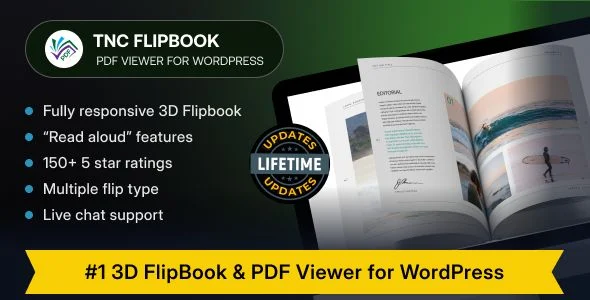
PDF Viewer for WordPress is a self-hosted WordPress plugin built on PHP, JavaScript, HTML, and CSS that converts static PDF documents into interactive flipbooks or full-featured readers. The package eliminates the operational bottleneck of routing visitors through third-party flipbook hosting services, keeping every document on the site owner’s own server instead. Agencies use it to publish product catalogs, digital magazines, ebooks, restaurant menus, manuals, and reports directly inside client sites, embedding each viewer with a shortcode, a popup trigger, or a page-builder widget.
Technical Specifications & Deployment Matrix
| Engineering Metric | Deployment Specification |
|---|---|
| Base Technology / Framework | WordPress plugin (PHP, JavaScript, HTML, CSS); compatible with WordPress 4.9.x through 7.0.x |
| Runtime / Language Requirements | PHP server runtime with standard WordPress minimums; JavaScript-enabled browsers |
| Data Exchange / Communication Protocols | WP REST API support for the viewer post type; Google Analytics 4 event dispatch |
| Front-End / Engine Dependencies | Compatible with Elementor, Elementor Pro, WPBakery, Visual Composer, Avada (via add-on), Divi (via add-on), Oxygen Builder (built-in), Gutenberg Block Editor, WooCommerce, bbPress, BuddyPress, WPML, WP EasyCart, Easy Digital Downloads, Bootstrap 4.x/5.x |
| Database / Persistence Footprint | Files remain on the site’s own server; no third-party hosting and no cap on file size or flipbook count |
| Browser / Device Coverage | Chrome, Firefox, Safari, Edge, Opera on Windows, macOS, Linux, iOS, and Android |
Shortcode Rendering Pipeline & Document Delivery Mechanics
The core mechanism is a shortcode-driven pipeline backed by a dedicated viewer post type. When an editor publishes a flipbook, the plugin registers a viewer entry, stores the PDF source path, and resolves rendering parameters—flip mode, spread layout, toolbar position, and per-viewer branding—into the front-end JavaScript engine. A shortcode generator page produces embed codes, and three embed shapes are available: an inline viewer, a text or image link that opens the document, and a popup container. An optional auto-embed routine scans the site for PDF links and reroutes them through the viewer without touching each anchor manually.
Architectural & Functional Highlights
- Dual rendering modes: Each document can render as a page-flip flipbook with soft or hard page physics, adjustable flip speed, optional flip sound, and single or two-page spreads—including a separate mobile spread setting—or as a vertical/horizontal scrolling PDF reader, chosen per flipbook rather than globally.
- Granular toolbar control: Print, download, zoom, page navigation, find, share, rotate, open, and presentation toggles can be shown or hidden globally or per viewer, with four toolbar positions (top/bottom, centered or full width) and three icon sizes.
- Read-aloud engine: A bundled speech component exposes the document in many voices and languages, letting listeners consume content without external audio production.
- Access and document handling: The engine parses password-protected PDFs, fillable forms, internal links, bookmarks, and attachments; right-click and text-copy shortcuts can be disabled at the client layer.
- Per-viewer branding layer: Each viewer can carry its own logo, favicon, custom colors or theme, and background image, with translation into 100+ languages and RTL support.
Analytics integration dispatches reader events to Google Analytics 4, so document opens become measurable behavior rather than opaque embeds. For teams that need those signals surfaced inside the WordPress dashboard instead of a separate analytics console, Analytify renders GA4 data—eCommerce and real-time tracking included—alongside site administration, which pairs well with the plugin’s event stream.
Production Implementation & Operational Resilience
Deployment follows the standard plugin lifecycle: upload, activate, register the license-independent viewer post type, and generate shortcodes from the dedicated generator page. One-click updates ship from the WordPress dashboard, and the changelog records iterative compatibility passes against recent WordPress releases (6.5 through 7.0.x), PHP warning fixes, and JavaScript conflict resolutions, which signals an actively maintained runtime rather than an abandoned asset. Error handling has been hardened across releases: the changelog documents fixes for zoom failures, presentation-mode glitches, viewport overflow on small screens in even/odd spread modes, admin-area JS conflicts, and permalink structures without rewrite rules.
Because documents remain on the site’s own server, the operational boundary shifts to hosting capacity: there is no file-size ceiling, so agencies should validate PHP memory allocation and upload limits against their largest catalog PDFs before staging handover. REST support for the viewer post type permits headless or decoupled consumption of viewer data. Content protection operates in tiers—hiding print/download buttons and blocking copy shortcuts at the client layer, with optional add-ons for strict download prevention, partial-page previews gated by user role, WooCommerce purchase, or membership level, and file-access restriction by login status. Since public PDF URLs are still guessable on a default WordPress install, hardening the server perimeter with WP Ghost closes path-discovery vectors that client-side toggles cannot address.
Frequently Asked Questions
Does the plugin host or proxy PDF files through a third-party service?
No. Every PDF stays on the site owner’s own server, and the viewer, flipbook engine, and speech components all execute locally in the browser without routing document content through an external flipbook hosting platform.
Is there a ceiling on PDF file size or on the number of published flipbooks?
No. The documented architecture imposes no limit on file size or flipbook count, so the practical ceiling becomes the hosting environment’s PHP memory allocation, server upload limits, and disk capacity rather than the plugin itself.
Can print and download be disabled for protected documents?
Yes. Print and download controls can be hidden per viewer, and right-click and text-copy shortcuts can be blocked client-side. For strict download prevention beyond the interface layer, a dedicated Secure PDFs add-on makes retrieving the shared file itself impossible.
Does the viewer support password-protected PDFs and interactive form fields?
Yes. The rendering engine handles password-protected PDFs, fillable forms, internal links, bookmarks, and file attachments, preserving interactive document behavior that a flat image-based flipbook conversion would normally discard.