Analytify + Addons – The Best Google Analytics Plugin for WordPress
Analytify Overview & In-Dashboard Analytics Engine
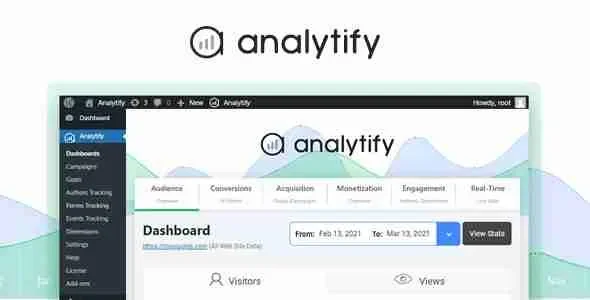
Analytify is a WordPress analytics plugin, engineered for agencies and site administrators to surface Google Analytics reporting directly inside the WordPress dashboard. The package removes the operational bottleneck of hand-configuring tracking logic and bouncing between the Google Analytics interface and wp-admin just to interpret visitor behavior. Within agency delivery workflows, it operates as the measurement layer of a client site, consolidating campaign attribution, ecommerce transactions, and per-post metrics under a single authenticated admin view.
Technical Specifications & Deployment Matrix
| Engineering Metric | Deployment Specification |
|---|---|
| Base Technology | WordPress plugin (PHP) with companion addon modules |
| Runtime Requirements | Standard WordPress installation running PHP with a MySQL/MariaDB database |
| Data Exchange Protocols | Google Analytics measurement and reporting services |
| Front-End Dependencies | WordPress admin dashboard UI; optional public-side reporting display |
| Persistence Footprint | Metric data retained in the linked Google Analytics property; plugin configuration stored in the WordPress database |
Google Analytics Data Pipeline & Dashboard Rendering Flow
The engine authenticates against a linked Google Analytics property and renders aggregated report data inside native dashboard widgets. Once authorization completes, tracking executes across published pages while report payloads flow back into the admin interface, so interpretation never requires leaving WordPress. Universal Tracking consolidates marketing campaign measurement under this authenticated session: UTM-tagged acquisition channels, social referrals, and direct traffic are attributed through one reporting surface instead of parallel tooling. Social media reporting translates referral performance into per-network summaries, letting teams judge whether a given channel converts attention into sessions. RealTime polling keeps operators current on who is online and which content those visitors are engaging with at that moment. For storefront builds, Enhanced Ecommerce Tracking dispatches transaction and product events with materially less manual property configuration than a from-scratch Google Analytics setup. Measurement also extends beyond standard posts and pages: portfolios, galleries, testimonials, and other registered custom post types each receive dedicated statistics. Agencies that generate dynamic listing and content models through JetEngine can therefore extend tracking coverage to those custom structures, since anything registered as a post type falls within the reporting scope.
Core Technical Capabilities of Analytify
- RealTime Stats: Reports live visitor presence and in-progress on-page behavior inside wp-admin, giving operators immediate visibility into current site activity.
- Enhanced Ecommerce Tracking: Instruments transaction and product-level events through a guided configuration flow, reducing the manual property setup normally required for storefront analytics.
- Custom Post Type Coverage: Assigns individual statistics to portfolios, galleries, testimonials, and other non-standard content types rather than aggregating them into generic totals.
- Page-Level Analytics: Organizes metrics under each individual post and page item, so editors evaluate content performance at the item level during routine editorial workflows.
- Front-End Reporting: Exposes detailed per-post statistics on the public side of the site without requiring a WordPress login, useful for author-facing performance transparency.
Production Implementation & Operational Resilience
Deployment begins by installing the core plugin alongside its addon modules, connecting a Google account, and designating the analytics property that will act as the data source. Because reporting reads from that upstream property, staging environments surface meaningful data only when the production property — or a dedicated staging property — is bound deliberately. Addon modules activate selectively, so teams can enable ecommerce tracking on storefront sites while leaving it off brochure builds, keeping each client’s reporting surface aligned with actual requirements.
Social channel measurement benefits from parallel content tooling: agencies embedding feeds through the Twitter Timeline Feed WordPress Plugin can validate whether that embedded channel contributes referral traffic within the social media reports. For support-heavy deployments, documentation hubs assembled with the Knowledge Base | Helpdesk | Support | Wiki WordPress Plugin become measurable at the article level, since every help document registers its own page-level metrics. Operational boundaries trace back to the upstream Google Analytics property: data availability, historical depth, and reporting behavior all follow how that property is configured rather than local server resources, so property settings should be verified before per-page numbers are interpreted for client review.
Frequently Asked Questions
Do the addon modules ship together with the core plugin in this package?
Yes. This distribution bundles the core Analytify plugin together with its addon modules, which can be activated selectively per site so each deployment only enables the reporting capabilities that specific client build actually requires.
Has the plugin received a verified average rating from WordPress users?
Yes. Analytify holds an average rating of 4.7 out of 5 stars based on WordPress user reviews, reflecting sustained adoption across thousands of WordPress sites that depend on it for Google Analytics tracking and reporting.
Can per-post statistics be displayed on the front end without logging into WordPress?
Yes. The Front-End Reporting capability exposes detailed statistics for individual posts on the public side of the site, so authors and stakeholders can review performance figures without holding wp-admin credentials or opening the dashboard.