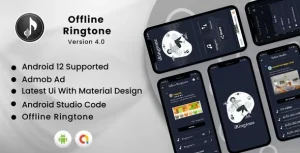
offline music App template with admob.
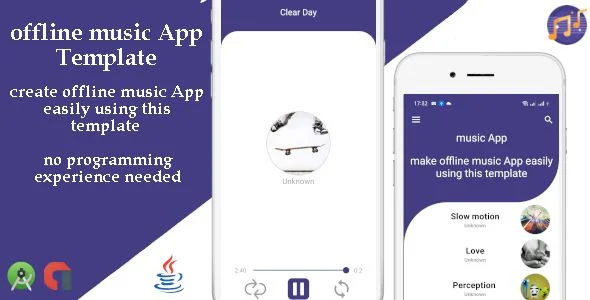
Offline Music App Template Overview & Reskin-Ready Android Foundation
Offline Music App Template is a Java and XML Android Studio codebase, engineered for publishers and agencies to ship fully functional offline music players without writing application logic from scratch. The package removes the two dominant bottlenecks in media app delivery — local audio library wiring and monetization wiring — by pre-building the playback interface and binding AdMob ad units directly into the project. Within production workflows, it operates as a reskin-ready foundation: developers swap the package name, launcher icon, and bundled audio assets, then export a signed APK for store submission.
Technical Specifications & Deployment Matrix
| Engineering Metric | Deployment Specification |
|---|---|
| Base Technology / Framework | Native Android development in Java with XML layout resources |
| Runtime / Language Requirements | Android 9.0 through Android 13; version 3.0.0 targets the latest system release |
| Deliverables / Files Included | .apk demo build, .java source files, .xml layout and resource files |
| Monetization Layer | AdMob integration covering banner, interstitial, and open-app ad formats |
| Data / Persistence Footprint | Local audio file storage; no streaming backend or remote server dependency required |
Audio Playback Pipeline & AdMob Monetization Execution
The template executes playback entirely on-device: audio files bundled into the project are indexed by the player module and rendered through the XML-defined interface, so the app runs with zero network dependency for media delivery. Its architecture is organized around standard Android components — Java activity classes handling state transitions such as track selection, play, pause, and navigation, while XML files govern screen layout, theming, and drawable assets. This separation is what makes the reskin process mechanical rather than developmental: interface changes happen in XML, and logic adjustments stay confined to readable Java classes.
Monetization is wired through three AdMob placements. Banner units persist within the player screens, interstitial units fire at defined transition points, and open-app ad units load during cold start and resume cycles. Version 3.0.0 updated the AdMob library, which matters for compliance: Google progressively retires legacy SDK builds, so a current library binding keeps the compiled app eligible for Play Store review. The release also added a rate-us dialog triggered when the user exits the app, a retention mechanism implemented at the activity lifecycle level rather than as a third-party dependency.
Core Technical Capabilities of Offline Music App Template
- Triple-format AdMob integration: Banner, interstitial, and open-app ad units are pre-wired, so monetization activation consists of replacing placeholder unit IDs with publisher identifiers inside the configuration files.
- No-programming reskin workflow: Package name changes, icon replacement, and music file substitution are documented as step-by-step procedures, meaning a non-developer can produce a distinct branded build using Android Studio alone.
- Android 13 compatibility: The 3.0.0 release refreshed the AdMob library and system-level compatibility so builds pass modern target SDK requirements instead of failing store validation.
- Exit-intent rate dialog: A lifecycle-triggered dialog prompts users to rate the app on exit, capturing store reviews without adding external libraries to the dependency graph.
For studios evaluating parallel Android monetization projects built on comparable AdMob mechanics, Rimba demonstrates the same reward-video monetization pattern applied to a game archetype rather than a media player.
Production Implementation & Operational Resilience
Deployment follows the standard Gradle pipeline: import the project into Android Studio, apply the documented package-name refactor, replace drawable and layout assets, inject your AdMob unit IDs, and generate a release APK through the signed build configuration. The included documentation covers each stage — editing the app, changing the package name and icon, adding AdMob units, inserting your own music files, and extracting the final APK — with video explanations accompanying the written steps. During staging, Google recommends running AdMob test unit IDs before switching to production identifiers, since live ad requests from unreleased builds can flag invalid traffic against your publisher account.
Operational boundaries are worth stating plainly: this architecture is an offline player, not a streaming client. Audio content ships inside the package or is loaded locally, so catalogs scale with APK size rather than with a remote library — a deliberate trade-off that eliminates server costs, streaming licensing complexity, and buffering failure modes. The compiled .apk included in the deliverables lets teams validate behavior on real hardware before any modification, which shortens QA cycles when reskinning for multiple client brands from one codebase.
For decoupled web presentation outside the Android runtime — for example, a marketing site for the published app — Midi exists as an independent WordPress path for music-focused presentation sites, and the two run as separate codebases rather than a merged stack.
Frequently Asked Questions
Is a compiled demo APK included so I can test the app before modifying the source?
Yes, the deliverables include an .apk file plus a recorded demo, allowing you to install the unmodified build on a physical device and evaluate playback behavior, screen layout, and ad placement before starting any reskin work.
Does the documentation include video guides in addition to written steps?
Yes, the documentation ships with video explanations covering the editing workflow, package name and icon changes, AdMob unit insertion, music file replacement, and APK extraction, so the full build cycle can be followed visually.
Can builds compiled from this template run on Android 13 devices?
Yes, version 3.0.0 specifically updated the AdMob library and system compatibility so the app targets the latest Android release, keeping builds aligned with current Play Store target SDK expectations.
Does the app support streaming audio from online services?
No, the architecture is an offline player by design; music files are bundled into the project or stored locally on the device, and no streaming backend, remote catalog, or network media retrieval mechanism is part of the codebase.
Whatsapp Sticker App (Offline) with Admob and OneSignal Push Notification for Android
iBEATZ – Android Music Downloader and Player with Youtube Music Source
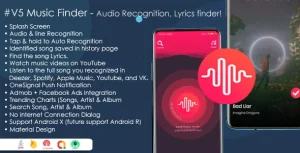
Music Finder – Audio & Lyrics Recognition, Trending & Search Music, Shazam Clone with Admob