
 My Account
Product Description
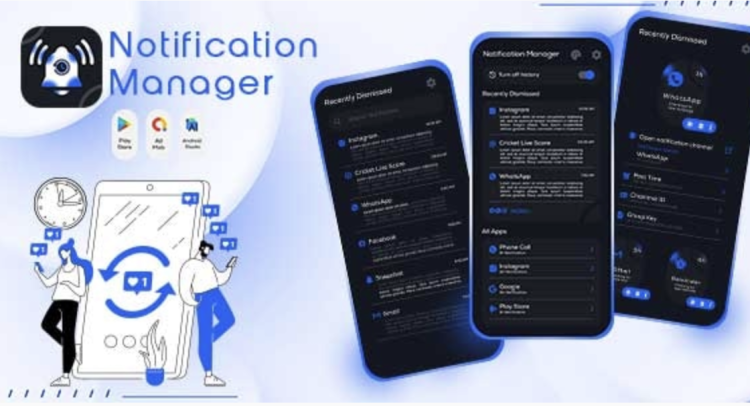
A Notification History Log provides a comprehensive solution to save notification – recent notification – unseen notification history, ensuring you never miss a critical alert on your WordPress site again. This powerful plugin is an essential tool for any administrator, e-commerce manager, or community moderator who needs a reliable way to capture and review system and user-generated notifications. It elegantly solves the problem of transient alerts that disappear upon a page refresh, creating a permanent, searchable record of all important activities. Whether you run a busy online store, a membership portal, or a complex multisite network, this tool centralizes your alerts into one manageable interface.
This plugin acts as a safety net, meticulously recording notifications from a wide array of sources, including other plugins, themes, and the WordPress core. Instead of hunting through different dashboards or email inboxes, you gain a unified view of everything happening behind the scenes. This organized approach streamlines your administrative workflow, allowing you to focus on what matters most without the fear of overlooking a crucial piece of information.
Key Features
- Automatic Notification Capture: Automatically logs notifications from various plugins, themes, and WordPress core without manual setup.
- Unified Notification Center: Displays all saved notifications in a clean, user-friendly interface within your WordPress dashboard.
- Real-Time Unseen Counter: An intuitive counter badge alerts you to new, unread notifications, ensuring you stay up-to-date.
- Advanced Search and Filtering: Quickly find specific notifications by keyword, date range, or source, making it easy to locate information.
- Detailed Notification View: Click on any notification to see its full content, timestamp, and origin.
- Customizable Retention Rules: Set policies for how long to store notification logs to manage database size effectively.
- Bulk Action Management: Easily mark multiple notifications as read or delete them in batches to keep your log tidy.
Use Cases
For online store owners, the ability to track every transaction and alert is crucial. The Notification History Log – Save Notification – Recent Notification – Unseen Notification History plugin ensures that new order confirmations, low-stock warnings, and customer contact form submissions are never lost. Imagine being able to instantly verify a customer’s recent activity or review a sequence of system events that led to an issue, all from one central log.
Community managers and membership site administrators can also leverage this tool to better save notification – recent notification – unseen notification history from user activities. Track new user registrations, content submissions, moderation flags, and private messages with ease. This provides an invaluable audit trail, enhancing site governance and allowing for quicker responses to member interactions, which fosters a more engaged and well-managed community.
Benefits
A powerful Notification History Log is not just for convenience; it’s a vital tool for site maintenance and security. By logging alerts from security plugins, backup tools, and server monitors, you create an indispensable record for debugging and threat analysis. If your site experiences an error or unusual activity, the log becomes the first place you look to diagnose the problem, saving you hours of troubleshooting time and potential revenue loss.
Beyond troubleshooting, the plugin enhances your operational intelligence. By reviewing patterns in your notifications, you can gain insights into your site’s busiest hours, most active users, or most common errors. This data-driven approach empowers you to make smarter decisions about resource allocation, user experience improvements, and content strategy. The complete Notification History Log – Save Notification – Recent Notification – Unseen Notification History system transforms transient data points into a valuable business asset.
Ultimately, this plugin provides peace of mind. Knowing that every important notification is securely captured and archived frees you from the constant need to check multiple systems. It improves accountability, provides a clear historical context for all site events, and empowers you to manage your WordPress environment with greater confidence and efficiency.






There are no reviews yet.