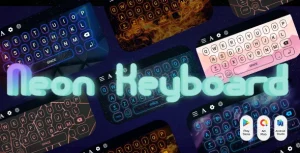
My Photo Keyboard : Picture Keyboard Android App with Widgets
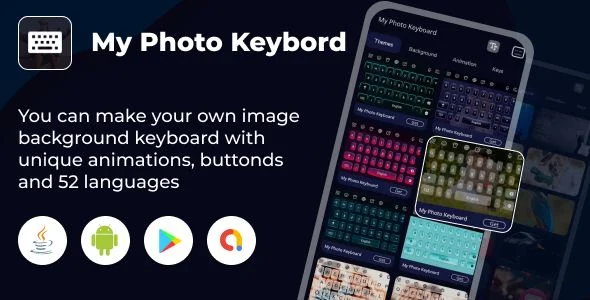
My Photo Keyboard Overview & Input Method Service Architecture
My Photo Keyboard is a native Android input method application written in Java, engineered for mobile studios and independent publishers to deploy a fully customizable photo-background keyboard to the Play Store. The package resolves the core constraint that stock Android keyboards expose no user-defined channel for background imagery, per-key styling, or themed typography within the IME layer. Within agency production workflows, it operates as a white-label codebase: reskin the theme catalog, localize the language packs, and ship under a client brand without rebuilding input logic from zero.
Technical Specifications & Deployment Matrix
| Engineering Metric | Deployment Specification |
|---|---|
| Base Technology / Framework | Native Android SDK with Java implementation and XML resource layouts |
| Runtime / OS Requirements | Android 9.0, 10.0, 11.0, and 12.0 (listed as compatible targets) |
| Deliverable Formats | .apk compiled binary plus .java source files and .xml definitions |
| Communication / Input Protocol | Android InputMethodService framework dispatching key events system-wide to all host applications |
| Persistence Footprint | On-device storage of gallery or camera imagery, theme selections, font mappings, and language packs |
Custom Keyboard Engine & Execution Pipeline
The engine binds to Android’s InputMethodService lifecycle, registering itself as a selectable IME once the user completes the activation sequence inside the host application. Activation follows a five-step pipeline: launch the app, select the My Photo Keyboard entry, switch the system input method to this service, load a background image from gallery or camera with a live preview render, and apply theme and font configuration. Once the input method is switched, the service becomes available to every installed application without per-app configuration.
At runtime, key-press events are dispatched through the IME view hierarchy, where the rendering layer composites the selected photo background beneath glyph layers styled by the active theme. Gesture recognition intercepts horizontal swipe movement across the key plane, converting the traced path into candidate words, while the prediction module queues next-word suggestions derived from the active language model. Media output is handled through the emoji and GIF/sticker panel, which serves 1500+ emoji characters and emoji art payloads to social and messaging applications through the standard input channel.
Core Technical Capabilities of My Photo Keyboard
- Photo Background Pipeline: Users select imagery from the device gallery or camera, review a rendered keyboard preview, and the service persists the selection as the composite background layer across all host apps.
- Multilingual Input Core: 52+ language packs ship with the engine, including 30+ Indic language configurations, allowing localized deployment without writing additional input logic.
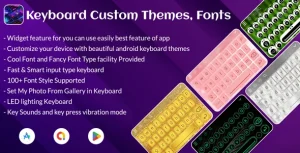
- Theming & Typography Layer: 100+ font styles, color themes, dark and neon/LED variants, and a DIY customization module let the operator restyle key glyphs, backgrounds, and keyboard height through resource-level configuration.
- Gesture & Prediction Logic: Swipe typing converts finger traces into text input, the prediction engine surfaces next-word candidates, and word-edit operations (select, cut, copy, paste, home, end, tab) operate on the active input field.
- Widget Layer: Home-screen widgets expose the app’s core functions directly from the launcher, shortening the path to theme and photo reconfiguration.
Because the input pipeline reads directly from the device media store, studios running parallel Android utility programs can evaluate Recovery Deleted Photo,Videos – Restore All Deleted Files – Deleted Data Recovery Tool App as an independent companion-side package covering media restoration workflows.
Production Implementation & Operational Resilience
Deployment targets span Android 9.0 through 12.0, so release builds should be regression-tested against OEM keyboard stacks from Samsung, Xiaomi, and Pixel system images, where IME service behavior and default input handling vary. The included .apk provides a working reference build for immediate device validation, while the .java and .xml sources open the full view hierarchy for secondary development: theme catalogs can be extended with new drawable sets, font mappings appended to the style configuration, and language packs added to the prediction layer.
Operational boundaries are documented explicitly. The IME provides no voice input mechanism, so accessibility requirements that depend on speech-to-text must be satisfied by the device’s alternate input services. Haptic and auditory feedback run through configurable key-press vibration and key-sound toggles, and keyboard height adjustment allows end users to adapt the key plane to different screen densities. Error tolerance in the activation flow is handled through the preview stage: background and theme changes are validated visually before the input method is committed system-wide.
For teams whose release roadmap extends beyond the input-method vertical into monetized casual builds, World Geography Quiz with AdMob Facebook Ads Android exists as a separate standalone codebase covering the educational game category.
Frequently Asked Questions
Does the package include both a compiled APK and editable source files?
Yes. The deliverable set contains a ready-to-install .apk binary alongside .java implementation files and .xml resource layouts, allowing operators to validate the working build first and then modify the codebase directly for secondary development.
Is voice input supported by this keyboard service?
No. The documentation states explicitly that no voice input of any kind is provided, so text entry is limited to tap, swipe gesture input, prediction, and the emoji, GIF, and sticker panels within the IME.
Can a photo captured with the device camera be used directly as a keyboard background?
Yes. The background pipeline accepts imagery from both the device gallery and the camera, renders a live keyboard preview, and persists the selected photo as the background layer applied across all applications.
Are Indic language keyboards included beyond the standard language list?
Yes. The engine ships with support for 52+ languages overall, of which 30+ are Indic language configurations, enabling regional Play Store releases without additional input-method engineering.
Video Maker & Editor | Photo Slideshow – All-in-one
Auto Background Remover – Background Eraser Photo Editor – Auto BG Changer – Photo Blender Mix Photo
Keyboard Themes Emoji Fonts – My Photo Keyboard Themes – Stylish Keyboard Fonts Themes