MTDb – Ultimate Movie&TV Database
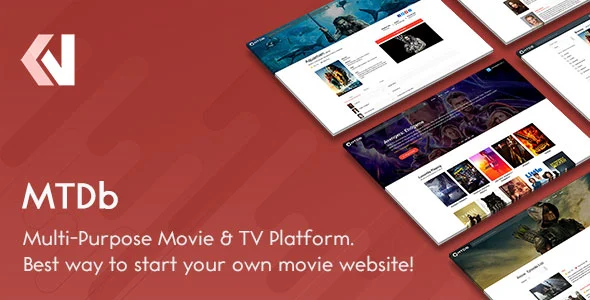
Product Overview
When I first started exploring solutions for a media content site, MTDb quickly stood out as a comprehensive foundation for building an Ultimate Movie&TV Database. It’s not just a collection of templates; it’s a full content management system designed specifically for cataloging and presenting movie and TV show information. This solution is ideal for anyone looking to create a personal media archive, a fan site, or a community-driven database, giving you complete control over your content and its presentation.
Setting it up, I found the initial installation process straightforward, much like any other WordPress theme or plugin. Once activated, the admin dashboard features dedicated post types for ‘Movies’ and ‘TV Shows,’ each with a structured set of fields. Adding new entries involves populating details such as title, release date, director, cast, and external IMDb/TMDB IDs. The most convenient part is the ‘Fetch Data’ button that appears; once an ID is entered, it pulls in cover art, synopsis, genre tags, and cast details, populating the respective fields automatically. This greatly streamlines content entry, avoiding manual data input for hundreds of items.
Highlights & Value
- **Content Autonomy:** You own your data entirely. There’s no reliance on external APIs for core functionality, meaning your database remains intact even if third-party services change their terms or shut down.
- **Granular Control:** Beyond basic content, I could manage user roles, reviews, ratings, and even request features. This level of control extends to the entire look and feel, as it integrates cleanly with standard WordPress customization options.
- **Performance Focus:** The underlying structure feels optimized. Pages load quickly, even with extensive media libraries, which is crucial for user engagement and retention.
- **Monetization Ready:** Built-in options for displaying ads or integrating subscription models are present, allowing flexibility in how you choose to support your site.
Real-World Use Cases
- **Personal Media Library:** Easily catalog your physical and digital movie/TV show collection, complete with rich metadata and user reviews.
- **Niche Fan Site:** Create a dedicated hub for a specific genre, director, or franchise, allowing fans to contribute reviews and discussions.
- **Community-Driven Review Platform:** Empower users to submit ratings and written reviews, building a dynamic content ecosystem around media.
- **Educational Resource:** Curate lists and collections of documentaries or historical films, serving as a structured resource for study.
- **Affiliate Marketing Site:** Build a comprehensive media guide that links out to streaming services or physical media retailers, earning commissions. This is where an MTDb – Ultimate Movie&TV Database can truly shine as a content-rich affiliate hub.
Technical & Compatibility
From a technical standpoint, MTDb integrates seamlessly into the WordPress ecosystem. It uses custom post types and taxonomies, which means it plays well with standard WordPress backup and migration tools. The backend is well-organized; you won’t find yourself sifting through obscure settings. Data is stored within your WordPress database, giving you full ownership and the flexibility to host your site on any compatible server without vendor lock-in or recurring subscription fees for the core software.
On the front end, the theme’s output is clean and responsive. Content adapts well across different screen sizes, which is a fundamental expectation for modern web experiences. While the core styling provides a solid base, the template files are accessible, allowing for extensive customization if you’re comfortable with CSS or PHP. I found it compatible with popular caching plugins, essential for maintaining speed with a large Ultimate Movie&TV Database, and it even worked fine alongside my existing SEO and security plugins without conflicts.
-
v4.0.5 LatestOct 19, 2026