
 My Account
 Product Description
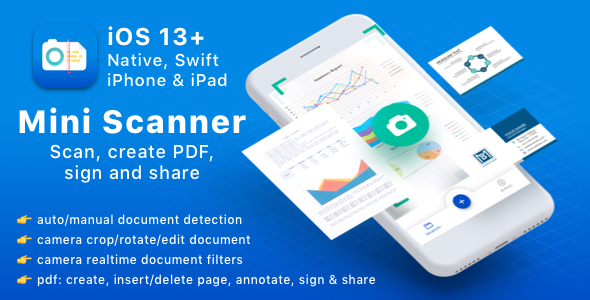
MiniScanner, a groundbreaking solution, is a mini powerfull scanner for iOS 13+ designed to empower developers to integrate advanced document scanning capabilities directly into their iOS applications. This versatile asset caters to a broad spectrum of app categories, from business productivity tools to educational platforms and personal organization apps. It simplifies the complex process of turning physical documents into high-quality digital files, offering a seamless user experience. Developers can leverage its robust features to build bespoke scanning functionalities, ensuring their apps stand out with professional-grade document handling.
The core design principle focuses on efficiency and accuracy. With MiniScanner, you’re not just adding a feature; you’re enhancing the foundational utility of your iOS projects. It’s an essential component for any application requiring users to digitize paperwork, receipts, notes, or any physical document with precision and ease. Its compatibility with iOS 13 and later ensures broad reach across modern Apple devices, providing a future-proof foundation for your app’s scanning needs. This flexible tool allows for deep customization, enabling developers to tailor the scanning experience to match their app’s unique aesthetic and functional requirements.
Key Features
- **Effortless Document Capture:** Automatically detects document edges, corrects perspective, and optimizes image quality for clear, crisp scans every time.
- **Multi-Page Scanning:** Supports scanning multiple pages into a single, cohesive document, streamlining the digitization of lengthy reports or books.
- **Advanced Image Processing:** Includes filters for black & white, grayscale, and color enhancement, along with distortion correction to produce professional-looking results.
- **Text Recognition (OCR):** Integrates powerful Optical Character Recognition to extract editable text from scanned documents, supporting various languages.
- **Flexible Export Options:** Allows saving scans as high-quality PDF or JPEG files, with options for sharing via email, cloud services, and messaging apps.
- **In-App Editing Tools:** Provides features to crop, rotate, annotate, and even use a ‘magic eraser’ to remove unwanted objects from scans.
- **Automatic Organization & Sync:** Intelligently categorizes scanned documents and offers iCloud synchronization across all user devices for easy access.
Use Cases
Integrating a mini powerfull scanner for iOS 13+ like MiniScanner opens up numerous possibilities for application developers across various industries. Imagine a financial app where users can instantly scan and upload receipts for expense tracking, or an educational platform that enables students to digitize handwritten notes and textbooks for easy referencing and sharing. Legal professionals can streamline case management by scanning critical documents on the go, while real estate agents can quickly digitize contracts and property forms. The seamless integration of MiniScanner means developers can focus on their app’s unique value proposition, with document scanning handled by a reliable and efficient component. This empowers them to create more robust and feature-rich applications that meet the dynamic needs of today’s users.
Benefits
Opting for a powerful solution like MiniScanner – A mini powerfull scanner for iOS 13+ offers significant advantages for both developers and end-users. For developers, it means accelerated development cycles, as they can integrate a pre-built, high-quality scanning module rather than developing one from scratch. This leads to reduced development costs and faster time-to-market. The robust and well-tested codebase ensures stability and reliability, minimizing the need for extensive debugging and maintenance. Furthermore, the flexibility inherent in its design allows for extensive customization, ensuring the scanner perfectly aligns with the app’s brand and user interface.
End-users benefit from a consistently superior scanning experience. The intuitive interface and advanced image processing capabilities mean they get professional-grade digital documents every time, without needing specialized equipment. This boosts productivity, reduces reliance on traditional scanners, and allows for efficient digital archiving. The availability of a customizable and adaptable tool ensures that developers can tailor the scanning experience to be as user-friendly and efficient as possible within their specific application context. When developers choose MiniScanner, they’re not just adding a feature; they’re investing in a foundational component that elevates the entire application, providing a seamless and secure document digitization process.




There are no reviews yet.