Laween – Coloring Game
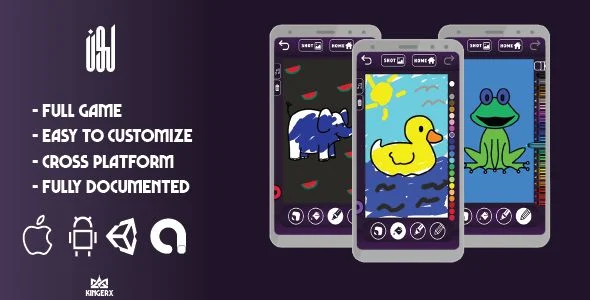
Laween Coloring Game Overview & Cross-Platform Coloring Engine
Laween Coloring Game is a Unity-based mobile coloring book application, engineered for indie studios and app publishers to ship a monetized creative drawing experience across Android, iOS, and WebGL from a single codebase. The project addresses the recurring bottleneck of maintaining separate paint-tool implementations per platform by unifying marker, bucket-fill, and pencil rendering inside one Unity scene pipeline. In agency delivery workflows, it functions as a deployable starting template where texture assets, sticker sets, and AdMob advertisement units can be swapped and rebuilt into store-ready binaries without touching the core input logic.
Technical Specifications & Deployment Matrix
| Engineering Metric | Deployment Specification |
|---|---|
| Base Technology / Framework | Unity game engine (shared C# project) |
| Runtime / Target Platforms | Android 4.4.x through Android 9.0; iOS; WebGL (browser build) |
| Monetization Layer | AdMob banner and interstitial advertisements (Android and iOS) |
| Deliverable Files | Compiled .apk, layered PSD source art, layered PNG assets |
| State Persistence | Local artwork saving system plus screenshot export to device storage |
Drawing Toolchain Architecture & Execution Pipeline
The runtime pipeline centers on a canvas-fill execution model where pointer input events are rasterized directly onto a paintable texture. Each stroke is captured as an input sequence, translated into pixel operations by the active tool controller, and committed to the artwork buffer that the rendering loop displays on screen.
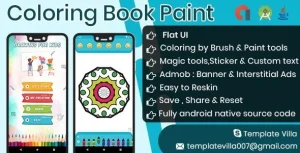
Three tool controllers govern mark generation. The pencil and marker modules interpolate continuous stroke segments with a configurable pen size parameter, allowing the brush radius to scale from fine detail work to broad coverage. The bucket module performs a region fill computation, propagating a selected color across contiguous pixel areas bounded by line art, which is what enables flat shading of enclosed regions in the provided animal and illustration templates. Layered PSD and layered PNG sources map directly onto this system: line-art layers act as boundary masks while fill regions remain isolated beneath them.
State management is handled through a two-directional history stack. Undo pops the most recent committed stroke state from the buffer and restores the prior texture snapshot, while redo re-applies popped states in sequence, giving young users a fault-tolerant correction loop. Sticker placement extends the buffer with sprite compositing, drawing decal textures above the painted layer without destroying underlying marks. The saving system serializes the current buffer to device storage, the screenshot module captures the rendered frame for export, and the sharing system dispatches saved images through the native OS share sheet. For teams evaluating alternative implementation paths in the same genre, Kids Coloring Book With Magic Pen exists as a separate Unity title with its own pen mechanics that can be studied alongside this codebase during pre-production comparison.
Core Technical Capabilities of Laween Coloring Game
- Cross-Platform Single Build Target: One Unity project exports to Android, iOS, and WebGL, removing per-platform reimplementation of the painting logic and keeping tool behavior consistent across mobile and browser runtimes.
- Dual AdMob Unit Management: Banner and interstitial placements operate through a centralized ad configuration layer, so advertisement identifiers are updated in one location rather than scattered across scene scripts.
- Reversible Stroke History: The undo and redo stack snapshots buffer states per operation, bounding the correction cost of a misapplied fill to a single history pop rather than a session restart.
- Native Export and Share Bridge: Saving and screenshot features write artwork to device storage and pass images to the platform share dialog, closing the create-to-distribute loop inside the app runtime.
- Layered Art Source Pipeline: Included PSD and PNG layer files let designers restructure template line art and fill regions in image editors before reimport, without re-engineering the fill boundaries in code.
Production Implementation & Operational Resilience
Deployment begins with the compiled .apk for immediate device verification on the documented Android range, from 4.4.x through 9.0, before developers move to producing their own signed release builds from the Unity project. The wide Android floor widens the addressable device population in emerging markets where older OS versions persist, though teams should validate bucket-fill performance on low-RAM hardware since flood-fill operations are memory-bound and scale with texture resolution.
Advertisement resilience follows the AdMob SDK contract: banner slots persist during drawing sessions while interstitials are triggered at defined transition points, and ad identifiers must be replaced with the publisher’s own unit IDs before any store submission. Because a WebGL target is included, CORS and hosting considerations apply to browser deployments, and teams should verify that the saving and sharing bridges degrade appropriately in environments without native OS share sheets, falling back to the screenshot path.
Secondary development stays within well-defined boundaries. Template artwork is replaced through the layered source files, sticker sets are swapped as sprite assets, and pen size ranges are tuned through the exposed tool parameters. Studios that need a second, decoupled reference point for production planning can also review FingerArt Coloring Book as an independent AdMob-ready implementation outside this project. Included documentation covers the build and configuration steps, and operational limits center on the supported Android ceiling of 9.0, which means newer device testing falls to the releasing developer’s own QA pass.
Frequently Asked Questions
Does the package ship with a ready-to-install APK for testing before I build the Unity project myself?
Yes, the deliverables include a compiled .apk file alongside the layered PSD and layered PNG art sources, so the app can be sideloaded and evaluated on physical Android hardware before any Unity editor work or custom build configuration is required.
Can advertisements be managed without modifying code across every scene?
Yes, the project implements an easy-to-manage AdMob configuration where banner and interstitial units are administered centrally, allowing a publisher to swap in their own advertisement identifiers during setup rather than editing placement logic scattered throughout the codebase.
Is the undo system limited to a single step?
No, the engine provides both undo and redo operations backed by a stroke history mechanism, which means successive actions can be reverted and re-applied in sequence rather than restricting the user to correcting only their most recent mark.
Does the iOS build support the same monetization format as the Android build?
Yes, AdMob banner and interstitial advertisements are documented for both the Android and iOS targets, while the WebGL build serves as the browser-based distribution channel for the same painting feature set.