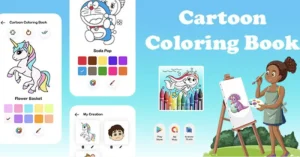
Coloring Book Paint With Admob ready for publish
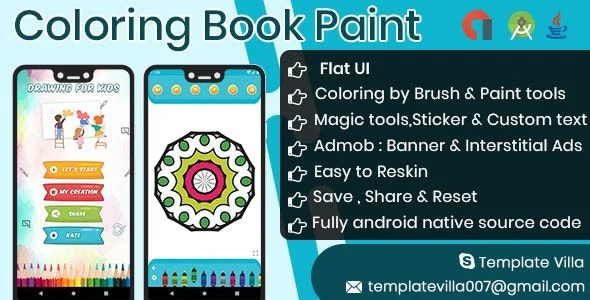
Coloring Book Paint Overview & Native Android Creative App Architecture
Coloring Book Paint is a native Android application source code package engineered for mobile publishers and indie studios to ship a monetized coloring experience across Android 9.0 through 15.0 devices. The codebase removes the engineering overhead of building a canvas-rendering pipeline, touch-input dispatcher, and stroke-history manager from scratch by supplying a prebuilt Java implementation with Google AdMob already wired into the latest ads SDK. Within a production workflow, the package operates as a white-label foundation: teams rebrand the interface, replace illustration assets, configure ad unit identifiers, and produce a signed release build for the Play Console.
Technical Specifications & Deployment Matrix
| Engineering Metric | Deployment Specification |
|---|---|
| Base Technology / Framework | Native Android application — Java source with XML layouts |
| Supported OS Range | Android 9.0, 10.0, 11.0, 12.0, and 15.0 |
| SDK Alignment | Code compatible with Android SDK 36 |
| Monetization Layer | Google AdMob (latest ads SDK version) |
| Included File Artifacts | .apk, .java, .xml, .dex, .so, .dat, .db |
| Persistence Footprint | Local .db storage with shipped illustration assets |
| Deliverables | Full Android source code plus setup document with screenshots |
Canvas Rendering Engine & Creative Execution Pipeline
The engine operates on a canvas-rendering model in which every touch interaction is dispatched to a stroke handler before being committed to the illustration bitmap. MotionEvent sequences from the Android input framework are translated into painted paths: the brush engine produces wider stroke geometry suited to filling large regions quickly, while the pencil engine narrows the stroke radius for line work and fine detail. The Magic Brush follows a distinct execution path — instead of drawing continuous paths, it stamps image sprites onto the canvas at touch coordinates, producing decorated regions without manual path construction.
Editing state is preserved through a history mechanism: each committed action is pushed onto an undo stack, and the redo path restores reverted entries, giving artists a reversible workflow. Zoom in and zoom out apply a scale transformation to the canvas so users can place strokes inside tight illustration regions, and the eraser clears committed pixels along the same touch-dispatch route used by the paint tools. Compositing features extend the pipeline further — stickers layer image elements onto the artwork, and text art renders user-supplied strings directly on the canvas. Once a piece is finished, the output bitmap is handed to Android’s standard share mechanism for distribution. For teams benchmarking this AdMob wiring against other native Android monetization builds, Live Voice Translator demonstrates a parallel pattern where ad unit configuration sits alongside the core feature set of a separate Java codebase.
Core Technical Capabilities of Coloring Book Paint
- Dual Stroke Engine: Brush and pencil modes adjust stroke geometry so large fills and fine detail work run through one touch-dispatch pipeline, with mode switching requiring no canvas rebuild.
- Reversible History Stack: Undo and redo operations track committed actions, letting users correct mistakes without discarding the working illustration.
- Sprite-Stamping Magic Brush: This mode composites image stamps at touch coordinates rather than drawing paths, producing patterned output from minimal input.
- Transform-Based Zoom: Scale transforms expose tight illustration areas for precise stroke placement while the underlying bitmap retains its rendered content.
- Sticker, Text, and Share Compositing: Image stickers and rendered text strings layer onto the finished piece before the bitmap is passed to the system share flow, closing the creation-to-distribution loop alongside the integrated AdMob layer.
Production Implementation & Operational Resilience
Deployment begins with verification of the demo APK, which exposes every shipping feature — brush behavior, zoom transforms, sticker placement, and the share flow — before any build environment is configured. The source aligns with Android SDK 36 and spans Android 9.0 through 15.0, so release candidates compile against current tooling while retaining reach across older device cohorts still active in distribution matrices. Ad unit identifiers are swapped during configuration, and the latest AdMob SDK version handles fill requests when network access is present; the coloring engine itself runs on-device, so illustration work is never gated on connectivity. Performance work in the current update focused on app-level throughput and SDK compatibility, which keeps the package aligned with modern store review requirements.
Customization boundaries are asset-centric: illustrations, stickers, and text-art resources can be replaced without touching the rendering loop, while deeper changes — new brush geometry or alternate history behavior — sit in the Java source that ships with the package. The included document, annotated with screenshots, walks through the setup sequence from project import to signed build. Teams scaling a multi-app portfolio around the same AdMob baseline can study how Centrio layers Firebase and OneSignal services on top of a comparable native Android foundation when planning cross-title notification and engagement strategies.
Frequently Asked Questions
Does the package include editable Java source code rather than only a compiled binary?
Yes — the package ships complete .java and .xml source alongside runtime artifacts such as .dex and .so files, giving direct access to activity logic, layout definitions, and the rendering code required for customization and reskinning.
Can the coloring experience run without an internet connection?
Yes — the coloring engine runs on-device, so stroke rendering, illustration selection, zoom, and sharing function without a network connection; only the AdMob ad layer depends on connectivity for its fill requests.
Can finished artwork be shared directly from the app?
Yes — completed artwork can be shared with friends directly through the device’s standard sharing flow, so exported illustrations leave the app without requiring a separate export or gallery-save pipeline.
Are the illustrations suitable for both children and adult audiences?
Yes — the illustration set addresses both kids and adults, pairing creative-learning artwork for children with detailed pages for older users, while the brush, pencil, and magic brush engines serve both skill levels.
Drawing : Learn to Draw and Coloring book with admob ready to publish
Servpro – On-Demand Service Provider & Booking Application (Web, Android, iOS)

ProZigzagBus : Online Multi Vendor Bus Ticket Booking App & Reservation System Flutter Solution