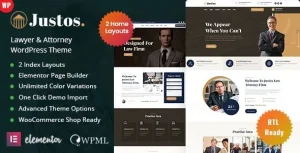
Justico – Attorney Law Firm WordPress Theme

Justico Attorney Law Firm WordPress Theme Overview & Legal Practice Presentation Layer
Justico is an attorney law firm WordPress theme engineered for law firms, legal consultants, and agencies that need to publish practice areas, attorney rosters, and case studies on a self-hosted WordPress installation. The package targets the recurring bottleneck in legal web delivery: assembling service detail pages, structured team profiles, and consultation intake flows without hand-writing PHP templates or registering custom content structures from scratch. Within agency workflows, it functions as a drop-in presentation layer that installs over standard WordPress core, imports its demo content in a single action, and adapts every layout through the Elementor editor.
Technical Specifications & Deployment Matrix
| Engineering Metric | Deployment Specification |
|---|---|
| Base Technology / Framework | WordPress theme package composed of PHP, CSS, and JS files rendered through the native template hierarchy |
| Runtime / Core Requirements | WordPress 5.9.x through 7.0.x on a standard PHP hosting environment |
| Page Builder / Form Dependencies | Elementor (drag-and-drop layout engine); Contact Form 7 (intake and legal request forms) |
| Browser Compatibility | IE10, IE11, Firefox, Safari, Opera, Chrome |
| Layout & Display Attributes | Responsive layout, high-resolution assets, 4+ column grid support, widget-ready regions |
| Documentation Status | Well documented; current release v1.0.1 |
Practice-Area Content Modeling & Rendering Pipeline
Rendering follows the WordPress template hierarchy, with Elementor acting as the primary layout engine. Each inbound page request resolves to a theme template, and the builder reads stored section and widget configuration to assemble the final DOM tree. The one-click demo importer writes the homepage, services, team entries, and blog posts into the database in a single pass, giving developers a populated baseline to edit rather than an empty shell. Practice areas surface through a creative services listing system where every entry links to a dedicated detail page, letting a firm map its legal specializations as navigable, indexable URLs instead of buried text blocks.
Attorney data follows the same structured pattern. Listings aggregate team members into browsable grids, and each profile page carries portrait imagery, biographical copy, areas of expertise, contact details, and success-rate or featured-case highlights as discrete content fields. Inner pages — About, Our Team, Practice Areas, Case Studies, Pricing, FAQ, and a Contact page wired to Google Maps — ship prebuilt, so the site’s navigation architecture requires no manual page assembly. For firms needing searchable, filterable question archives beyond the static FAQ page, integrating DV FAQ adds a dedicated FAQ engine inside the same WordPress runtime.
Core Technical Capabilities of Justico
- Creative Services Listing System: Practice areas publish through listing grids with dedicated detail pages, converting a legal service menu into an internal-link-rich page structure that search engines can crawl and rank per specialization.
- Attorney Profile Architecture: Each profile composites portrait, biography, expertise, contact details, success rate, and featured cases as structured fields, keeping team data consistent across listing and detail views.
- One-Click Demo Import Pipeline: Homepage, services, team, and blog content install in one action, compressing staging setup time and giving QA teams a deterministic content baseline for client review.
- Contact Form 7 Intake Layer: Consultation booking and legal request forms render through shortcode-driven forms, keeping client intake flows editable without touching template files.
- Widget-Ready Regions & Responsive Grid: Sidebar and footer widget areas accept standard WordPress widgets, while the 4+ column layout adapts fluidly across the documented browser matrix.
Production Implementation & Operational Resilience
Deployment follows standard WordPress theme installation: upload the PHP/CSS/JS package, activate it, run the demo importer, then swap in real content. Cross-browser coverage spans IE10 and IE11 through current Chrome, Firefox, Safari, and Opera; release 1.0.1 patched a team-list CSS defect specific to Safari, which signals that browser-level layout regressions receive tracked maintenance.
Three environmental boundaries matter before go-live. First, the sample images in the live preview are placeholders and must be replaced with licensed imagery in the final build — shipping the demo assets is not permitted. Second, some demos rely on Adobe Fonts (formerly Typekit); when those fonts are unavailable, the theme substitutes default or Google Fonts, so typography validation should measure the fallback stack rather than assume preview rendering. Third, published page-speed scores are reference values — actual results depend on the selected demo, server configuration, and content weight, so performance testing belongs on the production host. For studios exploring decoupled, framework-free starting points outside the WordPress runtime, Ashton exists as an independent static HTML path for legal consultancies.
Customization happens primarily inside the Elementor editor, where section structure, typography, and color values adjust without code; deeper modification follows conventional WordPress practices since the package ships standard PHP, CSS, and JS files. Agencies that prefer kit-based delivery over a full theme install can evaluate Barristar as a separate alternative, though the two asset types occupy different runtimes and are not interchangeable packages. Note that Gutenberg is not part of this theme’s optimization target — authoring is builder-centric, so editorial teams committed to block editing should plan around Elementor as the content surface.
Frequently Asked Questions
Are the images shown in the live preview included in the downloadable package?
No, the sample images in the live preview serve demonstration purposes only and must be replaced with the customer’s own licensed images in the final product, so production builds require an approved, licensed photography set.
Does the theme depend on Adobe Fonts for its typography?
Yes, some demos use Adobe Fonts (formerly Typekit). When those fonts are unavailable on a given deployment, the theme substitutes default or Google Fonts, so teams should verify final typography against the fallback stack rather than the preview.
Can the advertised page-speed score be expected after deployment?
No, the page-speed score shown on the item page is a reference measurement only. Real-world results vary with the selected demo, theme configuration, server environment, and content payload, and some features can reduce measured scores after deployment.